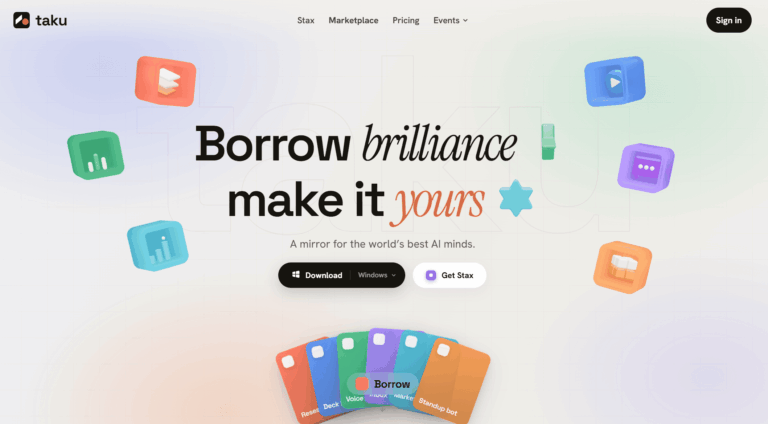
Taku is an AI marketplace and workflow builder that turns other people’s proven AI apps, agents, and skills into one-click tools anyone can run, remix, and make their own. Instead of hunting down tools and wiring them together manually, users describe a goal in plain language and Taku assembles a working stack for them.
Taku solves the problem of AI setup fatigue, where finding, installing, and configuring the right combination of apps and agents for a task takes more effort than the task itself. Solopreneurs, freelancers, and small teams use it to borrow ready-made workflows for research, content, inbox management, and reporting instead of building from scratch.
Creators on the platform package their own workflows as “Stax” that others can install and run instantly, turning a single build into a repeatable, shareable, and potentially monetizable product.
Key Features of Taku
- Marketplace: Browse a library of ready-made AI apps, agents, and skills that can be run instantly without setup.
- Stacks: Describe a goal in plain language and Taku assembles the right combination of apps into a working workflow.
- Stax Publishing: Package a working AI setup into an installable Stax that others can run and remix.
- Creator Monetization: Earn each time someone runs a Stax you published, without handling installs or support tickets.
- Browser Bridge: Connect your browser to Taku Desktop so agents can read pages and complete tasks in approved tabs.
- Tool Integrations: Connect Taku to everyday work tools such as Slack, VS Code, email, calendar, Notion, and spreadsheets.
- Sandbox Execution: Tasks and code run in an isolated sandbox environment separate from your local machine.
- Scheduled Tasks: Set up background and scheduled jobs that keep running after you close the browser or app.
- Parallel Agents: Deploy multiple agents at once to work through large or complex tasks simultaneously.
- Desktop App: Run Taku as a native desktop application alongside your other tools and files.
How to Use Taku
- Sign up for a free Taku AI account on the website or download the desktop app.
- Browse the marketplace to find an existing AI app, agent, or Stax that fits your task.
- Or type your goal in plain language and let Taku assemble a Stack automatically.
- Connect any relevant tools, such as Slack, VS Code, email, or calendar, for the workflow to use.
- Run the assembled workflow and review the output it generates.
- Tweak or remix the setup to better match your preferences.
- Package your finished workflow as a Stax and publish it for others to install.
Key Use Cases for Taku AI
- Research Assistance: Assemble a research agent that drafts outlines and cites sources automatically for a given topic.
- Content Creation: Turn an idea into a finished slide deck, blog post, or content calendar without manual setup.
- Inbox Management: Sort incoming mail, summarize messages, and draft replies through an automated inbox digest.
- Meeting Notes: Convert voice notes or calls into structured notes and follow-up tasks automatically.
- Team Reporting: Gather status updates from team members and post a digest without manual follow-up.
- Habit and Task Tracking: Spin up a lightweight tracker that monitors streaks and progress over time.
- Workflow Monetization: Publish a proven workflow as a Stax so other users can run and pay to use it.
Pros and Cons
Pros
- Turns AI setups into instant runnable apps
- Natural language workflow assembly, no configuration
- Large marketplace of pre-built apps and skills
- Creators can monetize published Stax workflows
- Connects with many everyday work tools
Cons
- Quality of community-published Stax can vary widely since anyone is able to publish a workflow.
- Browser Bridge requires granting broad page and tab access for browser automation tasks to work properly.
Frequently Asked Questions
What is Taku AI?
Taku AI is a marketplace that turns AI apps, agents, and skills into one-click, remixable tools.
Is Taku Free to Use?
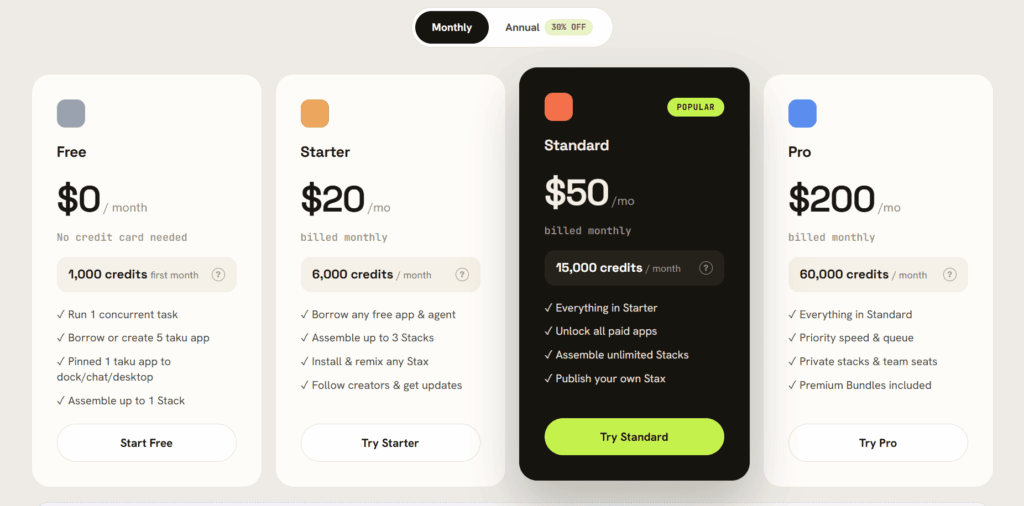
Taku offers a free way to start, with paid plans available for heavier ongoing usage.
What is a Stax on Taku?
A Stax is a packaged AI workflow that others can install, run, and customize instantly.
Can I earn money by using Taku?
Yes, creators can publish a Stax and earn each time another user runs it.
Does Taku integrate with tools like Slack or VS Code?
Yes, Taku connects to tools such as Slack, VS Code, email, calendar, and Notion.
What is Taku’s Browser Bridge?
It links your browser to Taku Desktop so agents can complete tasks in approved tabs.
Do I need to install a desktop app to use Taku AI?
A desktop app is needed for full automation, scheduled tasks, and Browser Bridge features.
Who is Taku designed for?
Taku AI suits solopreneurs, freelancers, and small teams who want ready-made AI workflows fast.