What are the best graphic design apps?
It depends on your work. Canva is the easiest to use and best for social media and marketing. Adobe Illustrator is the professional standard for vector art and Adobe Photoshop for photo editing. Figma is best for UI, product design and team collaboration. Affinity Designer is the best one-time-purchase alternative to Adobe. For free tools, GIMP, Inkscape and Canva’s free plan lead. The most innovative AI features are in Adobe Firefly, Canva Magic Studio and Figma AI. For a logo or full brand identity rather than a general design app, Design.com and BrandCrowd build one in minutes.
| Easiest to use | Canva, Adobe Express |
| Most innovative (AI features) | Adobe Firefly, Canva Magic Studio, Figma AI |
| Best free | GIMP, Inkscape, Canva (free plan) |
| Best learning resources | Canva Design School, Adobe tutorials, GIMP docs and community |
| Professional standard | Adobe Illustrator (vector), Adobe Photoshop (raster) |
| Best one-time purchase | Affinity Designer, Affinity Photo (no subscription) |
| Best for logos and branding | BrandCrowd, Design.com |
The right graphic design app in 2026 depends less on which tool has the most features and more on which one fits your actual workflow. Adobe Illustrator still owns professional vector. Figma owns interface and product design. Canva owns marketing speed. BrandCrowd and Design.com own the logo-first founder lane. And the biggest shift this year is that AI capabilities (Adobe Firefly, Canva Magic Studio, Figma AI) have moved from novelty to genuine differentiator, cutting production time meaningfully on real work.
This guide compares 15 graphic design apps, tested by workflow. The short answer: Canva is the easiest start for beginners and marketing teams, Figma wins for UI/UX and collaboration, Adobe Illustrator is still the professional vector standard, Affinity Designer is the best one-time-purchase alternative, and BrandCrowd or Design.com make more sense than a full design suite if your only goal is launching a logo and starter brand kit fast.
We grouped tools by workflow so you can pick by the job you are doing rather than scrolling through a flat list. If you want the AI-first frame instead, jump to the AI capabilities section below.
Quick Picks at a Glance
| App | Best for | Why it stands out | Pricing model |
|---|---|---|---|
| Canva | Beginners and marketing teams | Fast templates, Magic Studio AI, and easy social-content production | Free + subscription |
| Figma | UI/UX and collaboration | Real-time multiplayer design, strong components, AI Check Designs linter | Free + subscription |
| Adobe Illustrator | Professional vector and logo design | Best-in-class precision plus Firefly AI for scalable brand assets | Subscription |
| Affinity Designer | Best one-time purchase | Strong vector tools without an Adobe subscription | One-time purchase |
| Adobe Photoshop | Photo editing and composites | The strongest raster workflow plus Generative Workflow AI | Subscription |
| Procreate | iPad illustration | The easiest high-quality illustration workflow on iPad | One-time purchase |
| BrandCrowd | Fast logo and brand kit creation | Best for founders who want a logo-first branding shortcut | Subscription / bundle |
| Design.com | All-in-one branding for small businesses | Broader brand stack with logo, cards, social assets, and a simple website | Subscription |
How to Choose the Right Graphic Design App
- Choose Adobe Illustrator, Affinity Designer, or Inkscape if your main job is vector design, logo work, or illustration.
- Choose Adobe Photoshop, Affinity Photo, or GIMP if your work is mainly photo editing, composites, or raster-based marketing design.
- Choose Figma if you design interfaces, wireframes, or product flows with a team.
- Choose Procreate if you want the best iPad-first illustration experience.
- Choose Canva or Adobe Express if you need quick social content, presentations, flyers, and marketing assets more than traditional design depth.
- Choose BrandCrowd or Design.com if you are not trying to become a designer and mainly want a logo plus matching brand assets quickly.
If your real goal is faster logo and branding work rather than a full creative suite, compare our BrandCrowd review and Design.com review before you commit to a larger design stack.
Get Your Free Graphic Design App Stack Cheat Sheet
Send download link to:
AI capabilities are now the differentiator in 2026
The biggest shift in graphic design tools this year is not which app has the most features. It is which app has built useful AI into the workflow you already have. Three suites lead, each with a different approach.
Adobe Firefly and the Firefly AI Assistant
Adobe moved Firefly from “Generative Fill” into a broader Generative Workflow layer. The Firefly AI Assistant orchestrates multi-step tasks across Photoshop, Illustrator, Premiere, Lightroom, Express, and InDesign through a single conversational interface, so you stop manually hopping between apps. Style Kits let you upload 20 brand images and fine-tune the model to only generate visuals that match your brand. Firefly Boards is a new infinite canvas where teams prompt, iterate, and sketch in real time together. If your shop already lives inside Creative Cloud, the AI layer is now meaningfully baked in rather than a separate product.
Canva Magic Studio
Canva Magic Studio is fresh off its AI 2.0 overhaul at Canva Create 2026 and is engineered for speed and volume. The standout 2026 feature is Brand Guardrails: it prevents employees from using off-brand fonts or colors, and if the AI generates an image with the wrong color, Canva auto-corrects to your specified hex code. For marketing teams that need to ship dozens of social assets per week, Canva remains unbeatable on per-asset production speed. The AI is built around batch creation and brand consistency rather than deep creative control.
Figma AI
Figma AI in 2026 spans content generation, image editing, smart search, UI drafting, code handoff, and full-site creation through tools like First Draft, Make Image, Replace Content, and Add Interactions. The most useful feature for working designers is Check Designs, an AI linter that scans your design system and fixes inconsistencies automatically. Text-to-Layout generates entire layouts from a prompt. For UI and product design teams, the AI layer is shaping into a real productivity gain rather than a demo feature.
The honest 2026 read: pick Firefly if you already pay for Creative Cloud, pick Canva Magic Studio if you ship marketing volume, and pick Figma AI if your team designs interfaces or sites. The other apps in this guide still have niche advantages, but if AI matters to your workflow, these three are the ones moving the fastest.
Best Graphic Design Apps for Vector Editing
Adobe Illustrator
Rating: 4.6 / 5
Platform: Windows, MacOS, Cloud-based available for Illustrator(Beta), iPad
File Compatibility: EPS, PDF, PSD, SVG, DXF, DWG,
JPEG, PNG, TIFF
Support: Live chat
Adobe Illustrator is a vector graphics editor developed and marketed by Adobe Inc. It is used to create a wide variety of graphics, including logos, illustrations, signs, banners, and posters. It is also used in desktop publishing and web design. It is a popular choice for businesses and organizations to create their own marketing materials.
Illustrator includes a number of tools and features that make it a powerful and versatile graphics editor. For example, Illustrator includes a variety of drawing tools, such as pen, pencil, and brushes. It also includes tools for creating and editing shapes, paths, and text.
Pricing: Subscription-based
| Individual | Business | Students and Teachers | Schools and Universities | |
| Single App (Illustrator) | $20.99/month | $35.99/month | No single plan | $14.99/month |
| Creative Cloud All Apps | $54.99/month | $84.99/month | $19.99/month | $34.99/month |
Note: Adobe offers Illustrator pricing in two ways. You can purchase Illustrator as a single app or you can purchase Adobe creative cloud (Set of apps including Illustrator).
Affinity Designer
Rating: 4.6 / 5
Platform: Windows, macOS and iPad
File Compatibility: AFDESIGN, SVG, EPS, PDF, PSD, JPEG, PNG, TIFF, GIF, DXF, DWG
Support: +44 (0)115 9142000, affinity@serif.com
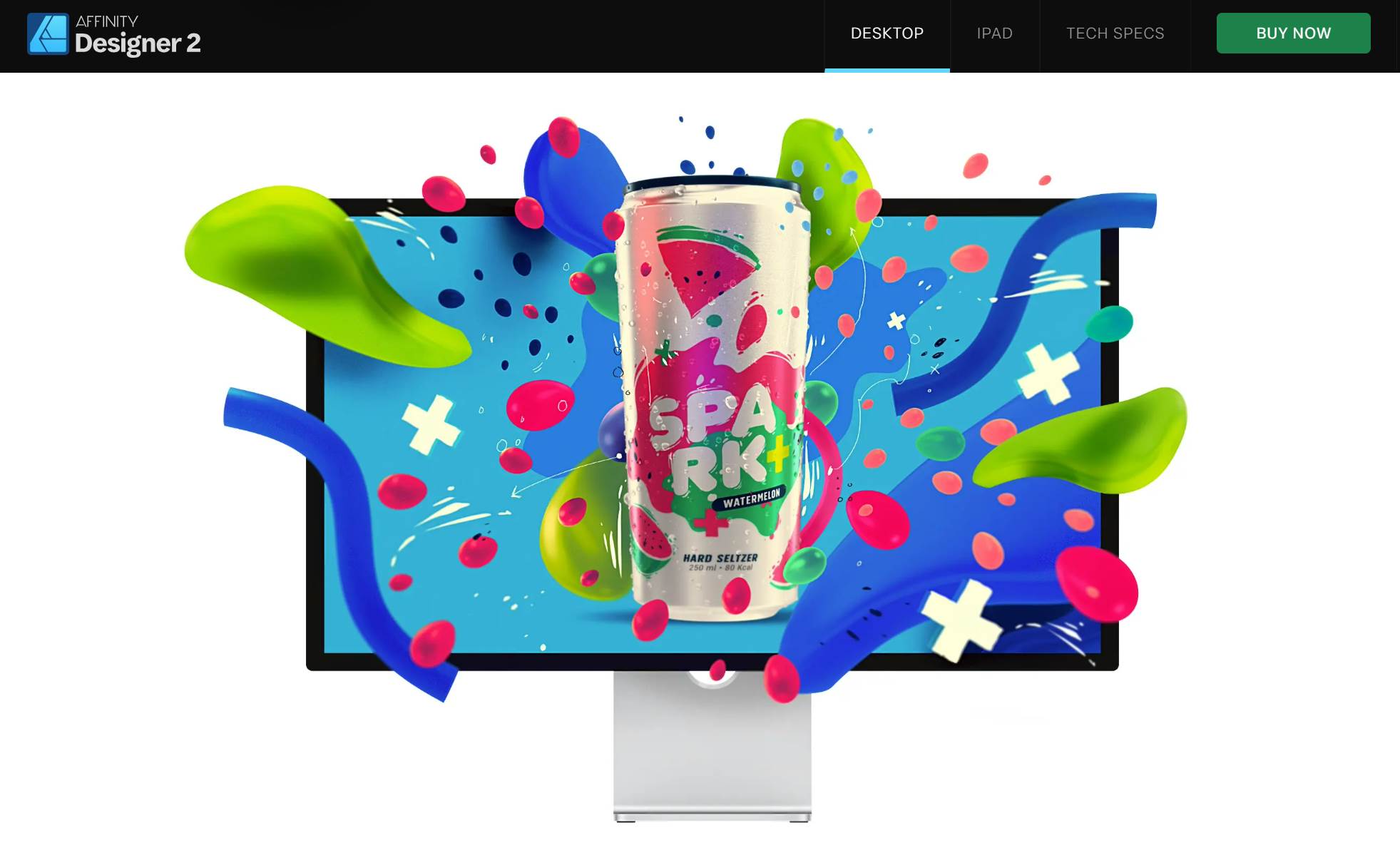
Affinity Designer is a vector graphics editor developed by Serif. It offers a set of features for creating and editing vector objects which includes a variety of drawing tools, tools for creating and editing Bezier curves, tools for adding and editing strokes and fills. It also has a wide range of effects, filters, and a powerful text engine with support for OpenType fonts.
It is a powerful tool for creating a wide range of vector graphics like logos, icons, illustrations, infographics, and web graphics. It is also well-suited for creating and designing layouts for print and digital media.
Pricing: One-time payment
| Individual | Business | Education | |
| Universal License | $164.99 | $156.74 | Contact Sales |
| Desktop App | $69.99 | $66.49 | |
| iPad App | $18.49 | $17.57 |
Get Your Free Graphic Design App Stack Cheat Sheet
Send download link to:
Inkscape

Rating: 4.4 / 5
Platform: Windows, MacOS, and GNU/Linux
File Compatibility: SVG, AI, EPS, PDF, PS,TIFF, JPEG and PNG
Support: Community chat support
Inkscape is a free and open-source vector graphics editor that’s widely used for creating and editing scalable vector graphics (SVG) and other vector file formats. As a cross-platform application available for Windows, macOS, and Linux, Inkscape has gained popularity among graphic designers, illustrators, and web developers due to its accessibility and cost-effectiveness.
It offers a comprehensive set of vector design tools, including drawing, shape manipulation, text support, and gradient editing that makes it a great tool for creating logos, illustrations, icons, and more.
Pricing: Free to use
Best Graphic Design Apps for Raster Editing
Adobe Photoshop

Rating: 4.6 / 5
Platform: Windows, MacOS, Cloud-based, iPad
File Compatibility: PDF, PSD, JPEG, PNG, TIFF, PNG
Support: Live chat
Adobe Photoshop is a renowned raster graphics editing software developed by Adobe Inc. It is widely recognized as the industry standard for image manipulation, photo editing, and graphic design.
Photoshop offers a rich array of powerful tools and features that enables users to retouch and enhance photographs, create digital art, design graphics for print and web, and more. It is known for its comprehensive set of tools, including layers, masks, filters, and a wide range of brushes that makes it an essential tool for photographers, graphic designers, and digital artists.
Pricing: Subscription-based
| Individual | Business | Students and Teachers | Schools and Universities | |
| Single App (Photoshop) | $20.99/month | $35.99/month | No single plan | $14.99/month |
| Creative Cloud All Apps | $54.99/month | $84.99/month | $19.99/month | $34.99/month |
Note: Adobe offers Photoshop pricing in two ways. You can purchase Photoshop as a single app or you can purchase Adobe creative cloud (Set of apps including Photoshop).
Affinity Photo

Rating: 4.6 /5
Platform: Windows, macOS and iPad
File Compatibility: AI, GIF, SVG, WebP, DNG, EPS, PDF, PSD, JPEG, PNG, TIFF, PNG
Support:+44 (0)115 9142000, affinity@serif.com
Affinity Photo is a professional image editing software developed by Serif. This robust application offers a wide range of tools and features for photo retouching, manipulation, and digital artwork creation. It provides advanced selection tools, layer support, non-destructive editing, and extensive filters and effects.
Affinity Photo is a versatile choice for photographers, illustrators, and graphic artists because it support both raster and vector graphics. This software includes features such as HDR merging, focus stacking, batch processing, and panoramic photo stitching that makes it a comprehensive solution for photographers.
Pricing: One-time payment
| Individual | Business | Education | |
| Universal License | $164.99 | $156.74 | Contact Sales |
| Desktop App | $69.99 | $66.49 | |
| iPad App | $18.49 | $17.57 |
GIMP

Rating: 4.3 / 5
Platform: Windows, MacOS, and GNU/Linux
File Compatibility: BMP, GIF, JPEG, MNG, PCX, PDF, PNG, PS, PSD, SVG, TIFF, TGA, XPM
Support: GIMP community support
GIMP, short for GNU Image Manipulation Program, is a powerful and free open-source raster graphic editor. GIMP offers a wide range of tools for tasks such as photo retouching, image composition, and graphic design. It supports various file formats and features layers, masks, filters, and a customizable user interface.
GIMP’s robust capabilities and active open-source community make it a compelling choice for users seeking a cost-effective alternative for image editing and manipulation.
Pricing: Free to use
Best Graphic Design Apps for Animations
Procreate

Rating: 5 / 5
Platform: iPad
File Compatibility: .procreate, PSD, JPEG, PNG, TIFF, GIF, PDF, MP4, HEVC, OBJ, USDZ
Support: support@procreate.com
Procreate is a digital painting and illustration app designed for iPad which is known for its exceptional performance and user-friendly interface. It offers an extensive range of artistic tools and features that enables artists, illustrators, and designers to create stunning artwork with precision and ease.
Procreate’s fluid brush engine, extensive brush library, and support for various layer styles and blending modes make it a powerful platform for creative expression. Its time-lapse recording feature and compatibility with the Apple Pencil enhance the overall digital art-making experience.
Pricing: One time payment of $12.99 from app store
Adobe Animate

Rating: 4 / 5
Platform: Windows, MacOS
File Compatibility: AI, PSD, PNG, BMP, GIF, JPG, SVG, SWF
Support: Live chat
Adobe Animate is a powerful animation software developed by Adobe Systems. It is widely used for creating interactive animations, web-based content, and multimedia applications. Adobe Animate supports both vector and raster graphics and provides a range of animation tools that makes it a preferred choice for animators and web developers.
With features for character rigging, timeline-based animation, and interactivity through ActionScript (or JavaScript/HTML5) it’s a popular tool for creating animated content for the web and other digital platforms.
Pricing: Subscription-based
| Individual | Business | Students and Teachers | Schools and Universities | |
| Single App (Animate) | $20.99/month | $35.99/month | No single plan | $14.99/month |
| Creative Cloud All Apps | $54.99/month | $84.99/month | $19.99/month | $34.99/month |
Note: Adobe offers Animate pricing in two ways. You can purchase Adobe Animate as a single app or you can purchase Adobe creative cloud (Set of apps including Adobe Animate).
Best Graphic Design Apps for Publishing
Affinity Publisher

Rating: 4.7 / 5
Platform: Windows, macOS and iPad
File Compatibility: PNG, TIFF, JPG, SVG, PDF, DocX, RTF
Support: +44 (0)115 9142000, affinity@serif.com
Affinity Publisher is a desktop publishing software created by Serif which is known for its capabilities in print and digital document design. It provides a user-friendly and feature-rich platform for tasks such as creating brochures, magazines, books, and various types of layouts.
It has advanced typography tools, precise layout control, and support for both vector and raster graphics. It also seamlessly integrates with other Affinity software and offers a complete creative ecosystem.
Pricing: One-time payment
| Individual | Business | Education | |
| Universal License | $164.99 | $156.74 | Contact Sales |
| Desktop App | $69.99 | $66.49 | |
| iPad App | $18.49 | $17.57 |
Adobe InDesign

Rating: 4.6 / 5
Platform: Windows, MacOS
File Compatibility: TIFF, GIF, JPG/JPEG, BMP, EPS, DCS, IDMS, WMF, EMF, PCX, PNG, SCT, AI, PSD, PDF, INDD, TXT, DOC/DOCX, XLS/XLSX, RTF, SWF, FLV/F4V, MP4, AVI, MOV, MP3
Support: Live chat
Adobe InDesign is a professional desktop publishing software designed for creating print and digital layouts. It is widely used in the publishing and design industry for producing magazines, brochures, flyers, posters, eBooks, and more.
It offers a robust set of tools for precise typography, layout design, and the integration of text, graphics, and multimedia elements. With its support for industry standards like PDF and ePub, InDesign is known for its flexibility in delivering high-quality documents across various media platforms.
Pricing: Subscription-based
| Individual | Business | Students and Teachers | Schools and Universities | |
| Single App (InDesign) | $20.99/month | $35.99/month | No single plan | $14.99/month |
| Creative Cloud All Apps | $54.99/month | $84.99/month | $19.99/month | $34.99/month |
Note: Adobe offers Adobe InDesign pricing in two ways. You can purchase Adobe InDesign as a single app or you can purchase Adobe creative cloud (Set of apps including Adobe InDesign).
Best Graphic Design Apps for Wireframing and Prototyping
Figma
Rating: 4.7 / 5
Platform: Windows, MacOS, Android, iOS, iPad
File Compatibility: .fig, .sketch, .jam, JPG, PNG, GIF
Support: Ticket Support
Figma is a cloud-based collaborative design tool that has gained immense popularity among designers for its innovative approach to interface design and prototyping. Unlike traditional design software, Figma is entirely web-based that makes it platform-independent and easily accessible from any device with an internet connection.
It’s particularly known for its real-time collaboration features that allow multiple users to work on the same design project simultaneously. Figma is widely used for designing user interfaces, creating interactive prototypes, and sharing design work with clients and team members.
Pricing: Subscription-based
| Starter | Free |
| Figma Professional | $12/editor/month |
| Figma Organization | $45/editor/month |
| Enterprise | $75/editor/month |
Sketch
Rating: 4.5 / 5
Platform: MacOS, iOS, iPad, Cloud-based
File Compatibility: PNG, JPG, GIF, TIFF, WebP, .fig, SVG, EPS, PDF, PSD
Support: Ticket support
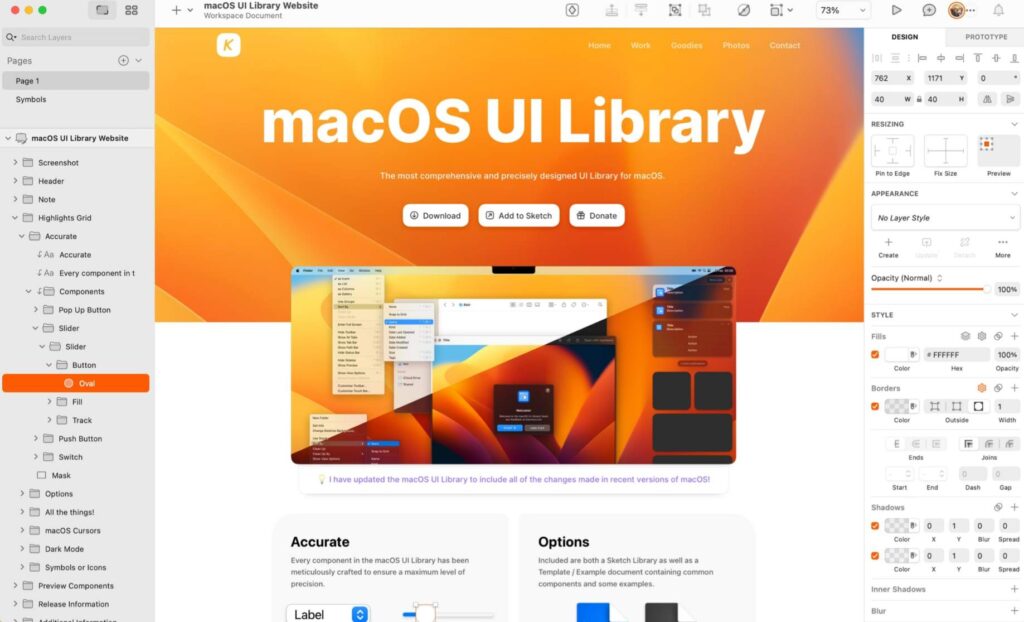
Sketch is a popular vector graphics design software developed exclusively for macOS. It has gained a strong following among UI/UX designers, web developers, and digital artists for its user-friendly interface and efficient design tools. Sketch is particularly well-suited for creating user interfaces, app prototypes, and web designs.
It offers features like artboards for responsive design, symbols for reusable elements, and an extensive library of plugins to enhance functionality. Its real-time collaboration capabilities have made it a valuable tool for remote teams working on design projects.
Pricing: Subscription-based
| Standard subscription | $10/editor/month |
| Mac-only License | $120 per license |
Adobe XD

Rating: 4.3 / 5
Platform: Windows and MacOS
File Compatibility: Text, JPG, GIF, PNG, TIFF, SVG, BMP, PSD, AI, SKETCH
Support: Live chat
Adobe XD, short for Adobe Experience Design, is a powerful prototyping tool. It is primarily used for creating user interfaces, interactive prototypes, and user experience (UX) designs for websites and mobile applications.
Adobe XD provides a user-friendly interface that enables designers and UX professionals to efficiently design and test their ideas. With features like responsive resizing, auto-animate, and collaboration tools, it streamlines the design and prototyping process.
Pricing: Subscription-based
| Individual | Business | Students and Teachers | Schools and Universities | |
| Creative Cloud All Apps | $54.99/month | $84.99/month | $19.99/month | $34.99/month |
Note: Adobe XD is not available to purchase as an individual software, you need to purchase a creative cloud subscription to use Adobe XD .
Best Graphic Design Apps for Social Media Content
Canva
Rating: 4.7 / 5
Platform: Cloud-based, Android, iOS
File Compatibility: JPEG, PNG, SVG, PDF, and GIF
Support: Live chat
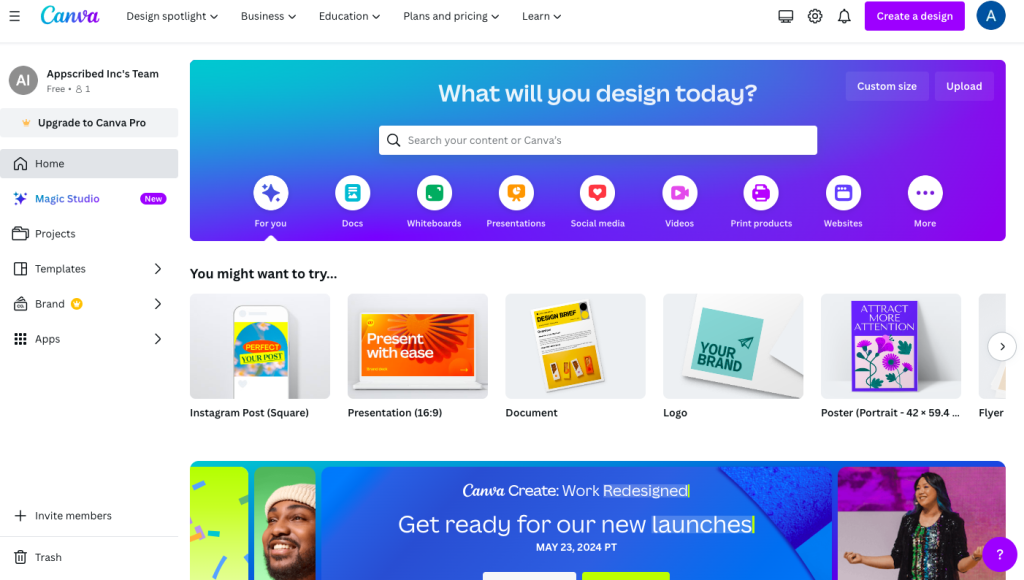
Canva is a web-based graphic design platform that empowers individuals and businesses to create a wide array of visual content from social media posts and marketing materials to presentations and print designs. It offers a vast library of customizable templates, high-quality images, graphics, and a simple drag-and-drop interface that requires no graphic design experience.
Canva’s collaborative features make it ideal for teams and enable real-time editing and sharing. It has a free version with many design elements and a paid subscription option like Canva Pro, that unlocks even more design resources and tools.
Pricing: Subscription-based
| Individual and teams | Teachers and students | |
| Canva Free | Free | Free to use after verification |
| Canva Pro | $119.99/year for 1 person | |
| Canva Team | $300/year for 5 people |
Adobe Express

Rating: 4.5 / 5
Platform: Cloud-based, Android, iOS
File Compatibility: JPG, PNG, BMP, SVG
Support: Live chat
Adobe Express is an all-in-one creative platform that makes it easy to create professional-looking designs without any design experience. With Adobe Express, you can create social media posts, flyers, logos, videos, and more in minutes using a wide range of templates, fonts, and images.
It is powered by Adobe firefly which helps you create stunning art and design using text prompts.
Pricing: Subscription-based
| Free | $0/month |
| Premium | $9.99/month |
Get Your Free Graphic Design App Stack Cheat Sheet
Send download link to:
Best Graphic Design Apps for Logo Design and Branding
If you are designing logos professionally or you need full control over vector files, Adobe Illustrator is still the safest answer. Affinity Designer is the best one-time-purchase alternative, and Inkscape is still the best free pick for vector logo work.
But that is only half the story. If you are a founder, freelancer, or small business owner who mainly wants a logo and matching brand assets quickly, a full vector suite is not always the best starting point. In that case, BrandCrowd and Design.com are often more practical than Illustrator because they are built for speed, templates, and brand-kit workflows rather than blank-canvas design.
| Tool | Best for | Choose it if… |
|---|---|---|
| Adobe Illustrator | Professional logo design | You need full vector control, print-ready files, and a true pro workflow. |
| Affinity Designer | Best value vector logo tool | You want strong vector tools without paying an Adobe subscription. |
| Inkscape | Best free logo design app | You need a capable free vector editor and can live with a rougher experience. |
| BrandCrowd | Fastest logo-first brand kit | You want a logo, cards, and brand assets fast without learning a pro design tool. |
| Design.com | Broader all-in-one branding platform | You want a logo plus a wider small-business brand stack under one subscription. |
Our short take: use Illustrator if logo design is your craft. Use Affinity Designer if you want a strong Illustrator alternative. Use Inkscape if free matters most. Use BrandCrowd if you want the cleanest logo-first buying path. Use Design.com if you want a broader logo-plus-branding bundle.
BrandCrowd
Rating: 4.5 / 5
Platform: Web (cloud-based)
File compatibility: PNG, JPG, SVG, PDF (vector files available on paid plans)
BrandCrowd is built for founders, small business owners, and side-project creators who want a usable logo plus matching brand assets without learning Illustrator. The flow is template-led: you describe your business, pick a logo direction, customize colors and fonts, and walk out with a brand kit including business cards, letterheads, social templates, and merchandise mockups. It is not the right tool if you want full vector control, but it is the right tool if you want a launch-ready logo in under an hour.
Pricing: BrandCrowd uses a per-logo or subscription bundle pricing model rather than a single flat fee. Most buyers should compare its logo+kit bundles against a Canva or Affinity workflow before committing. See our full BrandCrowd review for the latest plan breakdown.
Design.com
Rating: 4.5 / 5
Platform: Web (cloud-based)
File compatibility: PNG, JPG, SVG, PDF
Design.com is a broader all-in-one branding platform aimed at small businesses that need more than just a logo. The product covers logo creation, business cards, social-media graphics, basic website pages, and brand-asset management in one subscription. It is a strong pick for founders who want to skip the multi-tool stack and run brand and marketing assets from a single place. Less suitable if you need true design depth, but well-fitted to founders who would otherwise juggle Canva, a logo maker, and a website builder.
Pricing: Design.com uses a subscription bundle covering the full brand stack rather than charging per asset. See our full Design.com review for current plan details and what is included at each tier.
Start with our BrandCrowd review if speed and a simpler logo-first path matter more than breadth. Start with our Design.com review if you want a wider all-in-one branding platform for a small business launch.
Conclusion
The best graphic design app is not one tool for every person. The right choice depends on whether you need pro vector work, raster editing, UI/UX collaboration, iPad illustration, marketing design, or simply a fast way to get a brand live.
If you work in professional design or creative production, your shortlist should usually start with Illustrator, Photoshop, Figma, Affinity, Canva, and Procreate depending on the job. If your real goal is launching a logo and brand assets quickly without becoming a designer, BrandCrowd and Design.com deserve a place on the shortlist too.
FAQs for Best Graphic Design Apps
What is the best graphic design app for beginners?
For most beginners, Canva is the easiest starting point because it is template-driven, web-based, and fast to learn. If you want to grow into more serious design work later, Affinity Designer is a stronger long-term step up.
What is the best graphic design app for professional designers?
For professional vector work, Adobe Illustrator is still the safest default. For photo-heavy creative work, Photoshop remains the standard. For UI and product design, Figma is usually the better answer than either of those.
What is the best graphic design app for logo design?
If you need full professional control, Adobe Illustrator is the strongest logo design tool. If you want a cheaper pro-grade alternative, Affinity Designer is excellent. If you are a non-designer who just wants a logo and brand kit fast, BrandCrowd or Design.com may be a better fit than a full vector app.
What is the best free graphic design app?
Inkscape is one of the best free options for vector graphics, while GIMP is the strongest free raster editing tool. Canva also has a strong free layer for basic marketing design and simple graphics.
Is Canva enough for graphic design?
Canva is enough for many marketing, social media, presentation, and lightweight branding tasks. It is not the best choice for deep vector illustration, advanced photo manipulation, or complex print workflows.
What is the best graphic design app for small businesses?
If a small business mainly needs quick marketing design, Canva is often the easiest answer. If the business needs a logo and matching brand assets fast, BrandCrowd or Design.com can be more practical than a full creative suite.
Which graphic design app has the best AI features in 2026?
It depends on your workflow. Adobe Firefly is the strongest if you already live in Creative Cloud, with the Firefly AI Assistant orchestrating multi-step tasks across Photoshop, Illustrator, and InDesign. Canva Magic Studio wins for marketing volume and Brand Guardrails. Figma AI is the strongest for UI and product design, with the Check Designs linter and Text-to-Layout being the standout 2026 features.
Are AI graphic design tools good enough to replace a designer?
For batch marketing assets, brand templates, and social content, AI tools like Canva Magic Studio and Adobe Firefly are now meaningfully faster than manual production and the output is usable. For brand systems, custom illustration, motion design, and anything requiring deep creative judgement, a designer is still the answer. The 2026 read is augment, not replace.
What is the best graphic design app for iPad?
Procreate is the best iPad-first illustration app and the easiest path to high-quality digital painting on iPad. For vector work on iPad, Affinity Designer and Adobe Illustrator both have strong iPad versions. For quick marketing design, Canva runs well on iPad and is the easiest cross-device option.
Building an AI tool yourself? See our verified list of 150+ AI tool directories to submit your tool to.
Add us as a preferred source on Google, and our reviews and picks show up in your Top Stories and AI Overviews.