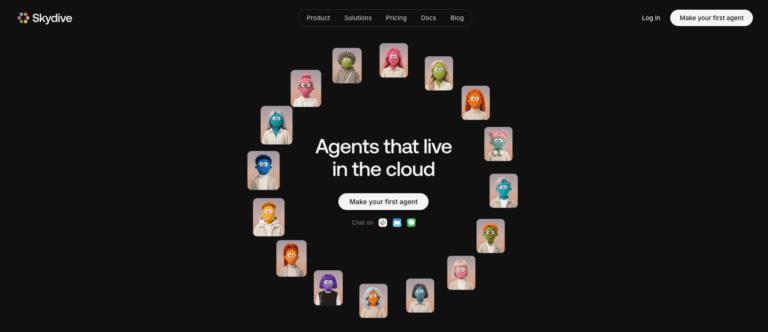
Skydive is a platform for building AI agents that handle real work across the tools your team already uses. Instead of a single chatbot, each agent gets its own cloud computer, persistent memory, and access to over 50 integrations. Teams use it to automate support triage, reporting, research, and recurring admin work, freeing people to focus on judgment calls only they can make.
Skydive solves the problem of work that spans too many tools and takes too much coordination. Each agent runs in its own sandbox, remembers what it learns, and connects to services like Gmail, GitHub, Notion, and Slack to complete multi-step jobs end to end.
Support leads, operations managers, marketers, engineers, and founders use Skydive to hand off recurring tasks like ticket triage, weekly reporting, outreach research, and pull request management, so teams gain leverage without adding headcount.
Key Features of Skydive
- 50+ Integrations: Connects agents to Gmail, GitHub, Notion, Linear, Google Workspace, HubSpot, Slack, and dozens of other everyday business tools.
- Cloud Computer Sandbox: Gives every agent its own isolated machine with a browser, terminal, and file storage to complete tasks.
- Persistent Memory: Remembers preferences, corrections, and context across every conversation, so the whole team benefits from what one person taught it.
- Multi-Agent Collaboration: Lets agents hand off work to specialists automatically, combining results into one finished outcome for bigger jobs.
- Routines: Automates recurring work on a schedule, like daily summaries or weekly reports, without needing to be re-triggered.
- Pre-Built Templates: Offers ready-made agents for roles like Chief of Staff, Support Manager, Engineer, and Project Manager to start fast.
- Multi-Channel Access: Reach the same agent through Slack, email, iMessage, or web chat, with one shared identity and memory.
- Human-in-the-Loop Controls: Lets you jump in to review, redirect, or approve actions at any point during an agent’s work.
- Scoped Credential Security: Connects to services through a proxy so secrets never appear directly in agent prompts or logs.
- Flexible Model Selection: Supports 150+ open weight models, letting you switch to cheaper models without interrupting your agent’s work.
How to Use Skydive
- Create an agent by giving it a name and a clear purpose.
- Describe the outcome you want in plain language; the agent plans and acts.
- Authorize the integrations and services the agent needs to do its job.
- Review the agent’s first outputs and correct its tone or approach as needed.
- Set up Routines for any recurring work you want handled automatically.
- Add the agent to Slack, email, or iMessage so your team can reach it directly.
- Let multiple agents collaborate on larger projects that span several specialties.
Key Use Cases for Skydive
- Customer Support Triage: Sorts incoming tickets, drafts replies, and escalates only the issues that genuinely need a human.
- Revenue Operations Reporting: Pulls numbers from multiple tools, drafts the weekly report, and posts it directly to your team channel.
- Chief of Staff Tasks: Handles follow-ups, meeting prep, and status-chasing so leaders can focus on decisions that matter most.
- Sales and Growth Research: Finds qualified prospects, enriches their contact details, and drafts personalized outreach emails ready for your review.
- Engineering Workflow Support: Opens tested pull requests, tracks issues in Linear, and keeps your roadmap and repo aligned.
- Personal Work Assistant: Clears routine parts of your week directly from your inbox, like scheduling, reminders, and quick research.
Pros and Cons
Pros
- Connects to over 50 everyday tools
- Agents remember and improve automatically over time
- Agents collaborate and hand off work together
- Each agent gets its own cloud computer
- Flexible pricing across 150+ AI models
Cons
- Teams unfamiliar with agent-based workflows may need time to learn how to delegate work effectively.
Frequently Asked Questions
What is Skydive?
Skydive is a platform for building AI agents with their own memory, compute, and integrations to do real work.
Is Skydive Free to Use?
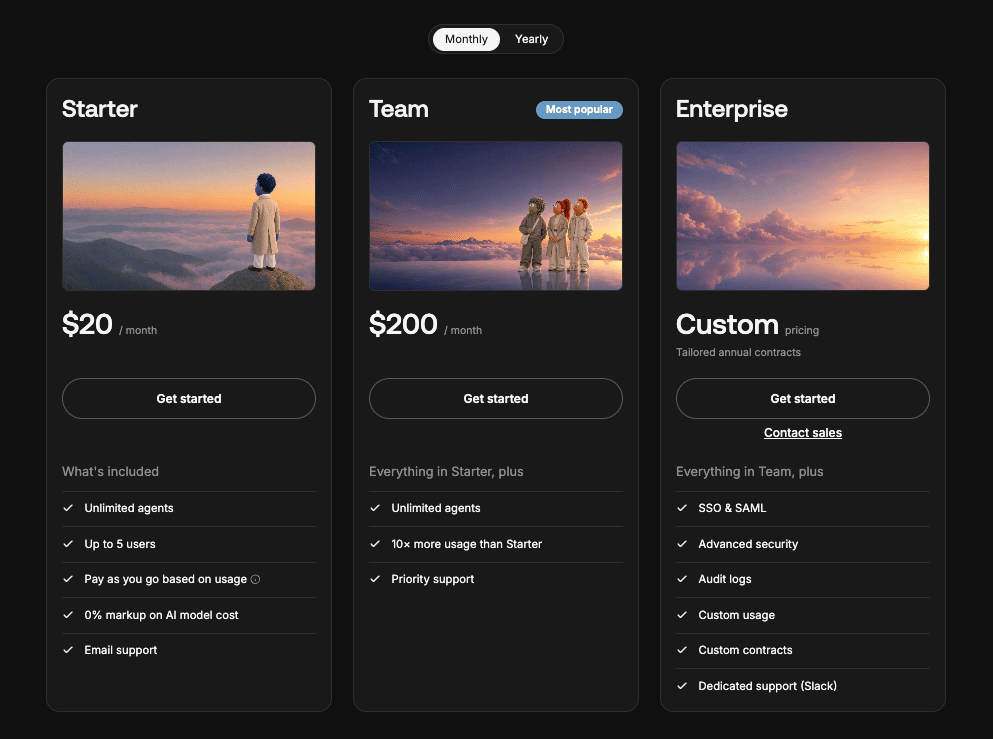
No free tier is offered; every plan is a paid subscription, starting with the Starter plan.
How does Skydive work?
You describe the outcome you want, and the agent plans, acts, and reports back automatically.
Can multiple agents work together?
Yes, agents share context and hand off tasks to specialists to complete larger, multi-step jobs.
Does Skydive remember past conversations?
Yes, memory is durable and file-based, persisting across every conversation and every channel you use.
What tools does Skydive integrate with?
It connects to over 50 tools, including Gmail, GitHub, Notion, Linear, and Google Workspace apps.
Can I schedule recurring tasks?
Yes, Routines let agents run recurring or one-time jobs on a schedule you describe in plain language.
How is Skydive different from coding tools like Codex?
Codex is driven session by session, while Skydive agents work independently and cover tasks beyond code.