Which AI logo generator is free without a watermark?
Adobe Express and Shopify’s free logo maker are the clearest no-cost options: Adobe Express downloads PNG, JPG and PDF free (500×500 px by default) and mentions no watermark, and Shopify describes its logo maker as 100% free. Logo.com’s help pages say its free plan includes a PNG download of one logo, and Canva’s free PNG stays clean as long as the design has no Pro elements. Design.com and BrandCrowd also offer free downloads for selected logos. Looka, Brandmark and LogoAI show a free preview only and charge for the file. Prices and limits checked on each company’s website on 12 October 2026.
AI logo generators can turn a business name into a professional-looking logo in seconds. But “free” means very different things across these tools: some let you download a usable file for nothing, while others let you design for free and then charge you to download it. We compared the leading AI logo makers in 2026 on three things: can you get a usable logo without paying, is there a watermark, and can you use it commercially. Then we looked at what the paid plans cost if you want more. Here are the best free AI logo generators in 2026, from genuinely-free options to premium makers with the biggest template libraries.
The fast picks:
- Best all-in-one with a free download: Design.com – free to download with a non-exclusive license, plus 500,000+ branding templates.
- Biggest logo library: BrandCrowd – its AI logo generator is free to download, with 380,000+ templates on paid plans.
- Most free file types: Vistaprint offers free PNG, SVG and PDF files, including transparent versions. Namecheap is also free, with PNG and SVG.
- Best AI polish: Looka – design free, then $35 to $72 to download.
- Cheapest one-time: Brandmark – from $35 one-time, no subscription.
- Completely free: Shopify’s free logo maker (Hatchful now redirects to it) – simple, free, great for social and e-commerce.
Free vs paid-to-download: the honest comparison
Most AI logo makers are free to design with. The real question is what you can download for free. This table shows exactly that for each tool.
| Tool | Free usable download? | Watermark | Commercial use | The catch |
|---|---|---|---|---|
| Design.com | Yes (non-exclusive) | No | Yes | Free download uses a non-exclusive license; plans from $5/mo (annual); exclusive licence $145 one-off or from $3/mo (annual) |
| BrandCrowd | Yes (AI logo) | No | Yes | AI logo is free to download; the 380,000+ template library and brand kit need a plan from $5/mo (annual) |
| Logo.com | Yes | No | Yes | Free plan gives one PNG logo download; vector files need a subscription (plan prices are not published in Logo.com’s help centre) |
| Shopify Logo Maker (was Hatchful) | Yes | Not stated | Yes | Shopify says 100% free; file format and size are not stated, so check the export |
| Adobe Express | Yes | No | Yes | Free PNG, JPG and PDF download (500×500 px by default); premium assets and the brand kit need Premium at $9.99/mo |
| Canva | Partly | No (PNG) | Yes | PNG is free (clean unless the design uses Pro elements); SVG and transparent background need Canva Pro ($144/yr) |
| DesignEvo | Partly | Free = low-res | Yes (paid) | Free file is 300 px and not licensed for commercial use; Basic $24.99 one-time adds up to 5000 px, transparent PNG and vector; Plus $49.99 adds ownership |
| Looka | No | Free preview only | Paid | Usable files start at $35 (PNG) or $72 (with vector) one-time |
| Brandmark | No | Low-res preview | Paid | One-time $35 (Basic) to $195 (Enterprise) to download |
| LogoAI | No | Free preview only | Paid | Paid plans only: a 7-day trial costs $10, then $20 a month |
The 10 best free AI logo generators in 2026
Design.com – best all-in-one with a free download

Pricing: Free to design and download with a non-exclusive license. Paid plans are $5, $6 and $7 per month billed annually ($15/$24/$29 monthly). An exclusive license, which makes the logo only yours, is a one-off $145 or a subscription of $3/month billed annually ($12/month monthly).
Best for: Businesses that want a full brand, not just a logo – Design.com applies your logo across 500,000+ templates for social, business cards, letterheads and more.
- AI logo generation plus a huge template library
- Free download (non-exclusive license) with no watermark
- High-res PNG, JPG, SVG, EPS and PDF on paid plans
- Full branding kits and 500,000+ editable templates
BrandCrowd – biggest logo template library

Pricing: The AI logo generator is free to download and use. The full platform (380,000+ templates, brand kit, 50+ design tools) uses the same plans as Design.com: $5, $6 and $7 per month billed annually ($15/$24/$29 monthly). An exclusive license is $145 one-off, or from $3/month.
Best for: Small businesses that want the largest library of ready-made, editable logo templates and matching brand assets.
- 380,000+ professionally designed logo templates
- Free-to-download AI logo generator
- Brand packages: social kits, business cards, flyers
- Beginner-friendly editor, no design skills needed
Logo.com: one free PNG, subscription for vector files
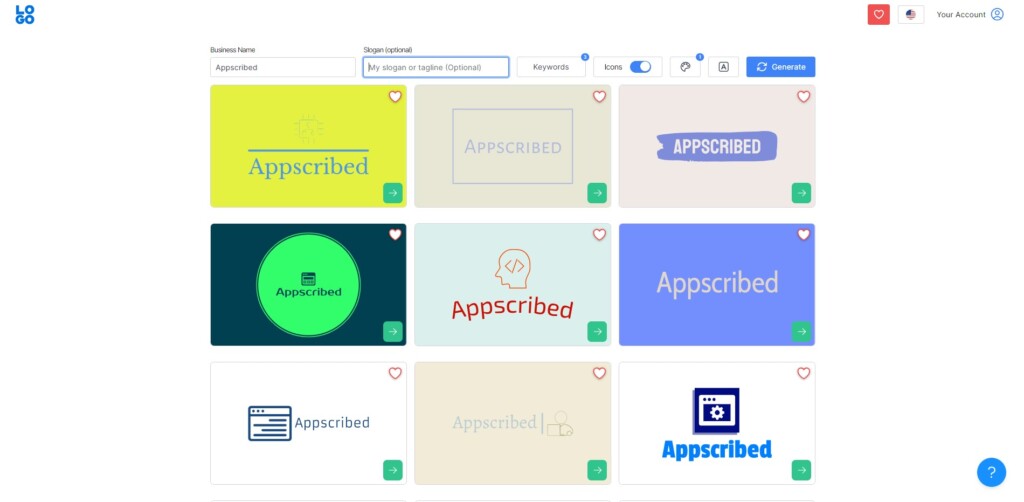
Pricing: The free plan includes a PNG download of one logo. High-resolution and vector files (AI, SVG) need a subscription, and Logo.com does not publish plan prices in its help centre, so check its pricing page before you buy.
Best for: Anyone who wants one free PNG logo today, with optional brand tools later.
- One free PNG logo download
- Commercial licence for logos you download
- Paid plans add vector files (AI, SVG), templates and a website builder
Looka – best AI polish and quality

Pricing: Free to design; downloads start at $35 (Basic, low-res 1000×1000 PNG) or $72 (Premium, with vector files and full ownership). Brand Kit is $96/year, Brand Kit + website $129/year.
Best for: Businesses that want the most polished AI-designed logos and are happy to pay a one-time fee for usable files.
- Strong AI design engine with high-quality results
- Premium package includes PNG, EPS, SVG and PDF
- Brand Kit generates 300+ matching assets
- No free usable download – preview only until you buy
Brandmark – cheapest one-time purchase
Pricing: Free to design; one-time pricing of $35 (Basic, PNG and vector), $95 (Designer) or $195 (Enterprise). No subscriptions or renewals.
Best for: Founders who want to own their logo outright with a low, one-time payment and no recurring fees.
- One-time payment with full copyright ownership
- Basic includes PNG and SVG files
- Designer adds business cards, style guides and icons
- Unlimited revisions and lifetime access
Canva – best free template library
Pricing: Free tier downloads PNG with no watermark. Canva Pro ($144/year) unlocks SVG, transparent backgrounds and the full asset library.
Best for: People who want the biggest free design ecosystem and will use the logo across other Canva designs.
- Enormous free template and element library
- Free PNG downloads with no watermark
- SVG and transparent PNG need Canva Pro
- Logo works across all your other Canva designs
Adobe Express – best free from a major brand
Pricing: Free AI logo generator and free tier with downloads; premium assets and brand features need a paid Adobe Express plan.
Best for: Users who want a free, trustworthy logo maker backed by Adobe and easy export into other Adobe tools.
- Free AI logo generation from Adobe
- Free downloads on the free tier
- Integrates with the wider Adobe ecosystem
- Premium unlocks more assets and brand tools
Shopify Logo Maker (formerly Hatchful) – free, best for e-commerce

Pricing: Free. Hatchful by Shopify now redirects to Shopify’s free AI Logo Maker, which Shopify describes as 100% free and yours to own, for use on your store, social media or elsewhere in your business. The page does not state the download file format or size, so check the export before you rely on it.
Best for: Store owners and creators who want a free, no-fuss logo optimised for e-commerce and social profiles.
- 100% free, no paywall on downloads
- Export formats are not listed on Shopify’s page, so check before you rely on it
- Very fast and beginner-friendly
- Fewer advanced edit and file options
DesignEvo – biggest icon library

Pricing: Free version with limited, low-resolution output; the free logo is 300 px and not licensed for commercial use; Basic $24.99 one-time (up to 5000 px, transparent PNG, vector PDF/SVG), Plus $49.99 (no credit line, font files, copyright ownership).
Best for: Users who want a huge icon library and a cheap one-time upgrade for a high-resolution logo.
- Over 10,000 templates and millions of icons
- Free tier exports low-res only
- Basic upgrade gives high-res transparent PNG
- Plus adds SVG, PDF and copyright ownership
LogoAI – deep customisation
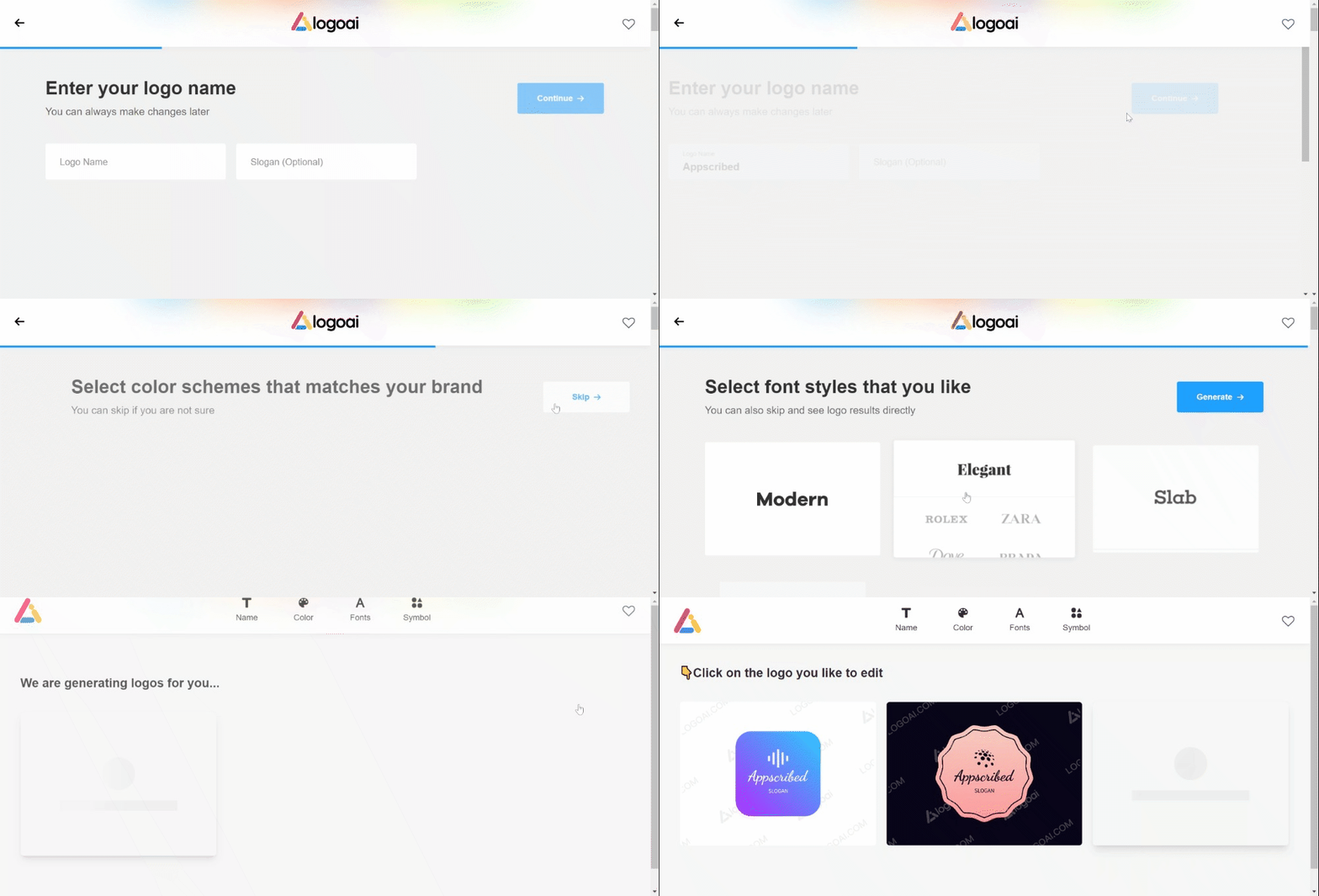
Pricing: Free to generate and preview; downloading files needs a paid plan: a 7-day trial costs $10 and renews at $20 a month, and LogoAI no longer lists a one-time option.
Best for: Someone who wants deep editing, many typefaces and animated logo options, and will pay to download.
- 50+ typefaces plus custom font upload
- PNG, SVG and PDF exports on paid plans
- Animated video and GIF logo versions
- No free usable download – preview only
Also free: Vistaprint (PNG, SVG and PDF), Namecheap (PNG and SVG, free account), Squarespace (PNG) and Wix’s Wixel (PNG, JPG and SVG, free Wixel account).
Go deeper on logo makers
Our sister site LogoVerdict has full reviews and head-to-head comparisons of logo makers:
- Best free logo makers
- Looka review
- Design.com review
- BrandCrowd review
- Can ChatGPT create a logo?
- Do you own your logo?
Frequently Asked Questions
What is the best free AI logo generator in 2026?
Design.com and BrandCrowd are free to use: you can design and download a logo for free under a non-exclusive licence, with paid plans from $5 a month billed yearly. Vistaprint and Namecheap are also free and include SVG files, and Shopify’s free logo maker is free too.
Are AI logo makers really free?
Most are free to design with, but not all let you download a usable file for free. Design.com, BrandCrowd, Vistaprint, Namecheap, Adobe Express and Shopify give free downloads, while Looka, Brandmark and LogoAI let you preview for free and charge to download.
Which free logo maker has no watermark?
Vistaprint says its free logos have no watermark, and Namecheap says its logos are not watermarked. Adobe Express and Canva also allow free downloads, but Canva will not give you a clean file if the design uses Pro elements. Looka, Brandmark and LogoAI need payment for a usable file.
Can I use a free AI logo commercially?
Often yes, but read the licence. Design.com’s free download is a non-exclusive licence with commercial use allowed. Canva says you can sell items with your logo, but you cannot register a Canva logo template as a trademark. Vistaprint says AI-generated logos may not get copyright protection.
Can ChatGPT generate logos?
Yes, ChatGPT Images can draw a logo, but OpenAI’s image docs list PNG, JPEG and WebP outputs, not vector files. See LogoVerdict’s guide: can ChatGPT create a logo?
Add us as a preferred source on Google, and our reviews and picks show up in your Top Stories and AI Overviews.