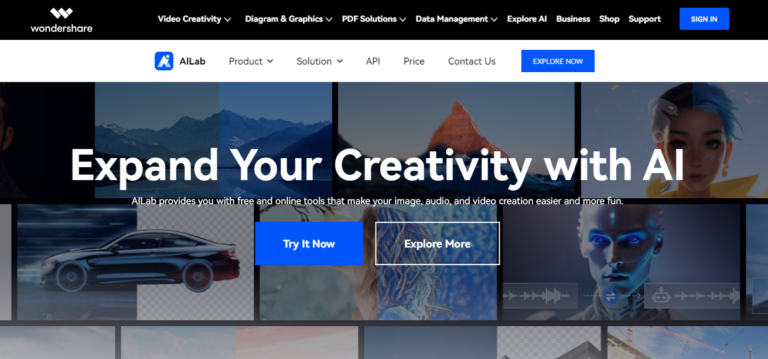
What Does Wondershare AI Lab Do?
Wondershare AI Lab is a browser-based collection of AI media tools organised into three groups: Image Tech (text-to-image, background removal, upscaling, photo restoration), Audio Tech (voice changing, noise reduction, vocal removal, music generation), and Video Tech (background removal, cartoonizing, sky replacement). It is best understood as Wondershare’s free-to-try shop window and its developer API, rather than a single product. The individual tools are lightweight versions of capabilities that appear in full form inside Wondershare’s paid desktop apps like Filmora and Virbo. Everything runs in the browser, so there is nothing to install.Key Features of Wondershare AI Lab
- Image Enhancement: Improves photo resolution, restores old or damaged photos, and enhances image quality by removing noise and adjusting colors.
- Audio Processing: Includes noise reduction, voice changing, sound effects, and AI-driven enhancements to improve audio clarity.
- Video Editing: Provides tools for background removal, cartoonizing videos, and video translation using AI for dubbing and lip-syncing.
- AI Avatar Videos: Wondershare Virbo in Wondershare AI Lab generates hyper-realistic digital human videos for marketing, presentations, and content creation.
- Smart Cutout: Automatically removes backgrounds from images with pixel-level precision.
- Content Generator: Creates digital assets like 2.5D portraits and ACGN-style visuals, and can generate images from text prompts.
- OCR Capabilities: Extracts text from images and scanned documents, making text extraction and document conversion efficient.
- AI Upscaler: Enlarges images up to 8x without losing quality, improving resolution and clarity for printing and digital use.
- Speech Transcription: Converts audio and video speech to text or subtitles quickly and accurately. However, more specific AI voice dataset solutions can deliver highly accurate results for more advanced transcription and voice recognition.
Is Wondershare AI Lab Free?
Partly. Wondershare advertises 30+ tools you can try for free in the browser, which is enough to test quality on a handful of images or a short clip. Beyond that trial usage, AI Lab runs on prepaid credits, and audio and video work is billed in minutes rather than credits. There is no monthly subscription and no recurring charge. You buy a block of credits, and points are deducted per successful API call. Failed calls do not deduct points, and purchased credits do not expire.Wondershare AI Lab credit pricing
| Pack | Price | Cost per credit |
|---|---|---|
| 50 credits | $9.90 | $0.198 |
| 2,000 credits | $99 | $0.0495 |
| 10,000 credits | $329 | $0.033 |
| 50,000 credits | $1,099 | $0.022 |
Audio and video minute pricing
| Pack | Price | Cost per minute |
|---|---|---|
| 3 minutes | $9.90 | $3.30 |
| 60 minutes | $129 | $2.15 |
| 240 minutes | $389 | $1.62 |
| 360 minutes | $539 | $1.50 |
Who Is Wondershare AI Lab For?
Wondershare AI Lab is designed for:- Content Creators: Ideal for professionals and hobbyists looking to enhance images, audio, or videos with advanced AI tools.
- Designers and Photographers: Perfect for those seeking to upscale images, restore old photos, or remove backgrounds quickly and effectively.
- Developers and Businesses: With API integration and bulk editing options, it’s a great fit for developers and companies aiming to streamline media processing workflows.
- Video Editors and Podcasters: For anyone needing tools to improve video quality, remove noise, or create customized content effortlessly.
How to Use Wondershare AI Lab
- Go to Wondershare AILab website and sign up or log in.
- Select the desired AI tool from the dashboard.
- Upload your media file (photo, audio, or video).
- Adjust settings and parameters as needed.
- Wait for the AI tool to process the file.
- Review the output and download or share it.
Is Wondershare a Chinese Company, and Can It Be Trusted?
Yes, Wondershare is a Chinese company, and a publicly listed one. Wondershare Technology Group Co., Ltd. was founded in 2003, is headquartered in Shenzhen, China, and has traded on the Shenzhen Stock Exchange under ticker 300624 since January 2018. It took its current group name in May 2019. Two decades of trading history and published financial reporting put it in a different category from the anonymous, short-lived tools that fill much of this space. For AI Lab specifically there is a practical point in its favour: it runs entirely in your browser, so there is nothing to install and no background software left on your machine. Questions people raise about installed desktop applications simply do not apply here. The one thing worth noting is the same as for any cloud tool: your files are uploaded to a third-party server to be processed. That is normal for this category, and it is always worth a look at the privacy policy if you work with client or confidential material. For everyday creative work it is a straightforward proposition.Is There a Wondershare AI Lab App or Download?
No. AI Lab is a web platform, so there is no official desktop program or mobile app for it, and nothing to download. Searches for an “AI Lab APK” or “mod APK” lead to unofficial repackages that Wondershare does not publish or support, so they are best avoided. Wondershare’s installable products are separate applications such as Filmora and Virbo.Wondershare’s Paid AI Products: Our Reviews
AI Lab is the free playground; Wondershare’s paid tools are where the depth is. If the free tools got you interested, we have tested the full lineup: Wondershare Filmora is the flagship AI video editor (from $49.99/year, free version available), Wondershare Virbo generates avatar presenter videos from a script (from $19.9/month), and Wondershare Repairit fixes corrupted videos and photos with a try-before-you-buy preview.
Is Wondershare AI Lab free to use?
Partly. Wondershare advertises 30+ tools you can try free in the browser, which covers light testing. Sustained use runs on prepaid credits starting at $9.90 for 50 credits, with audio and video billed in minutes from $9.90 for 3 minutes. There is no subscription, and purchased credits do not expire.
What does Wondershare AI Lab do?
It is a browser-based set of AI media tools in three groups: Image Tech (text-to-image, background removal, upscaling, photo restoration), Audio Tech (voice changing, noise reduction, vocal removal, music generation) and Video Tech (background removal, cartoonizing, sky replacement). It also exposes these as an API for developers.
How much do Wondershare AI Lab credits cost?
Credit packs are $9.90 for 50 credits, $99 for 2,000, $329 for 10,000 and $1,099 for 50,000. That is $0.198 per credit at the smallest pack and about $0.022 at the largest, so the biggest pack is roughly 9x cheaper per credit. Audio and video minutes are sold separately at $9.90 for 3 minutes up to $539 for 360 minutes.
Do Wondershare AI Lab credits expire?
No. Purchased credits remain valid until fully used and can be spent on features released later. Points are deducted per successful API call only, so failed calls do not cost you anything.
Is Wondershare a Chinese company?
Yes. Wondershare Technology Group Co., Ltd. was founded in 2003 and is headquartered in Shenzhen, China. It has been publicly listed on the Shenzhen Stock Exchange under ticker 300624 since January 2018, and adopted its current group name in May 2019.
Can Wondershare be trusted?
Wondershare Technology Group is an established, publicly listed company rather than an anonymous operator: founded in 2003, headquartered in Shenzhen, China, and listed on the Shenzhen Stock Exchange under ticker 300624 since January 2018. AI Lab itself runs entirely in your browser, so there is nothing to install and no background software on your machine. As with any cloud tool your files are uploaded for processing, so it is worth reviewing the privacy policy if you work with client or confidential material.
Is there a Wondershare AI Lab app or download?
No. AI Lab is a web platform with nothing to install. Results for an AI Lab APK or mod APK are unofficial repackages that Wondershare does not publish or support, so they are best avoided. Wondershare’s installable products, such as Filmora and Virbo, are separate applications.
Does Wondershare AI Lab offer refunds?
Yes. All AI Lab plans carry a 7-day refund policy.
Does Wondershare AI Lab offer API access?
Yes. The platform provides API services for developers and businesses, billed from the same credit and minute balances, with points deducted per successful call.
Can I use Wondershare AI Lab for commercial projects?
Yes, the tools are suitable for both personal and commercial projects. Review Wondershare’s terms of service for the specific licence terms that apply to generated output.