
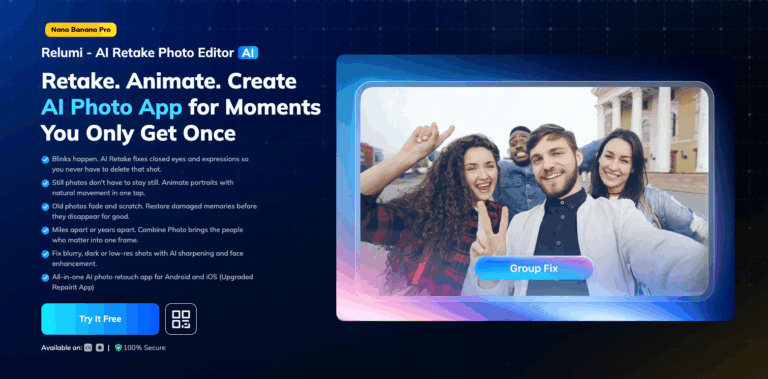
Wondershare Relumi is a mobile AI photo app from Wondershare that fixes closed eyes, awkward expressions, and blurry shots, restores faded or damaged family photos, and turns portraits into short animated clips. It solves the problem of imperfect, one-time moments that can never be recaptured, giving casual users and photography fans an easy way to save and enhance their favorite pictures.
Relumi combines several AI photo tools into a single app for Android and iOS, covering portrait correction, old photo restoration, object removal, image sharpening, and prompt-based editing. Rather than switching between separate apps, users handle blinks, poor lighting, scratches, and clutter from one place.
The app targets everyday smartphone users, families preserving old photographs, and casual content creators who want quick, polished results without editing skills. Photographers and social media users also rely on it to clean up group shots and repair corrupted image files.
Key Features of Wondershare Relumi
- AI Retake: Fixes closed eyes, tense smiles, and awkward expressions in single and group portraits automatically.
- Photo Animation: Turns still portraits into short animated clips with presets like wave, clap, and dance.
- Old Photo Restoration: Repairs scratches, stains, and fading while colorizing black-and-white family photographs intelligently.
- Smart AI Object Removal: Erases unwanted people, text, or clutter while rebuilding the background naturally.
- AI Image Quality Enhancer: Sharpens blurry, low-resolution photos and improves facial detail without losing texture.
- Corrupted Photo Repair: Recovers unreadable or partially damaged photo files, including several RAW camera formats.
- Text to Edit: Lets users describe an edit in a sentence and generates the change automatically.
- Scene Retake: Applies cinematic lighting and mood presets to ordinary photos in one tap.
- 3D Angle Retake: Generates alternate camera angles from a single full-body photo using AI reconstruction.
- AI Filters: Applies festive and stylized looks, including cartoon, anime, and 3D figurine effects.
How to Use Wondershare Relumi
- Download Relumi from the App Store or Google Play and open the app.
- Tap “Select a Photo” to import an image from your camera roll.
- Choose the tool you need, such as AI Retake, Restore, or Animation.
- Tap “Start” to let the AI process the photo automatically.
- Use the before/after slider to preview the results.
- Tap “Save” to export the finished photo or clip to your gallery.
Key Use Cases for Wondershare Relumi
- Family Photo Restoration: Repair scratched, faded, or black-and-white heirloom photos and bring old memories back to life.
- Fixing Missed Shots: Correct blinks and awkward expressions in portraits and group photos without a reshoot.
- Social Content Creation: Turn ordinary photos into animated clips or stylized filters for sharing on social platforms.
- ID and Profile Photos: Create clean headshots with adjusted outfits and backgrounds for resumes or profiles.
- Damaged File Recovery: Restore unreadable or corrupted photo files after storage or transfer failures.
Pros and Cons
Pros
- Free to download and try
- Combines many AI photo tools together
- One-tap processing for quick results
- Works with over 2,000 camera devices
- Preview results before saving changes
Cons
- AI credits get used up quickly on higher-cost features like restoration and object removal.
- Advanced editing relies on cloud processing, so a stable internet connection is required.
Frequently Asked Questions
What is Relumi?
Relumi is an AI-powered mobile app that retakes, restores, and animates photos using automated editing tools.
Is Relumi Free to Use?
Relumi is free to download and try, though advanced AI features consume credits requiring a paid plan.
Does Relumi work on both Android and iOS?
Yes, Relumi is available for Android and iOS devices from all major smartphone brands.
Can Relumi restore old or scanned photographs?
Yes, it detects scratches, fading, and damage, then repairs and optionally colorizes black-and-white photos.
What file formats does Relumi support?
It supports JPG, PNG, HEIC, and RAW formats such as CR2, NEF, DNG, and ARW.
Are my photos stored or shared by Relumi?
Relumi states photos are processed securely and are not stored or shared without user permission.
What are Relumi AI Credits?
Credits are consumed each time an AI feature like restoration or enhancement processes a photo.