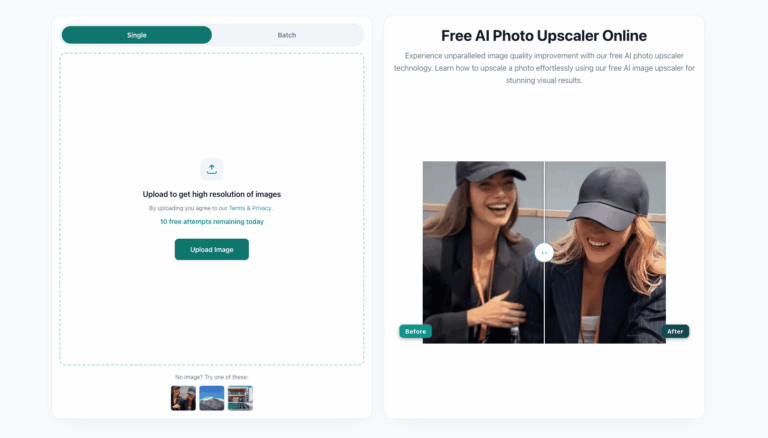
Photo Upscaler AI is a free, browser-based tool that uses artificial intelligence to enlarge and sharpen images up to 8K resolution. It solves the problem of blurry, low-resolution, or compressed photos by reconstructing detail instead of simply stretching pixels.
Photo Upscaler AI helps creators, photographers, and online sellers turn low-quality images into sharp, high-resolution visuals without manual editing skills. It works for portraits, product photos, old photographs, and anime artwork.
The tool is aimed at e-commerce sellers, marketers, designers, and everyday users who need fast image enhancement for printing, publishing, or sharing online, all processed instantly in the browser with no software installation required.
Key Features of Photo Upscaler AI
- AI Image Upscaling: Increases image resolution up to 8K while reconstructing missing detail rather than just stretching pixels.
- Old Photo Restoration: Restores faded and damaged old photographs with improved sharpness and clarity automatically.
- Anime Image Enhancement: Upgrades anime illustrations and artwork while preserving original art style and quality.
- Blur and Pixelation Reduction: Transforms blurry, pixelated images into crystal-clear, crisp visuals in seconds.
- Product Photo Enhancement: Sharpens e-commerce product images to look more professional and sales-ready.
- Multiple Upscale Modes: Offers 2X, 4X, 6X, and 8X upscaling options based on credit usage and desired quality.
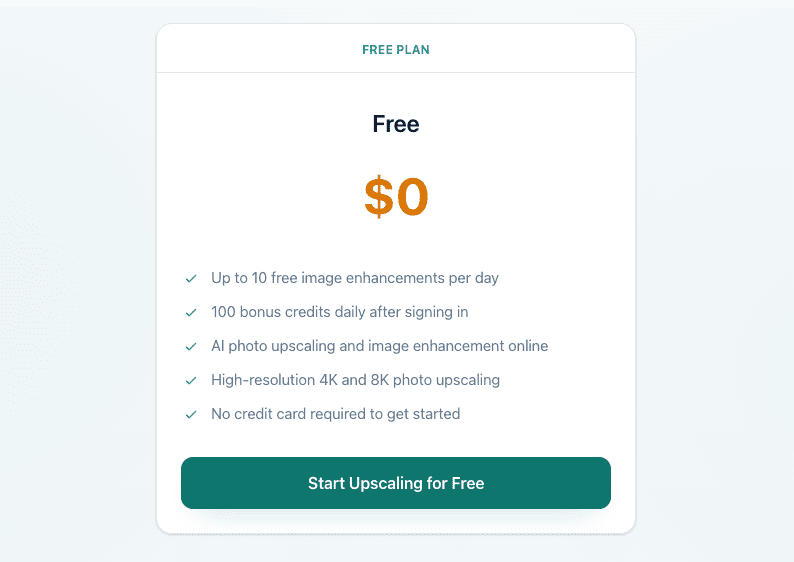
- Daily Free Credits: Provides up to 10 free enhancements daily plus 100 bonus credits after signing in.
- Multiple File Format Support: Accepts JPG, PNG, WEBP, and HEIC image formats for upload and processing.
How to Use Photo Upscaler AI
- Visit the Photo Upscaler AI website and click the upscale image button.
- Upload a JPG, PNG, WEBP, or HEIC photo, or drag and drop it directly into the tool.
- Select the desired upscale mode, such as 2X, 4X, 6X, or 8X resolution.
- Let the AI automatically sharpen details, reduce blur, and enhance image quality.
- Preview the enhanced result once processing finishes.
- Download the high-resolution image for printing, sharing, or further editing.
Key Use Cases for Photo Upscaler AI
- E-commerce Product Photos: Sharpens product images to increase visual appeal and improve conversion on online stores.
- Old Photo Restoration: Brings faded or low-quality family photographs back to life with improved detail.
- Anime and Digital Art: Enlarges anime artwork and illustrations while keeping the original style intact.
- Print-Ready Images: Prepares low-resolution images for high-quality printing by increasing resolution to 8K.
- Social Media Content: Enhances visuals before posting to improve clarity on social media platforms.
Pros and Cons
Pros
- Generous free daily credit allowance
- No credit card required to start
- Supports resolution up to 8K
- Simple drag-and-drop upload process
- Works for photos, products, and anime art
Cons
- Daily credit limits may restrict heavy users who need frequent high-resolution enhancements.
- Output quality can vary depending on the original image’s resolution and condition.
Frequently Asked Questions
What is Photo Upscaler AI?
It is an AI tool that increases image resolution up to 8K while preserving natural detail and texture.
Is Photo Upscaler AI Free to Use?
Yes, it offers up to 10 free enhancements daily plus bonus credits, with no credit card required.
How does Photo Upscaler AI work?
It analyzes uploaded photos and automatically improves details, textures, and clarity using AI models.
What image formats does Photo Upscaler AI support?
It supports JPG, PNG, WEBP, and HEIC image files for upload and enhancement.
Can I upscale anime artwork with Photo Upscaler AI?
Yes, it enhances anime illustrations while preserving the original art style and quality.
Do credits refresh daily on Photo Upscaler AI?
Yes, free daily credits refresh automatically every 24 hours after signing in.
Is my uploaded content secure on Photo Upscaler AI?
Yes, images are processed through an encrypted, secure workflow and are not used for resale.