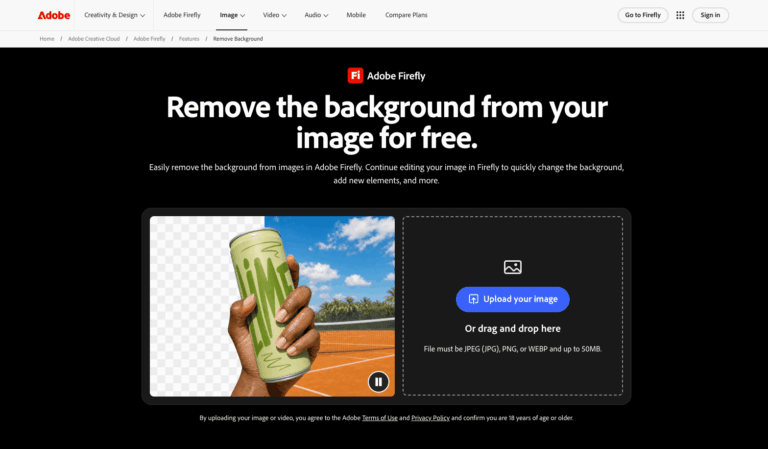
Adobe Firefly AI Background Remover is a free online tool that automatically isolates the subject of a photo and delivers a transparent PNG. It removes the need for manual masking, helping creators, marketers, and sellers prepare clean cutouts in seconds.
Adobe Firefly AI Background Remover separates subjects from busy backdrops using AI edge detection, preserving fine details like hair, fur, and product outlines. Upload a JPEG, PNG, or WEBP image and download a transparent PNG.
Designers, content creators, online sellers, and social media managers use it to build thumbnails, product photos, collages, and presentation graphics. Cutouts can continue into new backgrounds, upscaling, and other Firefly editing tools.
Key Features of Adobe Firefly AI Background Remover
- AI Background Removal: Automatically detects the main subject and erases the surrounding background in seconds, with no manual masking or design skills required.
- Precise Edge Detection: Preserves fine details such as hair, fur, transparent objects, and product outlines for clean, production-ready cutouts every single time.
- Transparent PNG Export: Downloads results as PNG files with transparent backgrounds, ready to layer into designs, presentations, websites, or social media posts.
- Multiple Format Support: Accepts JPEG, PNG, and WEBP image uploads up to 50MB, covering photos, product shots, illustrations, and complex graphics.
- Generate New Background: Replaces the removed background with any scene you describe in a prompt, or applies a simple solid color backdrop instead.
- Photo Editing Toolkit: Continue editing in Firefly with upscaling, object removal, studio lighting, and Generative Fill without leaving the same workspace.
- Firefly Boards: Layer several cutout images into collages and explore visual directions for new backgrounds using Firefly Boards to elevate designs.
- Web and Mobile Access: Works in any browser and on mobile devices, so you can upload, remove backgrounds, and download or share results anywhere.
- Batch Background Removal: Enterprise users and the Firefly AI Assistant can process multiple images at once, using transparent, solid, or custom backgrounds.
- Photoshop and Express Integration: Pull cutouts into Photoshop for finishing touches or Adobe Express to build flyers, posters, and infographics with free design assets.
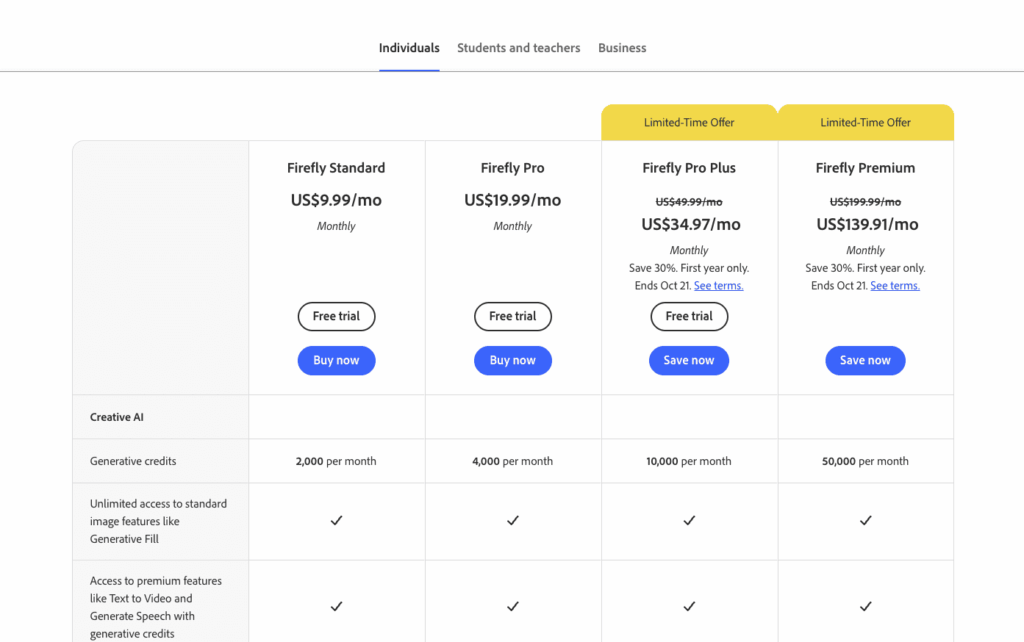
- Free Daily Generations: Free Adobe account holders receive daily generations that can be used for background removal, with unlimited use on paid plans.
How to Use Adobe Firefly AI Background Remover
- Open Adobe Firefly and sign in with your Adobe ID, or create a free account.
- Choose the Image module and open the Edit tab to upload your own photo, or pick a previously generated image.
- Select Remove Background from the Quick Actions menu in the left sidebar.
- Wait a few seconds while the AI isolates your subject and clears the background.
- Optionally generate a new background, apply a solid color, upscale the image, or keep editing in Firefly.
- Click the Download button in the top right corner to save your image as a transparent PNG.
Key Use Cases for Adobe Firefly AI Background Remover
- Product Photography: Remove cluttered backgrounds from product shots and place items on clean studio backdrops, lifestyle scenes, or brand-colored solids.
- YouTube Thumbnails: Create ready-to-use cutouts of yourself from existing photos in a single click, speeding up thumbnail creation considerably.
- Social Media Content: Isolate subjects from distracting backgrounds and swap in creative scenes for posts on LinkedIn, Instagram, and other platforms.
- Portraits and Headshots: Clean up portrait backgrounds while keeping hair and flyaway strands intact, then place subjects against professional or creative settings.
- Stickers and Collages: Turn subjects into stickers or layer multiple cutouts together into collages for flyers, posters, and infographics.
- Presentation Graphics: Produce transparent PNG images that blend seamlessly into slides, documents, and websites without white boxes around subjects.
Pros and Cons
Pros
- Completely free to start with an Adobe account
- Clean edges on hair, fur, and fine details
- One-click removal with no manual masking needed
- Easily continue editing with other Firefly tools
- Works on both browser and mobile devices
Cons
- Output downloads only as PNG, and uploads are capped at 50MB per file, which limit some workflows.
Frequently Asked Questions
What is Adobe Firefly AI Background Remover?
It is an online AI tool from Adobe that automatically removes photo backgrounds and exports subjects as transparent PNG images.
Is Adobe Firefly AI Background Remover Free to Use?
Yes, free Adobe account holders get daily generations for background removal, while paid plans unlock unlimited use of this feature.
What file formats does Adobe Firefly AI Background Remover support?
It accepts JPEG, PNG, and WEBP uploads up to 50MB and downloads the finished image as a transparent PNG.
Can it handle hair and fur accurately?
Yes, its AI edge detection preserves fine details like hair, fur, and product outlines, especially with high-resolution, high-contrast images.
Does Adobe Firefly AI Background Remover work on mobile?
Yes, you can upload, remove the background, and download or share results directly from your phone or tablet.
Can I replace the background after removing it?
Yes, use the Background Generator to describe any new scene, or apply a solid color backdrop to your subject.
Can I remove backgrounds from multiple images at once?
Batch removal is offered to enterprise users and through the Firefly AI Assistant, supporting transparent, solid color, or custom backgrounds.
Is it good for product photos?
Yes, it removes busy backgrounds and lets you add a clean studio backdrop, lifestyle scene, or brand-fitting solid color.