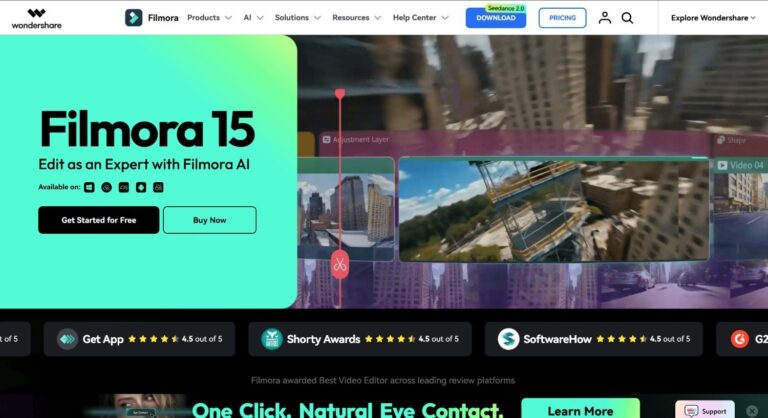
Wondershare Filmora is an AI-powered video editing software designed for creators of all skill levels. It solves the problem of complex, time-consuming video production by combining a user-friendly timeline editor with over 40 AI-driven tools, enabling anyone to produce professional-quality videos quickly on Windows, Mac, iOS, and Android.
Filmora by Wondershare is a comprehensive video creation platform that empowers content creators, marketers, freelancers, and small businesses to produce polished videos without a steep learning curve. Its intuitive drag-and-drop interface, paired with AI features like text-to-video, auto-captions, voice cloning, and smart short clips, makes professional editing accessible to everyone.
Used by over 400 million people worldwide, Filmora supports the full creative workflow from scripting to export. It caters to social media influencers, educators, marketers, and business teams who need fast, high-quality video output across multiple platforms and formats including TikTok, YouTube, and Instagram Reels.
Key Features of Wondershare Filmora
- AI Text to Video: Generate cinematic video clips directly from a written prompt using advanced AI models like Veo 3.1.
- AI Idea to Video: Enter keywords and let AI automatically script, design, and produce a complete video for you.
- AI Image to Video: Transform static images into dynamic video clips with trending AI animation effects.
- AI Video Translation: Translate videos into multiple languages with voice cloning and automatic lip-sync technology.
- AI Text-Based Editing: Edit video content like a document by manipulating the auto-generated transcript of your footage.
- AI Speech to Text: Instantly transcribe spoken audio into accurate, timestamped subtitles within the editor.
- AI Text to Speech: Convert written scripts or subtitles into natural-sounding audio using over 40 AI voices.
- AI Voice Cloning: Create a personalized AI voice clone from a short audio sample across 16 languages.
- AI Music Generator: Automatically compose royalty-free background music matched to your video’s mood and style.
- AI Sound Effect Generator: Instantly generate custom sound effects for any scene or creative concept.
- AI Video Enhancer: Upscale and sharpen low-resolution or blurry footage up to 4K with one-click cloud-based AI.
- AI Audio Denoise: Remove background noise and improve vocal clarity automatically using intelligent audio algorithms.
- AI Portrait Cutout: Detect and remove video backgrounds automatically, enabling seamless background replacement.
- AI Object Remover: Erase unwanted people, objects, watermarks, or subtitles from video footage with precision brush strokes.
- Smart Short Clips: Automatically clip long videos into social-media-ready short-form content with AI-identified highlights.
- Multi-Camera Editing: Edit footage from multiple camera angles simultaneously on a single unified timeline.
- Planar Tracking: Apply graphics, text, or overlays to flat surfaces in video that follow camera movement naturally.
- Speed Ramping: Create cinematic slow-motion or fast-motion effects with granular keyframe-level speed control.
- Green Screen: Replace video backgrounds using chroma key technology to create creative scene compositions.
- Auto Beat Sync: Automatically synchronize video cuts and transitions to the rhythm of your background music.
- AI Mate Editing: Access an intelligent in-app AI assistant that streamlines complex editing tasks and workflows.
- Social Content Planner: Organize, schedule, and publish your finished videos to YouTube, TikTok, and Instagram directly.
- Auto Reframe: Automatically resize and reframe video content for any social platform aspect ratio in seconds.
- Keyframing: Create fluid animation sequences and seamless motion transitions using advanced keyframe controls.
- Color Correction and LUTs: Apply professional-grade color grading workflows using built-in LUTs, RGB curves, and HSL controls.
How to Use Wondershare Filmora
- Download and install Filmora on Windows or Mac, or install the mobile app on iOS or Android.
- Sign in with your Wondershare ID or create a free account to access the editor.
- Create a new project and set your desired resolution and aspect ratio.
- Import your media files by dragging them into the media library or use the built-in stock library.
- Drag clips onto the multi-track timeline and arrange them in your desired sequence.
- Use AI tools such as Smart Short Clips, AI Text-Based Editing, or AI Text to Video to accelerate your workflow.
- Enhance audio using AI Audio Denoise, Audio Ducking, Auto Beat Sync, or the AI Music Generator.
- Add titles, captions, transitions, and effects from Filmora’s 2.9M+ creative asset library.
- Apply color correction, LUTs, speed ramping, or motion tracking as needed for your project.
- Export your video in your chosen format and resolution, or use the Social Content Planner to publish directly.
Key Use Cases for Wondershare Filmora
- Social Media Content Creation: Produce TikTok videos, Instagram Reels, and YouTube Shorts quickly using AI-powered smart clip tools.
- YouTube Video Production: Edit long-form YouTube videos with multi-track timelines, auto-captions, and AI video enhancers.
- Marketing and Commercial Videos: Create product demos, brand videos, and commercial content for business campaigns efficiently.
- Educational and Tutorial Videos: Record screens, add annotations, captions, and AI voiceovers for engaging explainer or tutorial content.
- Multilingual Video Localization: Translate and dub videos into multiple languages using AI voice cloning and lip-sync technology.
- Freelance Video Editing: Deliver high-quality client projects faster using AI-assisted editing, color grading, and audio tools.
- Event and Personal Video Creation: Compile wedding, travel, or celebration footage into polished videos using templates and presets.
Pros and Cons
Pros
- Intuitive interface suitable for beginners and experienced editors
- Extensive AI toolset covering video, audio, and text workflows
- Available on Windows, Mac, iOS, and Android platforms
- Massive creative asset library with 2.9M+ effects and templates
- Supports 4K export and multi-camera editing capabilities
Cons
- The free version adds a visible watermark to all exported video files, requiring a paid plan to remove it.
- Advanced AI features such as text-to-video, voice cloning, and video enhancement consume AI credits that must be purchased or replenished monthly.
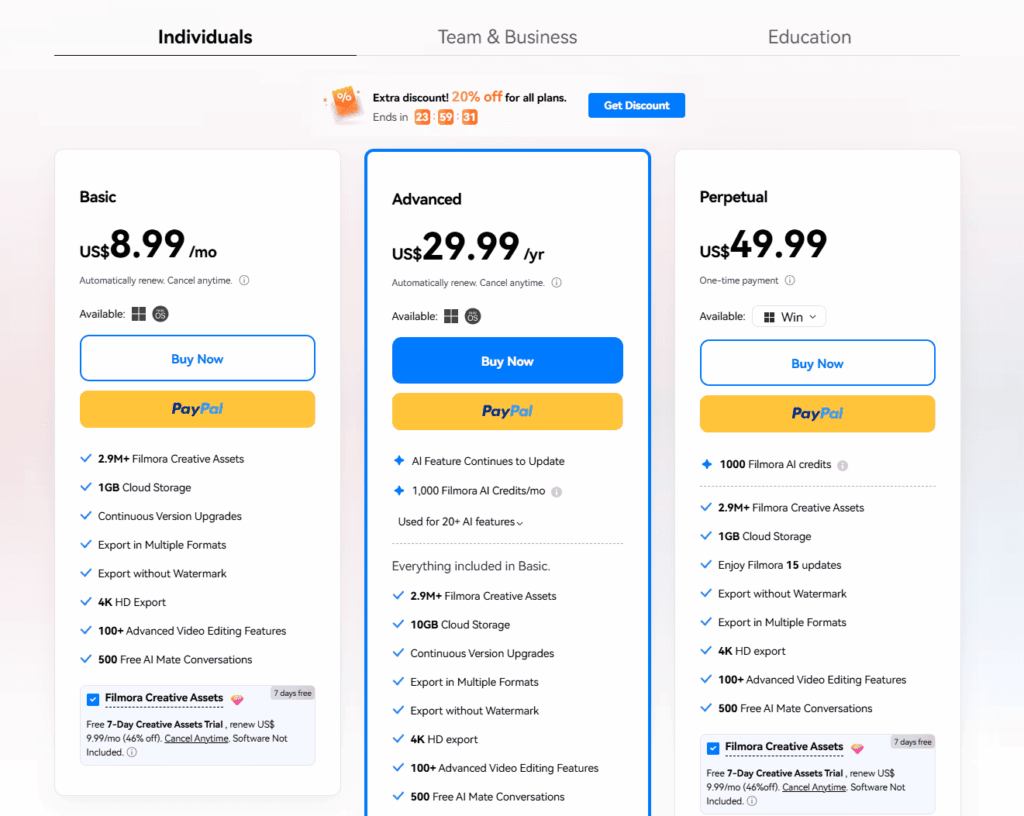
Wondershare Filmora Pricing (2026)
Filmora keeps two purchase models:
- Subscription: Basic from about $49.99 per year, Advanced around $59.99-69.99 per year depending on current promotions. Subscriptions always include the newest version and the full AI feature set while active.
- Perpetual license: a one-time payment of roughly $99.99 (Windows) or $109.99 (Mac) that keeps the purchased version forever. It does not include future major versions.
The free version has no time limit and includes all basic features – the catch is a watermark on every export, which makes it a genuine trial rather than a usable free tier. All paid plans carry a 30-day money-back guarantee.
Related Wondershare Reviews
Filmora is Wondershare’s flagship, but the suite is bigger: see our reviews of Wondershare Virbo (AI avatar videos from a script), Wondershare Repairit (AI repair for corrupted video and photos), and the free Wondershare AI Lab tools hub.
Frequently Asked Questions
Is Filmora free?
Filmora has a free version with no time limit that includes all basic editing features, but every exported video carries a Filmora watermark. Removing the watermark requires a paid plan. Paid licenses come with a 30-day money-back guarantee.
How much does Filmora cost in 2026?
Subscription plans start at around $49.99 per year (Basic) with an Advanced tier at roughly $59.99-69.99 per year depending on promotions. The Perpetual plan is a one-time purchase of about $99.99 on Windows and $109.99 on Mac, often discounted.
Is Filmora a one-time purchase?
It can be. The Perpetual license is a single payment that keeps the version you buy forever, including updates within that version. It does not include future major versions – those require an upgrade or a subscription.
Is Filmora good for beginners?
Yes – it is one of the most beginner-friendly serious video editors. Drag-and-drop editing, templates, and one-click AI tools (smart cut, silence removal, text-based editing, AI captions) cover most editing jobs without a learning curve.
Is Filmora better than Premiere Pro?
They serve different users. Filmora is cheaper, far easier to learn, and its AI tools automate most common tasks. Premiere Pro offers professional-grade control, deeper color and audio workflows, and industry-standard collaboration. Creators and small teams usually get more value from Filmora; professional editors need Premiere.