
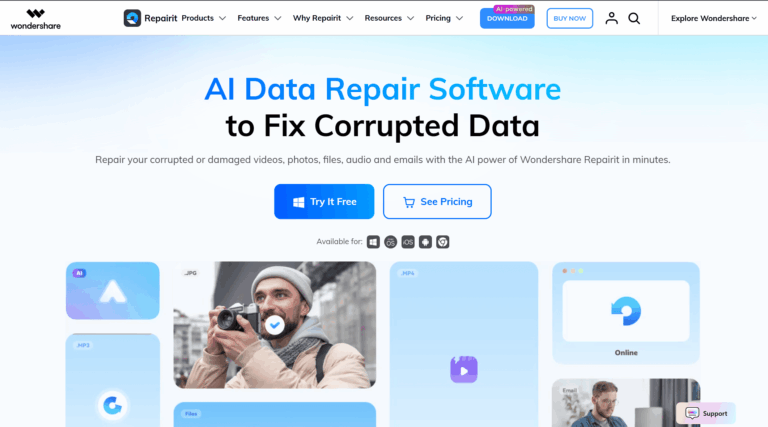
Wondershare Repairit is an AI-powered data repair tool that fixes corrupted videos, photos, audio, documents, and email files in just a few clicks. It solves the frustrating problem of inaccessible or damaged files caused by power outages, transfer errors, system crashes, or storage failures, restoring precious memories and critical work files without technical expertise required.
Repairit is a comprehensive one-stop solution for anyone dealing with corrupted digital files. Whether you are a photographer with broken video footage, an office professional with a damaged Excel report, or a student whose project files won’t open, Repairit handles repairs across 100+ file formats. It is trusted by over 2 million users globally and backed by 22 years of data expertise from Wondershare, combining patented AI technology with an intuitive three-step workflow.
Key Features of Wondershare Repairit
- Video Repair: Restores corrupted MP4, MOV, MKV, AVI, and 20+ other video formats from any device or camera.
- Photo Repair: Fixes damaged, blurry, pixelated, greyed-out, or unreadable JPG, PNG, TIFF, and RAW images effortlessly.
- File Repair: Recovers corrupted Word, Excel, PowerPoint, PDF, ZIP, RAR, and Adobe files with high success rates.
- Audio Repair: Repairs broken or unplayable audio files including MP3, AAC, FLAC, M4A, and other common formats.
- Email Repair: Restores damaged PST and OST Outlook files, recovering lost emails and mailbox data reliably.
- AI Video Enhancer: Upscales and sharpens video footage using AI-powered noise reduction and resolution enhancement technology.
- AI Photo Enhancer: Boosts image sharpness, colors, and detail quality, transforming low-resolution photos into high-res masterpieces.
- Old Photo Restoration: Revives aged, faded, or deteriorated photos with AI to bring them into the modern era with stunning clarity.
- AI Photo Colorizer: Automatically adds vibrant, accurate colors to black-and-white photographs using advanced AI colorization models.
- AI Photo Eraser: Removes unwanted objects, watermarks, or strangers from photos seamlessly with one-click AI-powered erasure.
- Photo Generative Fill: Extends photo backgrounds intelligently using AI to expand canvas and add context without quality loss.
- Advanced Repair Mode: Handles severely corrupted files that standard quick repair cannot fix, using deep AI analysis for recovery.
- Professional Mode for Video: Supports RAW formats like BRAW, R3D, ARRIRAW, 4K footage, and professional codecs for studio workflows.
- Batch Repair: Processes multiple corrupted files simultaneously, saving significant time when dealing with large collections of damaged data.
- Preview Before Saving: Lets users preview repaired files fully before committing to save, ensuring quality meets expectations every time.
- Online Repair Tool: Browser-based version allows quick repair and enhancement of media files from any device without installation.
- Cross-Platform Support: Available on Windows, Mac, iOS, and Android, offering seamless repair across all major operating systems.
- 100+ Format Support: Covers an extensive range of video, photo, audio, document, and compressed file formats for universal compatibility.
How to Use Wondershare Repairit
- Download and install Wondershare Repairit on your Windows or Mac computer, or open the online version in your browser.
- Select the repair type you need: Video Repair, Photo Repair, File Repair, Audio Repair, or another available module.
- Click the Add button or drag and drop your corrupted files directly into the Repairit interface to upload them.
- Click the Repair button to start the quick repair process; Repairit’s AI engine analyzes and restores your files automatically.
- If quick repair does not fully restore the file, switch to Advanced Repair mode and provide a sample reference file when prompted.
- Preview the repaired files within the application to verify the output quality before saving them to your desired location.
- Click Save to export the repaired files to your computer, external drive, or any preferred storage destination.
Key Use Cases for Wondershare Repairit
- Recovering Corrupted Camera Footage: Photographers and videographers restore damaged clips from Canon, GoPro, DJI, Sony, and Nikon devices.
- Fixing Damaged Office Documents: Professionals repair broken Word, Excel, and PowerPoint files to prevent loss of critical business work.
- Restoring Old Family Photos: Families use AI colorization and restoration tools to bring faded, damaged, or black-and-white photos back to life.
- Repairing Files After Power Failure: Users recover RSV and DAT files generated during abrupt shutdowns, making them playable and accessible again.
- Recovering Outlook Email Data: IT professionals and lawyers repair PST and OST files to retrieve lost or inaccessible Outlook mailbox content.
- Enhancing Low-Quality Videos: Content creators upscale and improve resolution and clarity of footage using the AI video enhancer feature.
- Fixing Files Damaged During Transfer: Users restore media and documents that were corrupted during SD card, USB, or cloud transfer processes.
Pros and Cons
Pros
- Supports 100+ file formats across all media types
- Simple three-step repair workflow for all users
- Powerful AI handles even severely damaged files
- Available on desktop, online, iOS, and Android
- Trusted by over 2 million users worldwide
Cons
- Advanced repair for professional RAW video formats requires a reference sample file from the same device, which may not always be available.
- The online version relies on an AI credits system, which can be limiting for users who need to repair large volumes of files regularly.
Wondershare Repairit Pricing (2026)
- Desktop app: $59.99 for 1 month, $89.99 for 1 year, or $119.99 one-time (perpetual). The desktop version handles unlimited files locally and covers the full format list.
- Online version: around $9.99 per month or $48.99 per year – much cheaper, browser-based, with file size and monthly volume limits.
The free trial scans your damaged file and shows a preview of the repair result before you pay – test your actual file first, then buy only if the preview looks right.
Related Wondershare Reviews
Also from Wondershare: Filmora (AI video editor), Virbo (AI avatar videos), and the free AI Lab tools hub.
Frequently Asked Questions
Does Wondershare Repairit actually work?
Yes, for the common corruption cases – interrupted transfers, crashed cameras, damaged storage. Success depends on how severely the file is damaged. Repairit shows a free preview of the repaired file before you pay, which is the honest way to know whether your specific file is recoverable.
How much does Repairit cost in 2026?
The desktop app costs $59.99 for a 1-month license, $89.99 for a year, or $119.99 one-time for a perpetual license. The lighter online version is much cheaper at around $9.99 per month or roughly $48.99 per year, with file size and volume limits.
Is Repairit free?
There is a free trial that scans damaged files and previews the repair result. Saving the repaired file requires a paid license – so you can verify it works on your file before spending anything.
What file types can Repairit fix?
Video (MP4, MOV, MKV and more), photos (JPEG, PNG, RAW formats), audio, documents (Office, PDF), and corrupted email files. It also includes AI photo enhancement and old-photo restoration tools.
Is Repairit safe to use?
The desktop version processes files locally on your machine, so nothing is uploaded. The online version uploads files to Wondershare’s cloud for processing with a stated deletion policy – use the desktop app for sensitive files.