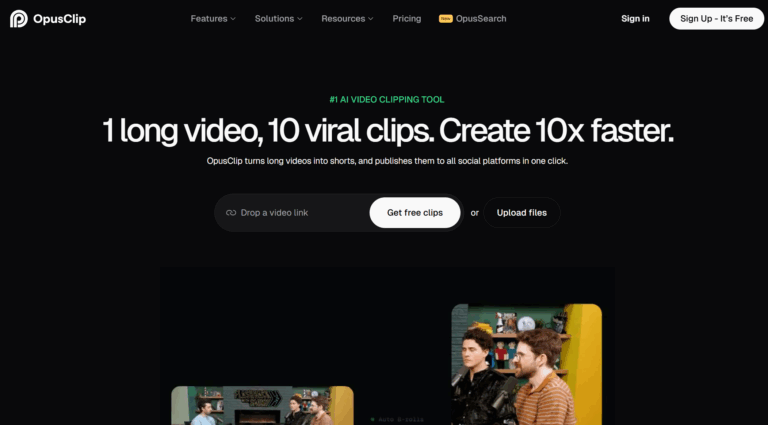
Our verdict: Opus Clip is the benchmark for finding the moments worth clipping. Its ClipAnything engine lets you search a long video in plain language, and its per-clip Virality Score is the most useful triage signal in the category, which is why it is the default for so many creators. The catch is the meter: you pay credits per source minute regardless of how many clips come back, so a long backlog gets expensive fast, and watermark removal needs a paid plan.
How Opus Clip measures up
What we look for →What Opus Clip is, and who it is for
Opus Clip turns long videos – podcasts, interviews, streams – into captioned vertical shorts, and it is the tool most creators try first. Its ClipAnything 2.0 engine analyses visuals, audio and sentiment and lets you find moments by typing what you want in plain language, then scores each clip for viral potential. It is used by solo creators, agencies and brands who repurpose a steady stream of long-form content.
Reach for Opus Clip when finding the right moments is the hard part of your workflow and you want the strongest detection on English talking-head content. If your priority is speed, the widest languages or the cheapest predictable pricing, newer rivals like Reap now edge it; if you want scheduling, dubbing and analytics bundled in, quso is the closer fit.
How Opus Clip performs, criterion by criterion
Clip selection is Opus Clip’s standout and the best here: ClipAnything’s natural-language moment search and the per-clip Virality Score give you both discovery and triage in a way no rival fully matches, which is why it sets the benchmark. Captions and visual polish are strong too, with dynamic animated captions, brand templates and generative AI B-roll.
Workflow and automation is solid – scheduling to the major platforms on Pro, batch clip generation, and a genuine developer surface with a Video Editing API, a Scheduler API, an MCP connector and Zapier. Editing control is good, with the ReframeAnything auto-reframe holding a stable 9:16 and brand templates for consistency.
Two things hold the score back. Reach and languages is only mid-pack: captions cover 20+ languages but there is no full dubbing or voice translation, so multilingual creators outgrow it. And true cost and value is its weakest area by design – the credit meter charges per source minute whether a 60-minute podcast returns five clips or fifteen, credits expire, and removing the watermark requires paying, so heavy users feel the bill.
Key features
- ClipAnything 2.0: natural-language search for any moment in a long video
- Per-clip Virality Score to triage what to post
- Dynamic animated captions and brand templates
- Generative AI B-roll and ReframeAnything auto-reframe to 9:16
- Scheduling to YouTube, TikTok, Instagram, Facebook, LinkedIn and X (Pro)
- Video Editing API, Scheduler API, MCP connector and Zapier integrations
Opus Clip pricing and value
Opus Clip has a free plan (60 minutes a month, watermarked, 1080p, files deleted after three days) that excludes the editor, Virality Score, scheduling and B-roll. Starter is $15/mo for 150 credits with watermark removal and one brand template. Pro is $29/mo (about $14.50/mo billed annually, with 3,600 credits granted upfront) for 300 credits a month, two seats, AI B-roll, scheduling and a limited API. Business is custom.
The model to understand is the credit. One credit equals one minute of source video processed, regardless of how many clips you get back, and credits expire (60 days monthly, 12 months annual). That makes Opus Clip predictable for steady, shorter uploads but expensive for a large back catalogue of long podcasts, so budget on the hours of source video you will actually push through, not the clip count.
Pros and cons
- Best viral-moment detection here, with natural-language search
- Per-clip Virality Score is the most useful triage signal in the category
- Strong captions, brand templates and generative B-roll
- Real developer surface: APIs, MCP connector and Zapier
- Credit-per-source-minute meter gets expensive on long backlogs
- Credits expire and watermark removal needs a paid plan
- Captions only, no full dubbing or voice translation
- Now matched or beaten on speed and languages by newer rivals
Support and reliability
Opus Clip support runs through a help center, email and in-app chat, backed by extensive documentation for its APIs and MCP connector. Founded in 2022 and backed by roughly $68M in funding including SoftBank Vision Fund 2, it is one of the best-resourced products in the category, with frequent feature releases and a large user community. There is no public phone line.
Opus Clip vs the alternatives
If Opus Clip’s credit meter or language limits frustrate you, Reap is faster with far wider languages, quso bundles scheduling and dubbing, and Vizard matches its detection with generous 4K exports. See the best Opus Clip alternatives and our quso vs Opus Clip comparison.
Frequently asked questions
How much does Opus Clip cost?
Opus Clip has a free plan (60 minutes a month, watermarked), Starter at $15/mo (150 credits, watermark removal) and Pro at $29/mo (about $14.50/mo annually, 300 credits/month, scheduling, B-roll, limited API). Business is custom. One credit equals one minute of source video.
How do Opus Clip credits work?
A credit is one minute of source video processed, regardless of how many clips it returns, so a 60-minute podcast uses about 60 credits. Credits expire after 60 days on monthly plans and 12 months on annual, so size your plan to your source hours.
Is Opus Clip free?
There is a free plan with 60 minutes a month, but exports are watermarked, files delete after three days, and it excludes the editor, Virality Score, scheduling and B-roll. Removing the watermark needs a paid plan.
Is Opus Clip the best AI clipper?
It has the best viral-moment detection and Virality Score, which is why many creators start there. On speed, languages and value, newer tools like Reap now edge it, so the best pick depends on your priority.
Does Opus Clip translate or dub videos?
It captions in 20+ languages but does not offer full voice dubbing or translation. If multilingual output matters, Reap, quso or Klap are stronger.
Related guides
Add us as a preferred source on Google, and our reviews and picks show up in your Top Stories and AI Overviews.