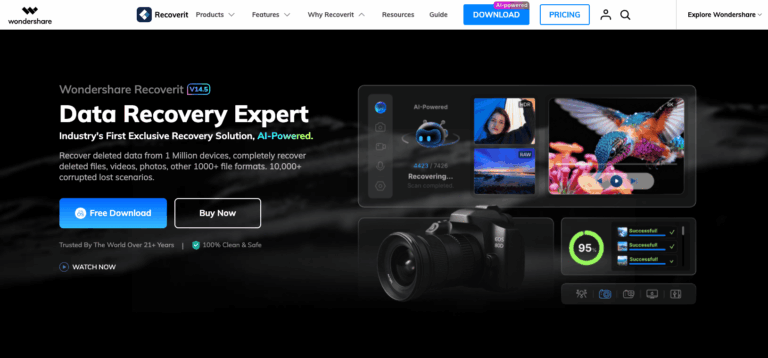
Wondershare Recoverit is an AI-powered data recovery tool for Windows and Mac that restores lost, deleted, or corrupted files from hard drives, SD cards, USB drives, and crashed systems. It solves the problem of permanently losing photos, videos, and documents by scanning storage devices and rebuilding damaged files, giving individuals and businesses a fast way to reclaim data.
Wondershare Recoverit helps people whose files disappear through accidental deletion, formatting, virus attacks, or system crashes. Using AI-driven scanning, it locates and reconstructs lost photos, videos, documents, and other data across more than 1,000 file formats from hard drives, memory cards, USB drives, and NAS devices.
Photographers, students, office workers, and everyday computer users rely on Wondershare Recoverit for one-time emergency recovery rather than ongoing IT support. It suits solopreneurs, small businesses, and individuals who need to retrieve critical files quickly without deep technical skills.
Key Features of Wondershare Recoverit
- AI-Powered Scanning: Uses artificial intelligence to precisely identify devices and speed up file detection across thousands of loss scenarios.
- Photo, Video & Audio Recovery: Restores deleted or lost images, video clips, and audio recordings without limits on file type or size.
- Corrupted Video & Photo Repair: Rebuilds damaged 4K and 8K video fragments and repairs broken photos to near-original quality after recovery.
- Hard Drive & External Device Recovery: Scans internal hard drives, external drives, and desktop folders to recover files lost to deletion or corruption.
- Memory Card & SD Card Recovery: Retrieves photos and videos from SD cards used in cameras, drones, and action cameras like GoPro.
- USB Flash Drive Recovery: Recovers documents, media, and other files that disappear from USB flash drives due to deletion or formatting.
- Partition Recovery: Restores data from deleted, lost, or damaged disk partitions on Windows and Mac computers.
- Recycle Bin & Mac Trash Recovery: Brings back files emptied from the Windows Recycle Bin or Mac Trash with a high success rate.
- NAS & Linux Data Recovery: Remotely recovers files from Synology, QNAP, and other NAS servers, plus EXT4, BTRFS, and XFS Linux file systems.
- Document Recovery: Recovers Word, Excel, PowerPoint, PDF, ZIP, and email files lost through crashes, formatting, or accidental deletion.
- System Crash Recovery: Creates a bootable WinPE USB or CD/DVD to recover files from computers that will not start.
- Full File Preview: Lets users preview recoverable files before restoring them, so only the needed files are recovered.
- RAID Disk Recovery: Restores lost data from RAID arrays affected by drive failure or configuration errors.
- Camera, Drone & Game Data Recovery: Recovers footage and files from cameras, drones, GoPro devices, and gaming consoles or PCs.
How to Use Wondershare Recoverit
- Download and install Wondershare Recoverit for Windows or Mac from the official website.
- Launch the program and select the drive, folder, or device where the data was lost.
- Click “Start” to let Wondershare Recoverit scan the location for recoverable files.
- Use the file preview to check photos, videos, and documents before recovery.
- Select the files you want and choose a different drive to save the recovered data.
- For crashed systems, create a bootable USB or CD/DVD and boot from it to recover files.
Key Use Cases for Wondershare Recoverit
- Accidental Deletion Recovery: Restores files that were mistakenly deleted from a computer, external drive, or memory card.
- Formatted Drive Recovery: Retrieves data after a hard drive, SD card, or USB drive was accidentally formatted.
- Photography & Video Production: Helps photographers and videographers recover RAW images and corrupted 4K or 8K footage.
- System Crash Recovery: Rescues files from computers that crash or fail to boot using bootable recovery media.
- Business Document Recovery: Recovers overwritten or lost spreadsheets, reports, and presentations for office workers.
- Student Assignment Recovery: Restores lost coursework, notes, and projects caused by sync errors or accidental deletion.
Pros and Cons
Pros
- High reported data recovery success rate
- Supports recovery across 1,000+ file formats
- Free version available for basic recovery
- Comes with a 7-day money back guarantee
- Includes bootable media for crashed systems
Cons
- Deep scans on large or badly damaged drives can take a long time to complete.
Frequently Asked Questions
What is Wondershare Recoverit?
Wondershare Recoverit is an AI-powered data recovery software for Windows and Mac that restores lost or deleted files.
Is Wondershare Recoverit Free to Use?
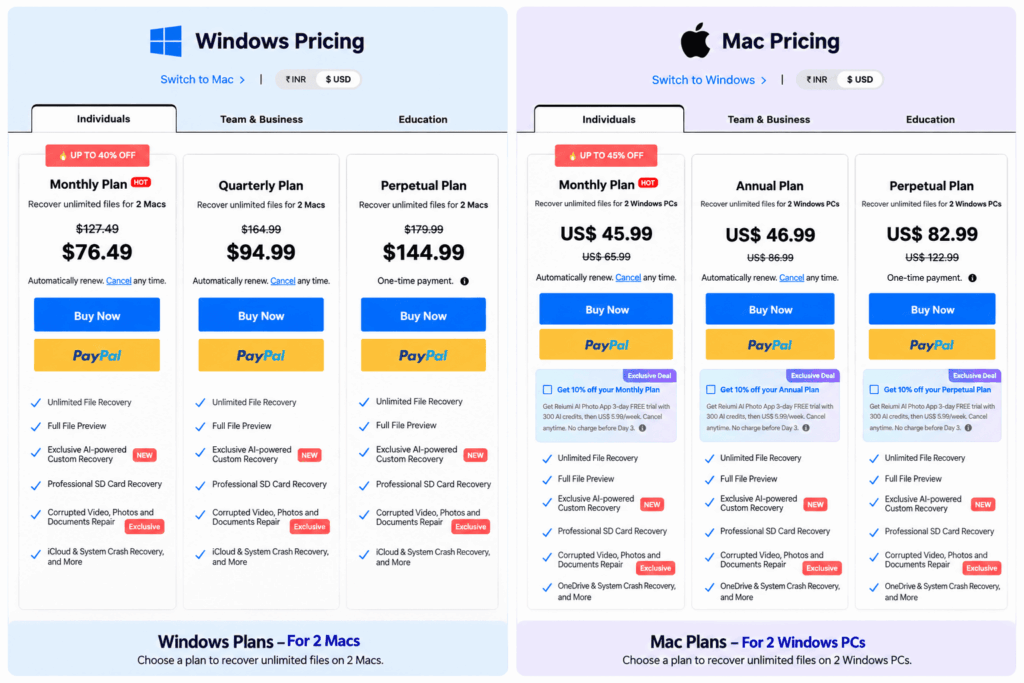
Wondershare Recoverit offers a free version with limited recovery, plus paid monthly, annual, and perpetual license plans.
Which devices does Wondershare Recoverit support?
Wondershare Recoverit recovers data from hard drives, SD cards, USB drives, NAS servers, cameras, drones, and crashed computers.
Can Wondershare Recoverit repair corrupted videos?
Yes, Wondershare Recoverit includes AI-powered repair for corrupted 4K and 8K video files after they are recovered.
Does Wondershare Recoverit work on a crashed computer?
Yes, it creates a bootable USB or CD/DVD to recover files from computers that will not start.
How long does a Wondershare Recoverit scan take?
Most scans finish in about five minutes, though deep scans on damaged drives take longer to complete.
Does Wondershare Recoverit offer a money-back guarantee?
Yes, Wondershare Recoverit provides a 7-day money-back guarantee if the software fails to recover your lost files.