TL;DR: Lumr PDF is the online PDF platform at lumr.com. It runs in your browser, so there is nothing to install. It has tools to edit, merge (join files), convert, compress (make a file smaller) and sign PDFs. It also has templates (ready-made documents with blanks to fill in), such as a lease or a bill of sale (a paper that records a sale). If you are a business owner, freelancer or student who works with PDFs every week, Lumr fits. It also fits if you need a US lease or bill of sale.
| Starting price | See Pricing below. |
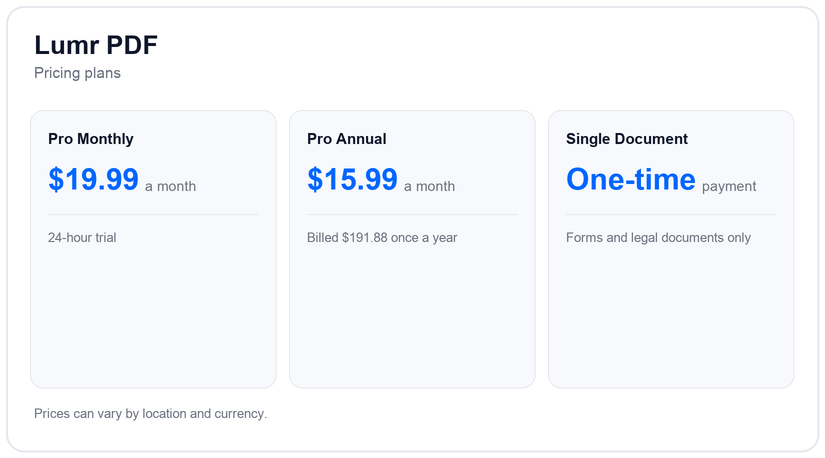
| Plans | Pro Monthly, Pro Annual, Single Document (one payment for one document, forms and legal documents only) |
| Best for | Small business owners, freelancers, students and anyone who needs a US lease or bill of sale |
| Standout | PDF tools and document templates in one browser tool |
| Free trial | 24 hours on the monthly plan, then billed unless you cancel |
A PDF is a common file type for forms, contracts and reports. Lumr PDF is an online platform for working with them. You can edit, convert, merge and sign PDFs in your browser, with no app to download. This page is about lumr.com, not about other products with a similar name.
Key features of Lumr PDF
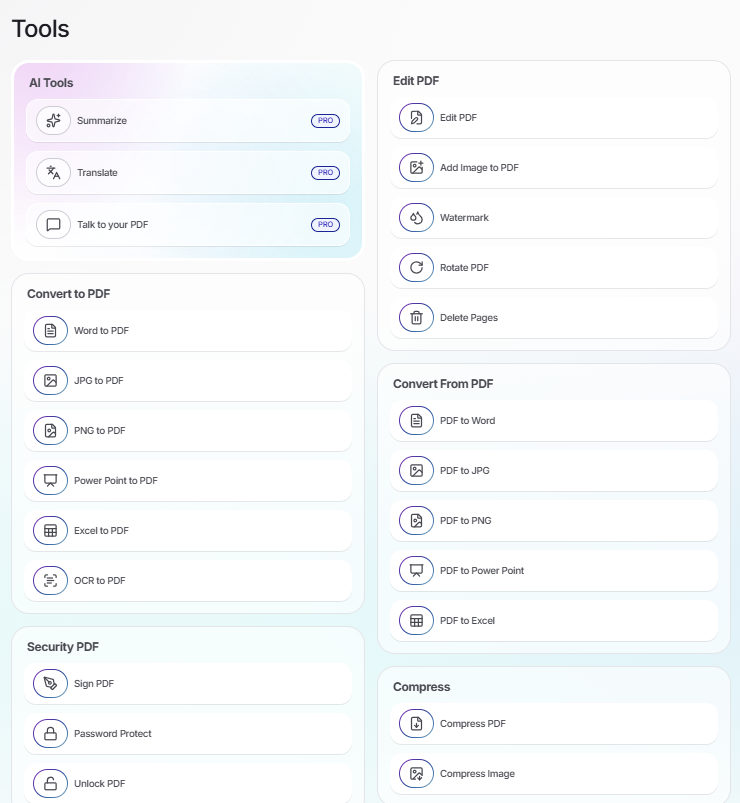
- Edit PDF: The editor covers text, images, notes and shapes, and lets you work on one page at a time. Add Image and PDF Filler (for filling in forms) sit beside it.
- Watermark: A watermark is text or a logo stamped on a page, such as “Confidential”. Add Watermark lets you set its position, size and opacity, and apply it to every page or only some.
- Merge, split and organize: Merge PDF joins several PDFs into one file. Split cuts one PDF into several. Extract Pages, Delete Pages, Organize (change the page order) and Rotate are there too.
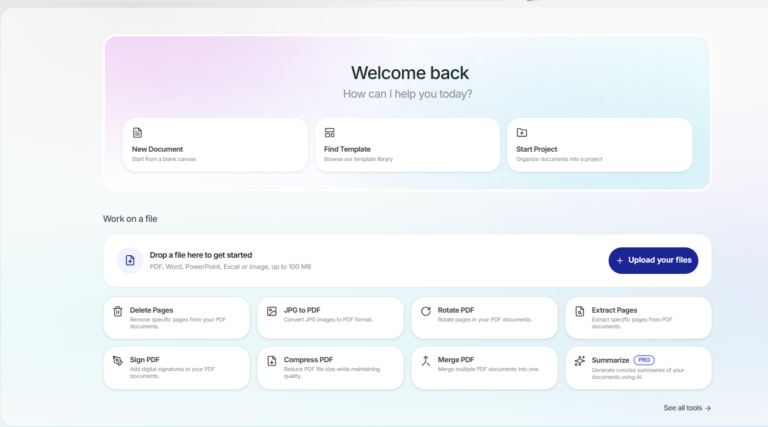
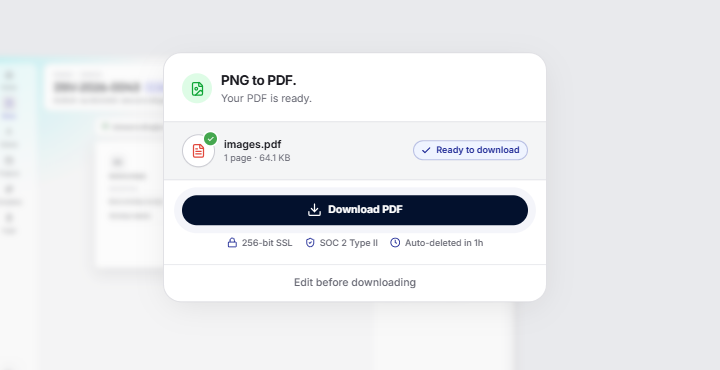
- Convert: Converting means changing a file from one type to another. You can turn Word, Excel, PowerPoint, JPG and PNG files into PDFs, and PDFs into those types. The upload box takes PDF, Word, Excel, PowerPoint, JPG and PNG files, and more, up to 100 MB each.
- OCR: OCR (optical character recognition) reads the text in a scanned page so you can search and copy it. The OCR page names more than 50 languages. Blurred, tilted or handwritten scans can lower accuracy.
- Compress: Compressing makes a file smaller, so it is easier to email. Compress PDF shrinks PDFs, and an Image Compressor handles JPG, PNG and WebP.
- Sign PDF: Sign PDF lets you draw, type or upload a signature, place it on the page and add more than one. An e-signature is a signature added on screen instead of on paper. Whether a signature is recognized depends on your document, which country or state’s law applies and how it is used.
- Password Protect and Unlock: Password Protect puts a password on a PDF. Unlock PDF takes a password off one.
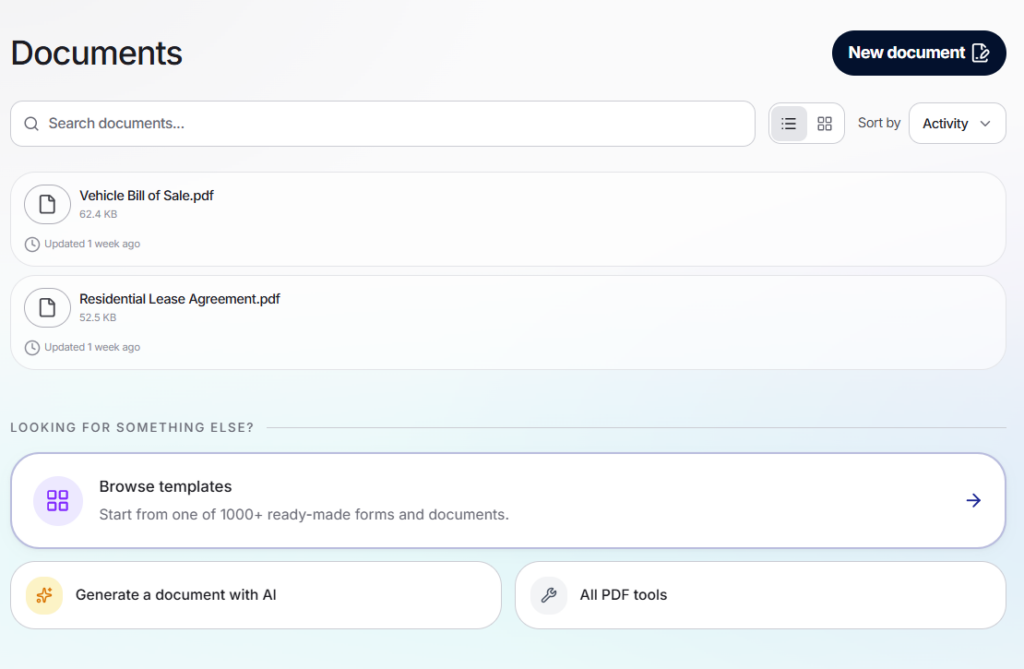
- Templates and document creation: A template is a ready-made document with blanks you fill in. Lumr has template pages for a bill of sale (a paper that records a sale) and a lease agreement. It also has one for a power of attorney (a paper that lets someone act for you). The lease agreement has its own pages for 10 US states. The Browse templates card in the app shows 1000+ ready-made forms and documents, and the app has a Generate a document with AI option. Lumr is not a law firm, so review every document before you use it. This is not legal advice.
Coming soon
Three more features are coming soon: invoice creation, document sending and document tracking. Invoice creation means making a bill to send to a customer. Document sending means sending a file to another person. Document tracking means seeing what happened to a document after you sent it.
Who Lumr PDF is best for
- If you run a small business and need to edit, merge and sign PDFs in a browser, Lumr fits.
- If you are a freelancer who converts, compresses and signs files for clients, Lumr fits.
- If you are a student who needs to convert, shrink or summarize PDFs, Lumr fits. The summary tool is marked Pro.
- If you need a US lease agreement or bill of sale, Lumr has templates for both. They are written for US use, so have a professional check any document that matters.
- If you need to send documents for signing, track them or make invoices today, those features are coming soon, so check back.
Pros and good to know
Pros
- Many PDF jobs in one browser tool: edit, merge, split, convert, compress and sign.
- Nothing to install: it runs in a browser on desktop, phone and tablet.
- Templates sit next to the PDF tools, so a lease or a bill of sale starts in the same place.
Good to know
- The three AI tools – Summarize, Translate, Talk to your PDF full access, needs a paid plan.
- Plans are Monthly, Annual and Single Document. Single Document is a one-time payment for forms and legal documents only.
- After the 24-hour trial, the monthly fee is charged unless you cancel first. You can cancel before the next billing period.
Frequently Asked Questions
What is Lumr PDF?
Lumr PDF is the online PDF platform at lumr.com. It runs in your browser, with nothing to install, and has tools to edit, convert, merge, compress and sign PDFs, plus templates such as a lease agreement.
How much does Lumr PDF cost?
Lumr PDF has a monthly plan, an annual plan and a one-time Single Document option for forms and legal documents. The monthly plan starts with a 24-hour trial. Prices can vary by location and currency. See the Pricing section on this page for the amounts.
Which Lumr features are coming soon?
Invoice creation, document sending and document tracking are coming soon. Invoice creation makes a bill for a customer, document sending sends a file to another person, and document tracking shows what happened to it afterwards.
Which PDF editor is the safest?
No single editor is the safest for every file. Check where your files go, how long they are kept and whether they are encrypted.
How can I merge multiple documents into one PDF file?
Use a merge tool. Lumr’s Merge PDF joins several PDFs into one file: you add your files in the browser and download the merged PDF. It also takes JPG and Word files and converts them for you.
How do I sign a PDF with a digital signature?
You can sign a PDF on screen with an e-signature (a signature added on screen instead of on paper). Lumr’s Sign PDF tool lets you draw, type or upload your signature and download the signed PDF. A digital signature in the strict sense uses a certificate that proves who signed. Whether a signature is recognized depends on your document, which country or state’s law applies and how it is used. This is not legal advice.
Can ChatGPT create a lease agreement?
Yes, ChatGPT can write lease wording, but a lease must fit your state or country, so check every line. Lumr has lease agreement templates, with pages for 10 US states, and its app has a Generate a document with AI option. Lumr is not a law firm, so review every document before you use it. This is not legal advice.
Bottom line
If you handle PDFs for a small business, freelance work or study, Lumr fits as one browser tool for editing, merging, converting and signing. It also fits if you need a US lease or bill of sale.