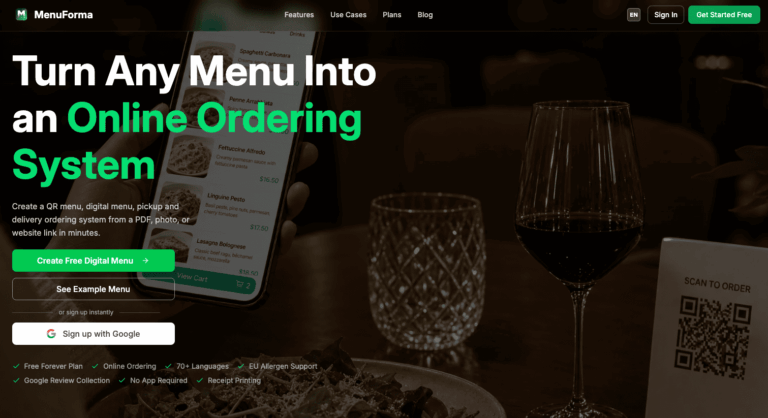
TL;DR: MenuForma is a free AI-powered QR menu platform that turns a paper menu into a digital ordering system in minutes. It scans existing menus with AI, generates food photos, translates into 70+ languages, and lets diners order and pay from their phones, solving slow manual menu setup and language barriers for restaurants.
MenuForma helps restaurants, cafes, food trucks, and hotels replace static paper menus with an interactive digital experience accessible by QR code. It solves the problem of time-consuming manual menu entry, missing food photography, and limited language reach for international guests.
Restaurant owners and managers use MenuForma to launch a QR menu quickly, accept online and table orders, and process payments without needing a developer, app, or point-of-sale overhaul.
Key Features of MenuForma
- AI Menu Import: Upload a PDF or photo of an existing menu and AI extracts items, prices, and categories automatically.
- AI-Generated Food Images: Creates realistic dish photos from text descriptions when real photography is unavailable.
- Multilingual Menus: Translates menus into more than 70 languages for international and tourist-heavy locations.
- Online Ordering: Lets customers browse, add items to a cart, and place pickup, delivery, or dine-in orders from their phone.
- Table QR Code Ordering: Enables guests to scan a table-specific QR code and order directly without a server.
- Online Payments: Processes card payments through Stripe across dozens of supported countries.
- Custom QR Codes: Generates branded QR codes with logos, colors, and patterns for print or table display.
- Multiple Menu Templates: Offers several visual layout styles to match a restaurant’s branding.
- Multi-Restaurant Management: Supports managing several restaurant locations from a single account.
- Staff & Team Accounts: Allows adding team members with their own login access to manage menus and orders.
- Tablet Ordering Mode: Turns a tablet into an in-house self-ordering kiosk for dine-in guests.
- Analytics Dashboard: Tracks menu views, popular items, and order trends to guide menu decisions.
- Custom Business Info: Displays restaurant details like hours, address, and contact information on the digital menu.
How to Use MenuForma
- Sign up for a free MenuForma account without a credit card.
- Upload a PDF or photo of your existing paper menu.
- Let the AI extract item names, descriptions, prices, and categories.
- Add or generate food photos and adjust menu categories as needed.
- Choose a menu display template that matches your brand.
- Enable languages, online ordering, and payment options.
- Generate and download a custom QR code for tables or print materials.
- Publish the menu and monitor performance through the analytics dashboard.
Key Use Cases for MenuForma
- Independent Restaurants: Replace printed menus with a QR-based digital menu that updates instantly without reprinting costs.
- Cafes and Food Trucks: Launch a simple ordering system quickly without hiring a developer or buying hardware.
- Hotels: Offer multilingual room service and restaurant menus for international guests in their preferred language.
- Bars: Enable table-side QR ordering and payment to reduce wait times during busy service.
- Multi-Location Chains: Manage menus, branding, and orders across several restaurant locations from one dashboard.
Pros and Cons
Pros
- Free forever plan with no credit card
- AI menu import saves setup time
- Supports 70+ languages for guests
- Built-in online ordering and payments
- No app or coding required
Cons
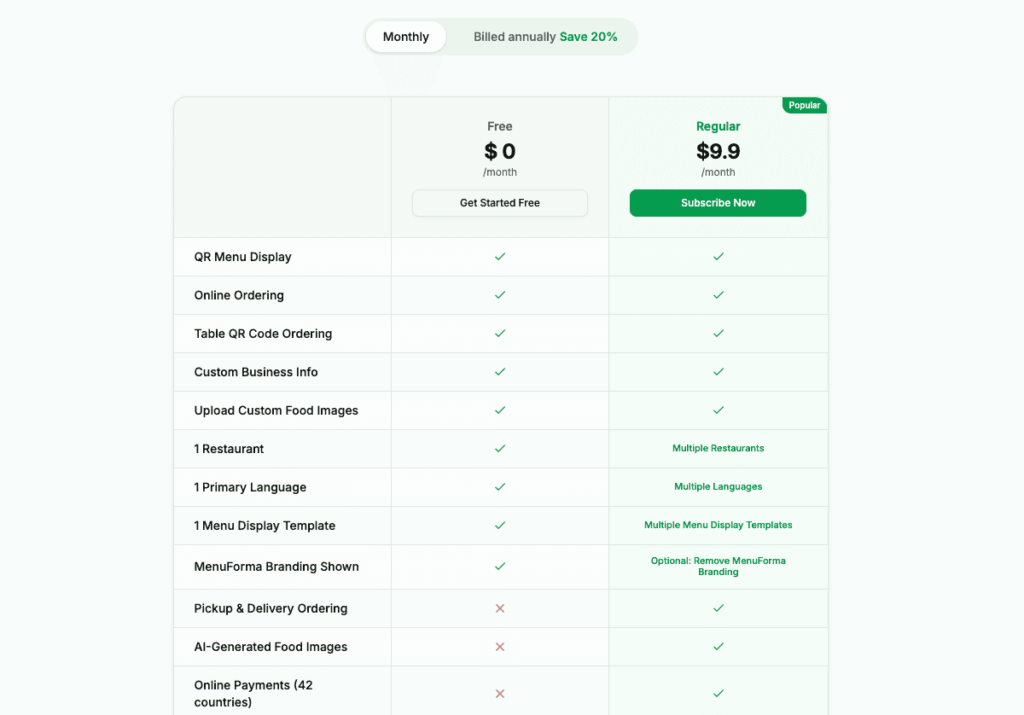
- MenuForma branding appears on the menu unless upgraded to a paid plan.
- Being a browser-based tool, it depends on guests having reliable phone connectivity to scan and order.
Frequently Asked Questions
What is MenuForma?
MenuForma is an AI-powered platform that turns paper menus into digital QR menus with ordering and payments.
Is MenuForma Free to Use?
Yes, MenuForma offers a free forever plan with core features, and paid plans unlock additional tools.
Does MenuForma support online ordering?
Yes, customers can browse the menu, add items to a cart, and place orders from their phone.
How many languages does MenuForma support?
MenuForma supports translation into more than 70 languages for multilingual restaurant menus.
Can MenuForma create food photos automatically?
Yes, it can generate realistic AI food images from a text description of each dish.
Does MenuForma require an app to use?
No, guests scan a QR code and view the menu directly in their mobile browser.
Can I manage multiple restaurants with MenuForma?
Yes, paid plans allow managing multiple restaurant locations from a single account.
What payment methods does MenuForma support?
MenuForma processes online card payments through Stripe across dozens of supported countries.