TL;DR: BrandCrowd is worth paying for when you need more than a one-off logo file and want a logo, business cards, social assets, and a basic website-ready brand kit in one fast workflow. It works best for founders, freelancers, and small businesses that care more about speed than originality. The biggest buying risk is paying for a broader bundle when you only needed a single logo or skipped the renewal and licensing details.
App Score: We give BrandCrowd 8.5/10 for how quickly it can turn a business name into a usable launch-ready brand. It is stronger as a practical startup branding shortcut than as a long-term creative workspace.
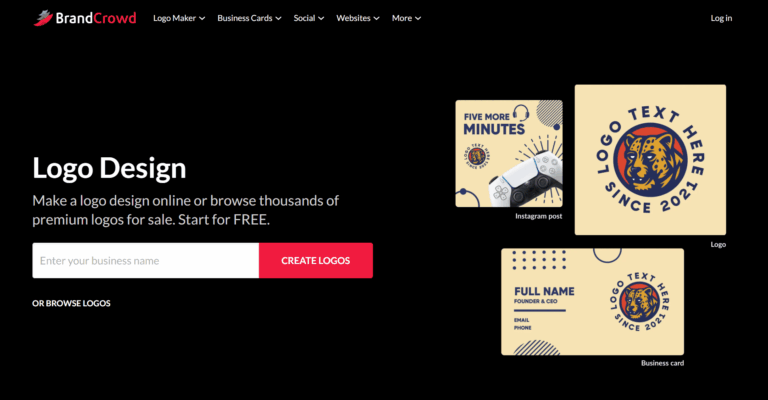
BrandCrowd sits between a simple logo maker and a broader design platform. The real value is not just the logo generator. It is the logo-first workflow that extends into business cards, social templates, email signatures, digital cards, and a lightweight website builder. If your job is to get a usable brand live quickly, BrandCrowd is much easier to justify than if you only need a single file.
Check the live BrandCrowd offer: If you already know you want a logo plus matching launch assets, check BrandCrowd’s live plans and bundles before you compare deeper tools.
Quick Verdict
- Best for: founders, solopreneurs, freelancers, and small businesses that want a logo plus matching brand assets fast.
- Skip if: you need a highly original identity, advanced layout control, or a serious long-term design workspace.
- Biggest strength: BrandCrowd can take you from business name to launch-ready brand kit in hours instead of weeks.
- Biggest risk: the paid bundle feels much less compelling if you only need a single logo file and never use the extra brand assets.
Want a second opinion before you commit? LogoVerdict published an independent BrandCrowd review that digs into where the paid bundle is genuinely worth it versus where a single logo file is enough.
What BrandCrowd gets right
- Fast logo-to-brand-kit workflow: the platform is built to move from logo ideas into usable cards, social graphics, and other launch assets quickly.
- Good fit for non-designers: the customization flow is simple enough for founders and small teams that do not want a steep learning curve.
- Large starting library: BrandCrowd feels fast because you are not starting from a blank canvas every time.
- Useful asset breadth: the value of the paid plan rises when you actually need more than a logo download.
- Practical for early launches: if the business needs to look credible this week, BrandCrowd solves that job well.
Where BrandCrowd falls short
- Template sameness: light edits can still leave the output feeling close to other template-driven branding tools.
- Pricing clarity: public offers can vary by bundle, billing term, and promotion, so you need to read the live checkout carefully.
- Limited design ceiling: growing brands or professional designers may outgrow the editor once they need deeper control.
- Website builder is lightweight: useful for a basic branded presence, but not a full-scale site platform.
Who BrandCrowd is best for
- Founders and solo builders: especially when you need a logo and matching assets without hiring a designer.
- Small businesses: if you want one tool for logo files, business cards, social graphics, and a simple site.
- Freelancers and agencies: useful for fast draft concepts or lightweight client branding packages.
- Time-sensitive launches: strong fit when speed matters more than building a highly custom visual identity.
BrandCrowd pricing in 2026: what each tier actually costs
BrandCrowd is free to browse and customize. The decision starts when you pay for downloads and broader brand assets. As of mid-2026, BrandCrowd publishes three main paid tiers when billed monthly. Annual billing brings the effective rate down significantly, often to roughly $5 to $7 per month depending on the tier. Promotions and bundle inclusions can shift, so confirm at the checkout page before paying.
- Starter – $15 per month (monthly billing): high-resolution and vector logo files, unlimited logo edits, business cards, social media templates, and access to BrandCrowd’s library of design tools and templates.
- Value – $24 per month (monthly billing): everything in Starter plus the BrandCrowd website builder, so you can publish a basic launch-ready site without buying a separate platform.
- Premium – $29 per month (monthly billing): everything in Value plus link-in-bio, digital business card, and the broader brand-kit features for an end-to-end launch package.
The paid plan makes the most sense when it replaces several separate jobs at once: logo files, cards, social assets, and a simple web presence. If you only need one logo file, the value can drop fast.
- Worth paying for: a logo plus business cards, social templates, email signatures, or a basic launch-ready brand kit.
- Less worth paying for: a one-off logo download with no real need for the rest of the asset bundle.
- Check before you buy: billing term, renewal behavior, licensing scope, and whether the bundle includes the file types you actually need.
Good fit for BrandCrowd? If you want a logo plus business cards, social assets, or a simple website in one purchase, see the current BrandCrowd bundle and pricing flow.
BrandCrowd reputation and customer feedback
BrandCrowd’s user reputation is strong enough to treat it as a real business tool rather than a throwaway logo generator. The pattern in customer feedback is clear: people like it when they want a quick, usable brand without much setup. Complaints show up when buyers expected a lighter one-time purchase, missed renewal details, or wanted more creative freedom than a template-led tool can give them.
- Most common positives: ease of use, good-looking starting templates, and fast time to first usable brand asset.
- Most common negatives: billing confusion, renewal frustration for some buyers, and limits once a brand needs deeper customization.
Is BrandCrowd legit or a scam?
BrandCrowd is a real business. It is owned by DesignCrowd, an Australian design platform that has been operating since 2008, and the product is genuine. The templates are professionally produced and downloads are delivered as promised. The “is it a scam” question gets asked online because of how the company handles billing and renewals, not because of the product itself.
The trust picture across review platforms is mixed but largely positive:
- Trustpilot: roughly 4.7 to 4.8 out of 5 stars across more than 9,000 reviews, with around 91 percent of ratings being 5 stars. Most reviewers report a positive experience with ease of use, customer service, and final logo quality. This is the largest and most representative review pool.
- PissedConsumer and Reddit: a much smaller pool of users who cite renewal friction, surprise charges, or buyers who expected a one-time logo purchase rather than a recurring brand-kit subscription. The complaints are consistent in theme even if low in volume.
- Capterra and software directories: a small number of strong negative reviews exist alongside positive ones, again typically centered on billing rather than the product.
The pattern is clear. BrandCrowd is not a scam, but the subscription model rewards users who actually plan to use the broader brand kit. Buyers who treat it like a one-time logo purchase tend to leave the most negative reviews. If you go in expecting a recurring brand-kit subscription and disable auto-renewal once you have what you need, the experience usually matches the high Trustpilot averages.
BrandCrowd refund policy and how to cancel
BrandCrowd allows customers to cancel from the account dashboard at any time. Refund eligibility depends on whether the paid assets have been downloaded and whether the request falls within the published refund window. Specific terms can shift, so check the order confirmation email and the current terms on the BrandCrowd site.
- Cancel anytime, future renewals stop: cancelling from the account dashboard stops future billing. It does not automatically refund the current term.
- Refund eligibility: refund requests are reviewed case by case. Customers who have not yet downloaded the paid assets generally have the strongest case. Buyers who downloaded final logo files or used the broader brand kit are usually not eligible.
- Auto-renewal default: paid plans renew automatically on the same billing cycle by default. Disable auto-renewal from account settings if you only need the brand assets for the current term.
- Contact for billing disputes: email support@brandcrowd.com with your order ID and the reason for the request. Response times are usually within 1 to 2 business days.
The simplest defensive move is to disable auto-renewal immediately after the first download. That alone eliminates the most common reason behind negative BrandCrowd reviews.
BrandCrowd vs alternatives
- BrandCrowd vs Design.com: BrandCrowd is the cleaner choice if you want a faster logo-first branding flow. Design.com is broader if you want more of an all-in-one branding toolkit. Read our Design.com review.
- BrandCrowd vs Canva: Canva is stronger for ongoing content design and wider day-to-day use, but BrandCrowd is usually faster if the main job is getting a logo and brand kit live quickly. Many small businesses use BrandCrowd to launch and then keep Canva for ongoing marketing assets.
- BrandCrowd vs hiring a designer: a designer wins on originality and strategy, but BrandCrowd is dramatically faster and cheaper for early-stage launches.
If you want a wider shortlist before choosing, see our best graphic design apps guide.
Bottom line: If speed matters more than full custom brand strategy, check BrandCrowd before you keep shopping. It is one of the faster ways to get a usable brand live this week.
Pros and Cons
Pros:
- Very fast route from business name to usable logo and launch assets.
- Good fit for non-designers and time-sensitive launches.
- Paid value improves when you actually use the wider brand kit.
- Easier to act on than a blank design tool for most small teams.
Cons:
- Less compelling if you only need one logo file.
- Template-led output still needs customization to feel distinctive.
- Renewal and bundle details deserve close attention before purchase.
- Not the right fit for teams needing deep creative control.