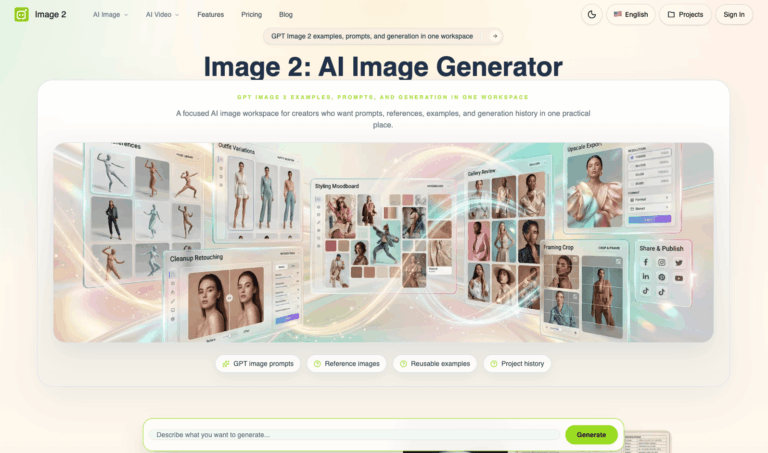
TL;DR: Image 2 is a web-based AI image workspace built around OpenAI’s GPT Image 2 model. It generates and edits images from text prompts or uploaded photos, with strong text rendering, product photography, and UI mockup output, solving slow, disjointed creative production for marketers and designers.
Image 2 is an AI image generation and editing platform centered on the GPT Image 2 model, letting users turn prompts or reference photos into polished visuals for ads, products, and interfaces.
It is used by marketers, designers, and small creative teams who need fast, text-accurate graphics, product photography, and UI mockups without hiring separate design or photography resources.
Key Features of Image 2
- Text-to-Image Generation: Turns written prompts into finished visuals, covering posters, product shots, characters, and branded creative concepts.
- Image-to-Image Editing: Uploads an existing photo or sketch to restyle, extend, clean up, or refine it without rebuilding the scene.
- Production-Ready Text Rendering: Builds posters, labels, and layouts with cleaner typography placement and more reliable readable text.
- Photorealistic Output: Generates believable materials, lighting, and depth for finished-looking images instead of rough concept art.
- UI Mockups and Design Exploration: Turns early product ideas into app screens, onboarding flows, and dashboards before development starts.
- Multilingual Visual Content: Supports localized layouts across different language systems while keeping structure and brand tone consistent.
- Reference Image Support: Gives the model a visual anchor so results follow a specific style, subject, or layout more closely.
- Project History: Saves prompts, references, and generations inside one workspace so past work is easy to revisit.
- Ready-Made Templates: Offers trend-based tools like fan cam photos and city tour scenes for quick, themed content creation.
- AI Video Generator: Extends the same workspace into short AI video creation from text prompts or still images.
How to Use Image 2
- Open the GPT Image 2 workspace and choose text-to-image or image-to-image mode.
- Write a prompt describing the subject, style, composition, lighting, and intended use.
- Upload a reference photo, sketch, or product image if closer visual guidance is needed.
- Adjust model, aspect ratio, and other available generation settings before running the request.
- Generate a few variations and compare them against the original creative brief.
- Refine the prompt or settings for weaker results and regenerate as needed.
- Save the preferred output to your project history or continue iterating on it.
Key Use Cases for Image 2
- Product Marketing Visuals: Creates hero shots, packaging scenes, and lifestyle imagery for ecommerce and launch campaigns quickly.
- Ad and Social Creative: Produces posters, banners, and social graphics with readable headlines and campaign-ready layouts.
- UI and App Prototyping: Visualizes app screens, onboarding states, and dashboards before a product is fully built.
- Localization Mockups: Tests multilingual layouts and regional campaign concepts before sending work to production teams.
- Editorial and Technical Illustration: Builds detailed explainer graphics, maps, and campaign artwork with many small elements.
- Trend-Based Social Content: Uses ready templates like fan cam photos and city tours for quick, shareable posts.
Pros and Cons
Pros
- Strong, readable text rendering inside images
- Supports both text and photo-based inputs
- Keeps prompts, references, and history together
- Ready-made templates for trending content formats
- Covers both AI image and video generation
Cons
- First-pass results can vary in quality and often need several regenerations to reach a usable final image.
- Best results still depend on detailed, well-structured prompts rather than short, one-line requests.
Frequently Asked Questions
What is Image 2?
Image 2 is an AI workspace for generating and editing images using the GPT Image 2 model from prompts or photos.
Is Image 2 Free to Use?
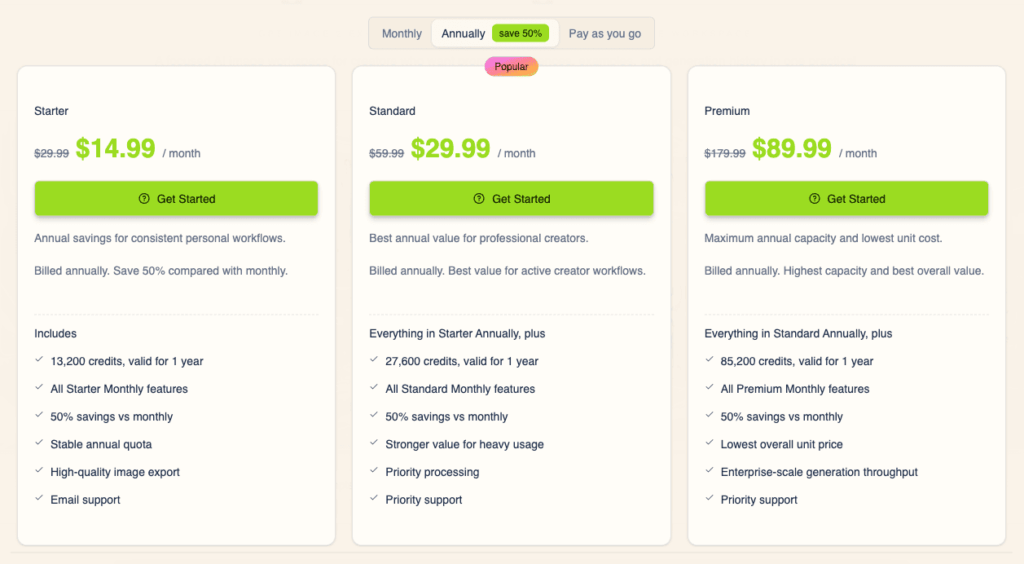
No, Image 2 runs on paid, credit-based subscription plans with no permanent free tier advertised.
What AI model powers Image 2?
Image 2 is built around GPT Image 2, with other compatible AI models available in the same workspace.
Can I edit existing photos with Image 2?
Yes, you can upload a photo or sketch and describe changes to restyle, clean up, or extend it.
Does Image 2 support multiple languages in generated images?
Yes, it can render multilingual text and localized layouts for regional marketing and design concepts.
Can I create videos with Image 2?
Yes, the platform includes an AI video generator alongside its image generation and editing tools.
What are the fan cam photo and video tools?
They are ready-made templates for creating trend-style sports and event content from a starting photo or prompt.
Does Image 2 offer commercial usage rights?
Paid plans typically include commercial usage rights, though outputs should be reviewed for trademarks before publishing.