Our verdict: FragCut is the specialist for gaming clips. Unlike general clippers, it reads gameplay – detecting kills, wins and big moments across 15-plus titles, with 94 percent accuracy on Valorant – and turns Twitch VODs and recordings into vertical, subtitled shorts in 15 to 30 minutes. It is niche by design, so it is light on general features and languages, but for streamers and gaming creators it does something the talking-head tools simply cannot.
How FragCut measures up
What we look for →What FragCut is, and who it is for
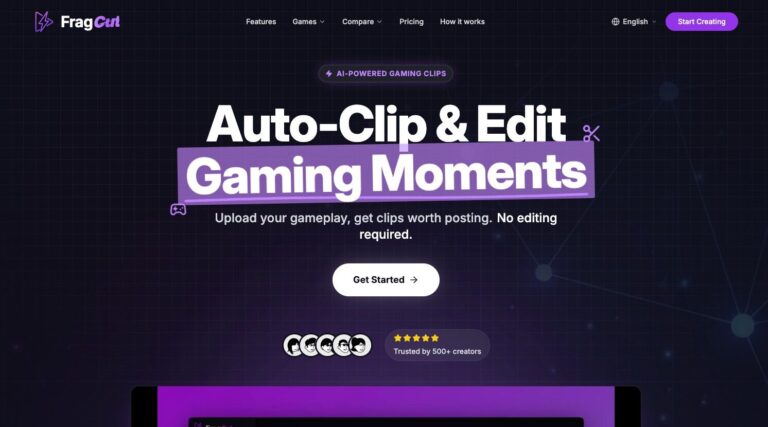
FragCut is an AI clipper built only for gaming. It ingests Twitch VODs and gameplay recordings and uses game-aware detection to find highlights – kills, clutches, wins – across more than 15 titles including Valorant, CS2, Apex Legends, Overwatch 2, Fortnite and League of Legends, then formats them vertically with burned-in subtitles for Shorts, TikTok and Reels. It returns five to eight clips from a session in 15 to 30 minutes.
Reach for FragCut if you are a streamer or gaming creator who wants highlights pulled automatically from long VODs, with detection that actually understands the game. If your content is podcasts, webinars or talking-head video, a general clipper like Reap, Opus Clip or quso is the right tool; FragCut is deliberately narrow.
How FragCut performs, criterion by criterion
Clip selection is FragCut’s whole point and its strongest score for its niche: game-aware highlight detection reads gameplay in a way general clippers cannot, hitting 94 percent accuracy on Valorant and covering FPS and battle-royale titles well. It turns a long stream into a handful of postable moments quickly.
Captions and visual polish and editing control are functional rather than rich: burned-in subtitles and automatic vertical or horizontal formatting, but no deep template or B-roll library. True cost and value is fair for the niche, with clear plans and full commercial rights on all paid clips.
The limits are exactly what you would expect from a specialist. Reach and languages is thin, and workflow and automation is basic – it is built to detect and format gaming highlights, not to schedule, dub or batch across languages. Judged as a general clipper it scores low, but judged as a gaming tool it does its one job well.
Key features
- Game-aware highlight detection across 15+ titles
- 94% detection accuracy on Valorant; strong on CS2, Apex, Overwatch 2, Fortnite, LoL
- Ingests Twitch VODs and gameplay recordings
- Automatic vertical and horizontal formatting for Shorts, TikTok and Reels
- Burned-in subtitles for muted viewing and accessibility
- Full commercial usage rights on all paid clips
FragCut pricing and value
FragCut keeps pricing simple: Creator is $19.99/mo for 30 clips a month, and Pro is $49.99/mo for unlimited clips, both with full commercial rights and a seven-day money-back guarantee. There is no sprawling credit system; you are buying a volume of gaming clips.
For a streamer producing a steady stream of highlights, the Creator plan covers casual use and Pro removes the cap for daily posting. It is priced comparably to general clippers, and the value calculation is really about whether game-aware detection is worth a dedicated tool for you – for serious gaming creators, it usually is.
Pros and cons
- Game-aware detection general clippers cannot match
- Covers 15+ titles with high accuracy on FPS games
- Handles Twitch VODs and gameplay directly
- Simple pricing with full commercial rights
- Gaming only: not for podcasts or talking-head video
- Light on templates, B-roll and languages
- Basic scheduling and workflow
- Scores low as a general clipper by design
Support and reliability
FragCut support runs through email and a help center, with a seven-day money-back guarantee on paid plans. It is a focused, niche product with a gaming-creator user base, so support is lean and the tool is narrow enough to be self-explanatory. There is no public phone line.
FragCut vs the alternatives
If you want gaming highlights alongside general clipping, Spikes Studio handles Twitch VODs within a broader tool. If your content is not gaming, Reap, Opus Clip and quso are the right general clippers. See the best gaming clip generators and the AI clip generators hub.
Frequently asked questions
How much does FragCut cost?
FragCut has two plans: Creator at $19.99/mo for 30 clips a month, and Pro at $49.99/mo for unlimited clips. Both include full commercial rights and a seven-day money-back guarantee.
What games does FragCut support?
More than 15 titles, including Valorant (with about 94 percent detection accuracy), CS2, Apex Legends, Overwatch 2, Fortnite and League of Legends, with game-aware highlight detection.
Is FragCut only for gaming?
Yes. FragCut is a gaming specialist that reads gameplay to find highlights. For podcasts, webinars or talking-head video, a general clipper like Reap or Opus Clip is the right choice.
How fast is FragCut?
It returns around five to eight viral-ready clips from a session in about 15 to 30 minutes, formatted vertically with burned-in subtitles for Shorts, TikTok and Reels.
Can I monetize FragCut clips?
Yes. All clips generated on the Creator and Pro plans come with full commercial usage rights, so you can monetize them.
Related guides
Add us as a preferred source on Google, and our reviews and picks show up in your Top Stories and AI Overviews.