Arting AI’s YouTube Transcript Generator is a free browser-based tool that converts any YouTube video into accurate, readable text within seconds. It solves the problem of manually transcribing video content by letting users paste a video link and instantly generate a clean, downloadable transcript without any login or software installation.
The transcript tool is designed for students, researchers, content creators, and professionals who need to extract spoken content from YouTube videos quickly and repurpose it for notes, blogs, captions, or documentation.
The tool works entirely in the browser, requires no registration, and supports long-form videos such as lectures, podcasts, and interviews. Users get structured, searchable text they can copy or download as a clean TXT file, making it a practical resource for anyone looking to save time on manual transcription tasks.
Key Features
- Instant Transcript Generation: Paste a YouTube URL and receive a full, accurate text transcript within seconds automatically.
- No Login or Registration Required: Access the transcript generator freely without creating an account or installing any extensions.
- Download as Clean TXT File: Export transcripts as plain text files without timestamps for easy editing and repurposing.
- Copy Without Timestamps: Remove timestamps from the output and copy clean readable text directly to your clipboard.
- AI-Powered Context Accuracy: The underlying AI understands context to produce well-formatted, readable transcripts rather than raw speech output.
- Supports Long-Form Videos: Handles lengthy lectures, podcasts, interviews, and tutorials without performance degradation or errors.
- AI-Powered Smart Summaries: Beyond transcription, the tool can summarize video content to surface key insights rapidly.
- Structured and Searchable Text: Generated transcripts are organized and editable, enabling keyword search and content repurposing for blogs or captions.
- Cloud-Accessible Transcripts: Access and reference generated transcripts anytime from any browser-connected device.
- Multilingual Platform Interface: The Arting AI platform supports over 14 interface languages including English, Spanish, French, German, and Japanese.
How to Use
- Open your browser and navigate to arting.ai/youtube-transcript-generator.
- Go to the YouTube video you want to transcribe and copy the video URL from the address bar.
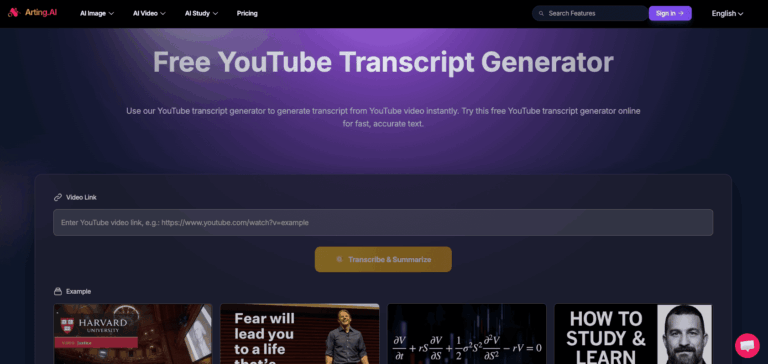
- Paste the copied link into the input field on the Arting AI transcript generator page.
- Click the “Transcribe and Summarize” button to initiate the transcript generation process.
- Wait a few seconds for the AI to process the video audio and generate the full transcript.
- Review the transcript output displayed on the page, then copy the text or download it as a TXT file.
- Optionally use the smart summary feature to extract key points from the video content quickly.
Key Use Case
- Student Note-Taking: Convert lecture videos into searchable text so students can review and highlight key academic content efficiently.
- Content Repurposing: Transform YouTube video speech into blog posts, social media captions, or article drafts without manual typing.
- Podcast Transcription: Extract full spoken text from podcast episodes hosted on YouTube for documentation and accessibility purposes.
- SEO Content Creation: Generate keyword-rich transcripts from video content to create indexable written material for search engines.
- Research and Academia: Quickly extract quotations or information from video interviews and lectures for citation and reference use.
- Subtitle and Caption Creation: Use generated transcripts as a base for creating subtitles or accessibility captions for video content.
- Language Learning: Read along with video transcripts to improve comprehension and vocabulary in a target language.
Pros and Cons
Pros
- Completely free with no login needed
- Generates transcripts instantly from any YouTube URL
- Supports long-form and complex video content
- Clean TXT download without timestamps
- Includes AI-powered summarization alongside transcription
Cons
- The transcript tool is limited to YouTube videos and does not support other video platforms or uploaded files.
Frequently Asked Questions
Is it free to use?
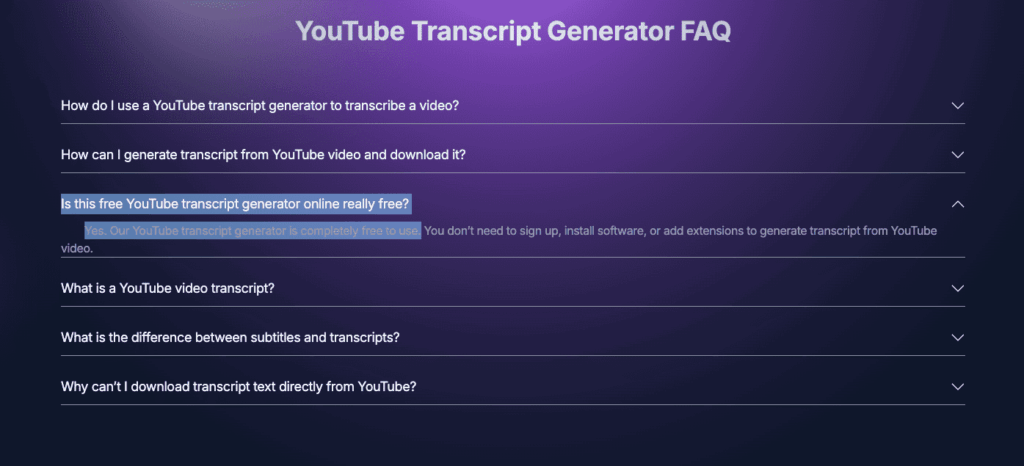
Yes, the YouTube Transcript Generator on Arting AI is completely free with no signup or installation required.
Do I need to create an account to generate transcripts?
No, the tool works immediately in your browser without any registration, login, or extension installation needed.
Can I download the transcript as a file?
Yes, you can download the generated transcript as a clean TXT file or copy the text directly without timestamps.
Does it work on long YouTube videos like lectures or podcasts?
Yes, the tool is designed to handle lengthy videos including multi-hour lectures, interviews, and podcast episodes.
What languages does the Arting AI platform support?
The Arting AI interface supports over 14 languages including English, Spanish, French, German, Japanese, and Arabic.
Can Arting AI also summarize the YouTube video?
Yes, alongside transcription the tool offers an AI-powered smart summary to highlight key points from the video content.