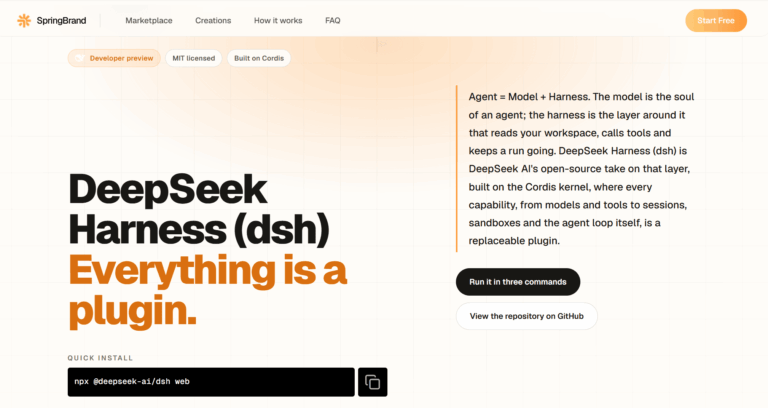
DeepSeek Harness (dsh) is an open-source, MIT-licensed agent runtime built by DeepSeek AI on the Cordis plugin kernel. Instead of a fixed coding agent, it gives developers a workspace, tool registry, sandbox, and agent loop made entirely of swappable plugins, solving the problem of closed, inflexible agent architectures with a self-hosted runtime you can start in three commands.
DeepSeek Harness solves the problem of rigid, closed agent products by exposing every layer of the runtime, models, tools, sessions, sandboxes, storage, and the UI, as a replaceable Cordis plugin.
It is used by product teams building repository-specific coding agents, model researchers running controlled benchmarks, platform engineers wiring internal automation, and plugin authors prototyping new capabilities.
Key Features of DeepSeek Harness
- Cordis Plugin Kernel: Every capability mounts, unmounts, and reconnects as a plugin, so nothing requires patching a privileged core.
- Multi-Model Adapters: Connects to DeepSeek, catalog providers like Anthropic and OpenAI, and custom OpenAI-compatible endpoints.
- Scoped Tool Registry: A guarded execution pipeline where each registered tool’s schema joins prompt assembly automatically.
- Skills System: Reusable instruction packages an agent can load, shipped alongside presets or installed from plugins.
- Append-Only Session Log: Records every prompt, tool call, and context injection, powering resume, fork, search, and replay.
- Sandboxed Execution: File-effect confinement across Linux, macOS, and Windows with read-only to full-access modes.
- Four Runtime Modes: Standard, Code, Minimal, and Creator presets share one plugin core for different workflows.
- Configurable Patch Layers: Bundle, profile, and command-line patches let teams override individual configuration rows precisely.
- Trajectory Viewer: Inspects a run’s full event stream by source, making every model-visible input auditable.
- Community Plugin Ecosystem: Hundreds of public plugins add browser control, terminal UIs, vision, and agent loops.
How to Use DeepSeek Harness
- Install Node.js 22.19 or newer, or Node.js 24 and above, on your machine.
- Run npx @deepseek-ai/dsh web to launch the local Web UI on port 3080.
- Open Settings, add an API key for DeepSeek or another supported model provider.
- Choose a workspace directory so the session composer becomes available.
- Start a session and pick Standard, Code, Minimal, or Creator mode for the task.
- Run dsh web –dump-config to print the composed plugin tree.
- Install community plugins with dsh plugin add to extend tools, UI, or sandboxing.
Key Use Cases for DeepSeek Harness
- Coding Agent Runtime: Combine repository tools, workspace policies, skills, and model routing into a team-specific coding agent.
- Model Benchmarking: Use Minimal mode to compare different models against the same stable shell and editing surface.
- Internal Automation: Assemble tools, approval steps, storage, and schedules for repeatable, inspectable internal platform workflows.
- Plugin Prototyping: Test a new Cordis plugin in Creator mode before publishing it under the dsh-plugin topic.
- Agent Education: Reshape the runtime into specialized setups, such as multi-agent teaching tools built by the community.
Pros and Cons
Pros
- Fully open source and MIT licensed
- Every capability swappable through plugins
- Runs locally with no vendor lock-in
- Traceable, append-only session history
- Supports multiple model providers easily
Cons
- Still a developer preview, with compatibility-breaking changes expected across releases
- Cannot yet serve the Web UI to a network, since –host 0.0.0.0 is unsupported
- Requires Node.js and command-line comfort, making it less approachable for non-developers
Frequently Asked Questions
What is DeepSeek Harness?
It is an open-source agent runtime built on the Cordis plugin kernel by DeepSeek AI.
Is DeepSeek Harness Free to Use?
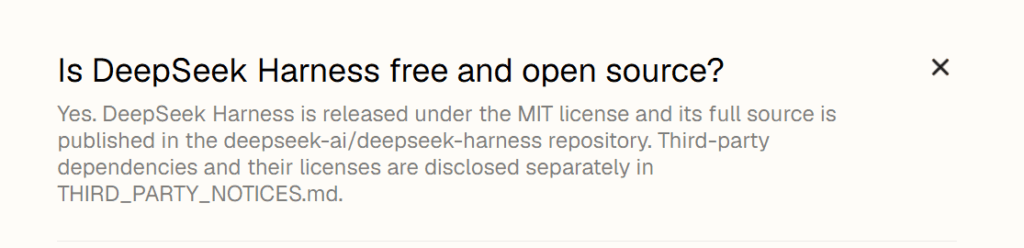
Yes, it is fully free and MIT licensed, with source code published on GitHub.
What do I need to run DeepSeek Harness?
Node.js 22.19 or newer, or 24 and above, plus one configured model provider.
Is DeepSeek Harness ready for production use?
Not yet; it is in developer preview and core plugins and APIs may still change.
Which model providers does DeepSeek Harness support?
DeepSeek, catalog providers like Anthropic and OpenAI, and custom OpenAI-compatible endpoints.
Which runtime mode should a new developer start with?
Standard mode is the most complete starting point for everyday coding work.
Can I install third-party plugins?
Yes, community plugins are discoverable under the dsh-plugin topic on GitHub.