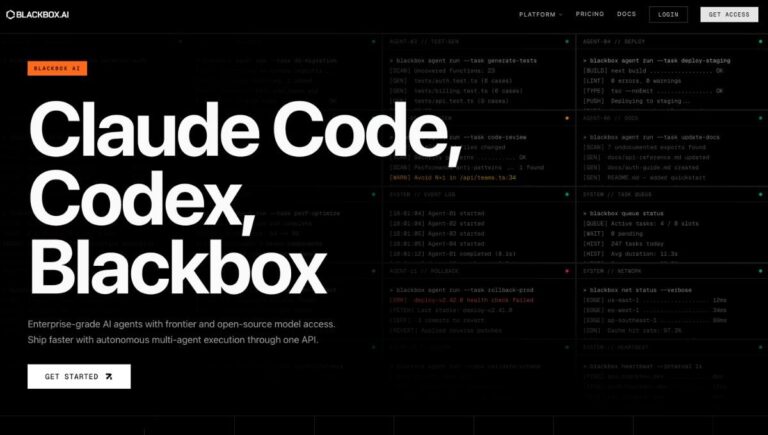
Blackbox AI is an AI coding platform built around a credit-pool model and a stack of agents – code completion, multi-agent execution, an app builder, voice and screen-share agents, and a remote agent for data analysis. It works across 35+ IDEs, the browser, the terminal, and through an OpenAI-compatible API, with the option to run longer tasks in the cloud.
TL;DR
Blackbox AI is for developers and small teams who want one AI coding workspace that covers IDE, CLI, browser, and cloud surfaces rather than juggling separate tools. The 2026 pricing reset moved every paid plan to a credit-pool model – $10/mo Pro, $20/mo Pro Plus, $40/mo Pro Max – with a free tier on top for trial and light use. The platform’s biggest strength is breadth across coding surfaces and multi-agent execution; the biggest open question is whether output quality on heavier tasks justifies sustained spend versus narrower, more polished competitors.
App Score: 9/10
Quick Verdict
- Best for: developers who want one AI coding platform across IDE + CLI + browser + cloud, with multi-agent workflows and access to Claude, GPT, Gemini, and Grok models from one credit pool.
- Skip if: you want a single polished IDE-native experience (see Cursor), the cheapest pure-completion add-on (Copilot lane), or fully predictable flat-rate billing.
- Biggest strength: breadth – 35+ IDE integrations, terminal, browser, voice and screen-share agents, App Builder, remote cloud agent, OpenAI-compatible API, all on one subscription.
- Biggest risk: credit-pool math gets murky when you lean on premium models (Claude Sonnet 4.5, GPT 5.1) – Pro’s $10 pool burns fast on agentic tasks, and the jump to Pro Plus or Pro Max is often required sooner than the sticker price suggests.
What Blackbox AI does well
- Multi-agent execution: run several coding agents in parallel and compare their outputs in one place – useful when one model’s answer to a complex task is not enough.
- Wide model access on a single pool: Claude Sonnet 4.5, ChatGPT 5.1, Gemini 3, and Grok-4 are all callable from your credit pool – no separate subscriptions for each frontier model.
- 35+ IDE integrations, CLI, and a browser extension: the same platform follows you from VS Code or JetBrains to a terminal session to a browser tab via the Chrome / browser extension. Surface coverage is genuinely broad, not just a marketing claim.
- App Builder: generate apps from prompts and development goals, useful for prototypes and internal tools where a working skeleton beats a perfect spec.
- Voice and screen-share agents: hands-free interaction and live screen context – niche features but real differentiators when they fit your workflow.
- OpenAI-compatible API: hook Blackbox into agent frameworks (LangChain, CrewAI, custom rigs) using the same client patterns your team already knows.
- Cloud agents for longer-running tasks: offload data analysis or long coding sessions to a remote agent so your local machine stays free.
Pros and cons
Pros
- Broadest surface coverage in its category – IDE, CLI, browser, cloud, API
- Access to all major frontier models from one credit pool
- Multi-agent execution is genuinely useful for complex tasks
- App Builder shortens prototype time meaningfully
- Free tier exists for trial, no credit card needed
Cons
- Pro’s $10 credit pool runs out fast on agentic tasks with frontier models
- Real cost often lands closer to Pro Plus ($20) or Pro Max ($40) than the entry sticker
- IDE-native polish trails Cursor; pure-completion economy trails Copilot
- Output quality on hard tasks should still be validated before production
- Brand and consumer trust is lower than the leading IDE-first competitors
Where Blackbox AI falls short
The free tier is honest but tight. You get limited daily access to a basic model, which is fine for trying the platform but burns through quickly if you actually rely on AI for coding work. Most developers who test it past the first session will need a paid plan within a week.
Pro at $10/month sounds attractive but the $10 monthly credit pool is the smallest in the paid lineup. If you use it primarily with Auto-mode-style routing on cheap models, it stretches. If you insist on Claude Sonnet 4.5 or GPT 5.1 for serious tasks, you can exhaust it in a day or two. Pro Plus at $20 is the practical floor for sustained daily coding use.
The IDE-native experience is good but not best-in-category. If your workflow lives or dies on tab-completion polish and inline UX, Cursor sets a higher bar. Blackbox’s strength is breadth, not depth in any single surface – that’s a real trade-off depending on how you work.
Consumer trust is the quieter limitation. Blackbox is real and capable but it does not yet carry the brand weight of Cursor, GitHub Copilot, or Claude Code in developer circles. For solo developers that matters less; for teams justifying a tool purchase to procurement, it matters more.
Who Blackbox AI is best for
- Solo developers and indie builders who want one tool that follows them from IDE to terminal to browser without paying for three separate subscriptions.
- Small engineering teams testing AI coding workflows broadly – Pro Plus at $20/user is one of the cheaper paths to multi-agent and multi-model access.
- Engineers building agent stacks who want an OpenAI-compatible endpoint plus a cloud agent without standing up the infrastructure themselves.
- Teams that need centralized billing without enterprise commitments – Pro Max at $40/user adds team collaboration and SSO without a sales call.
It is less compelling for developers who already pay for a polished IDE-first tool like Cursor and only need it to do one thing well, and less compelling for organizations that already have GitHub Copilot Enterprise widely deployed and would rather optimize that footprint than add another vendor.
Frequently Asked Questions
Is Blackbox AI free?
Yes – Blackbox AI has a Free tier that gives limited daily access to a basic model with no credit card required. It is enough to try the platform, but most developers who use it daily move to a paid plan (Pro from $10/month) within a week.
How much does Blackbox AI cost?
Paid plans start at $10/month for Pro, $20/month for Pro Plus, and $40/month for Pro Max. Enterprise is custom. Annual billing knocks 20% off. Each paid tier includes a monthly credit pool that maps to the plan name – $10, $20, and $200 respectively – used against premium model calls (Claude Sonnet 4.5, GPT 5.1, Gemini 3, Grok-4).
What is the difference between Pro, Pro Plus, and Pro Max?
Pro ($10/mo) gives a $10 credit pool plus access to all chat models, voice agent, and screen-share agent. Pro Plus ($20/mo) adds multi-agent execution, App Builder, the 35+ IDE coding agent, the remote agent for data analysis, Slack integration, and priority access. Pro Max ($40/mo) jumps to a $200 credit pool, unlimited agent requests, team collaboration features, SAML SSO, Figma-to-code, and usage analytics.
Does Blackbox AI work with VS Code, JetBrains, and other IDEs?
Yes. Pro Plus and above include the Coding Agent that supports 35+ IDEs, including VS Code and JetBrains products, plus the terminal and browser. The Free and Pro tiers cover the browser and basic surfaces; the deeper IDE integration sits on Pro Plus.
Does Blackbox AI have a CLI?
Yes – Blackbox runs coding tasks from the terminal. The CLI is part of the coding agent surface included on Pro Plus and above. Free and Pro users access the platform mainly through the browser and IDE plugins.
Which AI models does Blackbox AI support?
Blackbox AI gives credit-pool access to all major frontier models: Claude Sonnet 4.5, ChatGPT 5.1, Gemini 3, and Grok-4, plus image and video models. You do not pay separately for each model – usage draws from your plan’s monthly credit pool.
What is multi-agent execution in Blackbox AI?
Multi-agent execution lets you run several coding agents in parallel on the same task and compare their outputs. It is included from Pro Plus onward and is most useful for complex problems where you want multiple model perspectives before committing.
Does Blackbox AI have a free trial?
There is no separate free trial – instead, the Free tier itself acts as the trial. It needs no credit card and gives limited daily basic-model access, which is enough to validate fit before subscribing.
Is Blackbox AI safe for production code?
Blackbox AI generates code at frontier-model quality on serious tasks, but like every AI coding tool the output should be reviewed, tested, and validated before being merged to production. Pro Plus and above add E2E chat encryption; Enterprise adds training opt-out by default and on-premise options for sensitive codebases.
Is Blackbox AI worth paying for?
For developers who code daily and want one tool covering IDE, CLI, browser, and cloud surfaces with multi-model access, Pro Plus at $20/month is reasonable value. The free tier is real but tight, Pro is a stretch for serious work, and Pro Max only makes sense once you actively need team features, unlimited agent requests, or the $200 credit pool. The honest test is whether your existing AI-coding bills (separate Claude, GPT, and Copilot subscriptions) already exceed $20-40/month – if yes, consolidating onto Blackbox usually saves money.
How does Blackbox AI compare to Cursor?
Cursor is more polished as an IDE-native experience and stronger on inline completion quality. Blackbox covers more surfaces (CLI, browser, voice, screen-share, cloud agents) and lets you mix multiple frontier models from one credit pool. Cursor Pro is $20/month with a similar credit-style economy; Blackbox Pro Plus is also $20/month with broader surface coverage. If you live in one IDE, Cursor often wins on UX; if you work across surfaces, Blackbox often wins on consolidation.
Can you use Blackbox AI with the OpenAI API format?
Yes. Blackbox provides an OpenAI-compatible API, which means agent frameworks (LangChain, CrewAI, custom rigs) that already speak the OpenAI client format can hit Blackbox endpoints with minimal code changes. It is one of the easier paths to swap in or evaluate alongside existing model providers.
Does Blackbox AI have a browser extension?
Yes – Blackbox AI ships a Chrome / browser extension that puts the coding assistant inline as you work in the browser. It is the easiest entry point for developers who want AI help without leaving their existing workflow, and it is included across the Free, Pro, Pro Plus, and Pro Max tiers.