Short answer: MagicSchool AI is a K-12 platform that gives teachers 80+ AI tools for lesson planning, differentiation, grading and feedback, plus a safe, teacher-controlled AI space for students. The teacher tools are free forever; the Plus plan ($8.33 per user per month billed annually, or $12.99 month to month) adds unlimited use and 50+ student tools, and schools get a custom Enterprise plan. It is built for classrooms, with SOC 2 and FERPA/COPPA compliance and no training on student data. If you want alternatives, Brisk Teaching, Diffit and SchoolAI are the strongest, depending on what you need.
If you teach, you have probably heard MagicSchool AI mentioned in a staff meeting or a teacher Facebook group. It is one of the most widely used AI tools in schools, and the first question most teachers ask is the same: what does it actually do, is it really free, and is it safe for students? This guide answers all three, then shows the best alternatives for the jobs MagicSchool does not do best.
What is MagicSchool AI?
MagicSchool AI is an AI platform built specifically for K-12 education, founded in Denver in 2023. It is not one tool but a large suite: on the teacher side it generates the everyday materials of the job, and on the student side it gives learners a guided, moderated space to use AI safely. It is one of the most widely used AI platforms built for schools, running in classrooms and whole districts across the United States.
Under the hood, MagicSchool routes requests across several large language models, including models from OpenAI, Anthropic and Google, picking the one that fits the task. For a teacher, that complexity is hidden: you pick a tool, fill in a short form, and get a draft you can edit.

What can MagicSchool AI do?
MagicSchool gives teachers more than 80 tools, grouped into four jobs: planning, differentiation, assessment and communication. The ones teachers reach for most:
- Lesson plan generator, a full standards-aligned lesson from a topic and grade level.
- Rubric generator, a scoring rubric for any assignment in seconds.
- Worksheet, quiz and multiple-choice generators, ready-to-print assessments.
- Presentation generator, slide decks from a topic or your own text.
- Class writing feedback, draft feedback on student work that you review before sharing.
- Differentiation and accommodation tools, text leveling, IEP and ELL support.
So if you have searched for an AI lesson plan generator or an AI rubric generator, MagicSchool does both inside one free account, which is a big part of why it spread so fast. For grading, it drafts class writing feedback you review before sharing; if marking essays is your main job, compare the dedicated AI essay graders too.
MagicSchool for students (MagicStudent)
MagicStudent is the student-facing side, with 50+ student tools and a chatbot assistant called Raina. The point is control: students use AI inside activities the teacher sets up, in moderated “Rooms,” rather than on the open internet. Teachers can see how students are using it, and districts can tighten the guardrails further. It is designed to build AI literacy in a space a teacher actually owns. For the AI tools students reach for on their own to study and revise, see our guide to the best AI tools for students.
Is MagicSchool AI free? Pricing explained
Yes, MagicSchool AI is free for teachers, and the free plan is genuinely useful rather than a trial. Here is how the three plans compare:
| Plan | Price | What you get |
|---|---|---|
| Free | $0 forever | 80+ teacher tools, Raina chatbot, quizzes, class writing feedback, student Rooms. Usage limits apply. |
| Plus | $8.33/user per month (billed annually), or $12.99 month to month | Everything in Free, plus unlimited generations, output history and editing, and the 50+ student tools. |
| Enterprise | Custom (contact sales) | For schools and districts: SSO and SIS/LMS integration, a data privacy agreement, admin dashboards, student-room insights and onboarding. |
For an individual teacher, the free plan covers most day-to-day work. You move to the MagicSchool Plus plan when you hit the generation limits, or when you want your students using the 50+ student tools. Schools that want single sign-on, rostering and district controls need the Enterprise plan, which is quoted per student.
How to sign up and log in
You create a MagicSchool AI account for free at magicschool.ai, using a school or personal email, or by signing in with Google. There is no credit card for the free plan. Once you are in, the MagicSchool AI login takes you to the teacher dashboard where all the tools live; students join a teacher’s Room with a class code rather than creating open accounts. If your school has an Enterprise plan, you may log in through your district’s single sign-on instead.
Is MagicSchool AI safe?
Student safety is the part MagicSchool leans on hardest, and the credentials back it up. It is SOC 2 certified and FERPA, COPPA and GDPR compliant, it does not use student or teacher data to train AI models, and it does not sell student data. The student side adds content moderation and filtering built for K-12, with teacher visibility and district-level controls. For a school weighing AI adoption, that privacy posture is usually the deciding factor, and it is stronger here than with general-purpose chatbots.
Pros and limits
What makes it work: a generous free tier, a huge range of tools in one place, a real student-facing product that most competitors lack, and a school-grade privacy story. For most teachers it is the fastest way to cut hours off weekly prep.
Good to know: every output still needs a teacher’s review before it reaches students, so it supports your judgment rather than replacing it. The free plan has usage caps and leaves out the student tools, and the full student experience, single sign-on and LMS integrations only come with the Enterprise plan.
The best MagicSchool AI alternatives
MagicSchool is the best all-rounder, but several tools beat it at one specific job. If MagicSchool does not fit, start here, sorted by what you actually need.
1Brisk Teaching, best for feedback inside Google Docs

Brisk is a Chrome extension that works inside the tools you already use, Google Docs, Slides, YouTube and your LMS, instead of a separate app. It gives inline feedback on a student’s doc, changes a text’s reading level in place, and generates quizzes and slides from whatever is on your screen. The in-context workflow is the thing MagicSchool cannot match, and it is free for teachers.
Pick it if you live in Google Workspace and want feedback and leveling without copy-pasting into another tool.
2Diffit, best for leveled reading passages
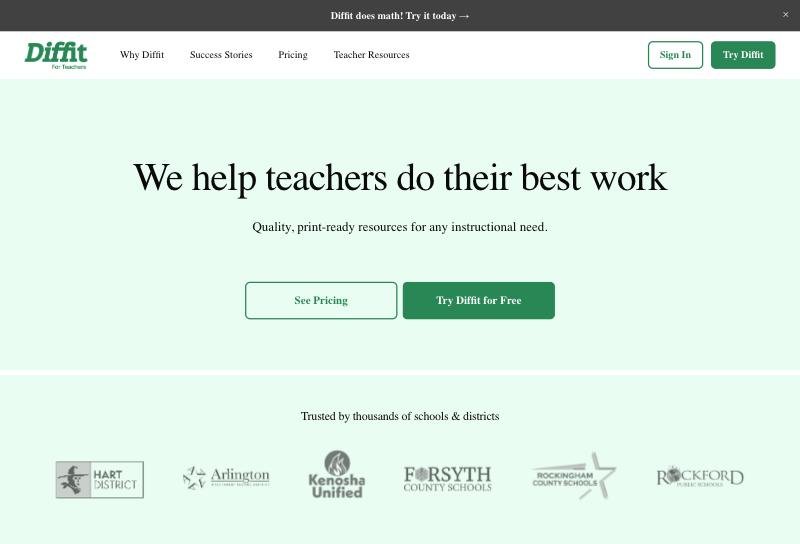
Diffit does one job better than almost anything else: take any article, URL, YouTube video or topic and turn it into a reading passage at the exact level you need, with a summary, vocabulary and questions. For differentiating reading across a mixed class, or supporting ELL and special-education students, it is the sharpest tool on this list.
Pick it if your main need is adapted, reading-level-appropriate texts.
3SchoolAI, best for students using AI in class

SchoolAI centers on the student side. Teachers build AI “Spaces,” guided chatbot activities and tutors, that students work through live, while a dashboard shows the teacher what is happening in real time. If your goal is to have students safely use AI during a lesson with full visibility, this is the strongest alternative, and it is the area MagicSchool’s teacher tools do not focus on.
Pick it if you want monitored, live student AI activities rather than teacher content generation.
4Eduaide.ai, best for resource breadth and IEPs

Eduaide offers 100+ resource types plus a teaching-assistant chat, and it is particularly strong for special-education work like IEP and accommodation writing. It covers much of the same ground as MagicSchool at a low price, which makes it a natural pick for teachers who want breadth without a district budget.
Pick it if you want a wide range of resource generators, especially for special education.
5Khanmigo, best for actual student tutoring

Khanmigo, from the nonprofit Khan Academy, is built around tutoring: it guides a student toward the answer with Socratic questions rather than handing it over, tied to Khan’s curriculum. It also gives teachers free planning tools. If the need is genuine student learning support rather than bulk content creation, Khanmigo is the one to look at.
Pick it if you want a real AI tutor for students, backed by a trusted nonprofit.
6Education Copilot, best for simple handouts and plans
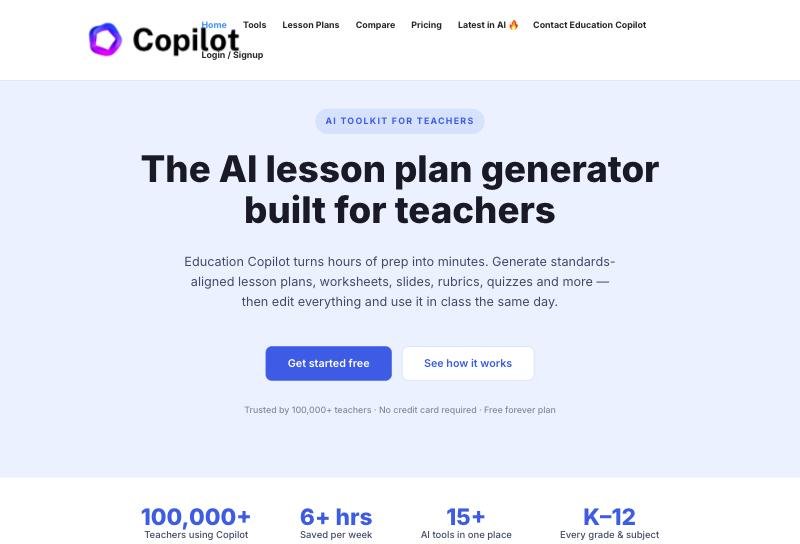
Education Copilot keeps it simple: clean lesson plans, handouts and student reports from a short prompt, with editable output and saved history. It has a smaller template set than MagicSchool, but for teachers who just want fast, no-friction long-form materials at a flat low price, it does the job well.
Pick it if you want straightforward lesson and handout generation without a learning curve.
Two niche picks: if you teach English as a second language, Twee is purpose-built for language teachers (from about $6.50/month billed annually). If you teach in the UK, Teachmate AI is aligned to the UK curriculum with low-cost whole-school licensing (from about £5/month).
The verdict
For most teachers, MagicSchool AI is the right starting point: it is free, it covers the widest range of jobs in one place, it has a real student side, and it is built for school privacy. Reach for an alternative when you need one specific strength it does not lead on, feedback inside Google Docs (Brisk), leveled reading (Diffit), or live student AI activities (SchoolAI). You can run all of these free tiers side by side before paying for anything.
Frequently asked questions
Is MagicSchool AI free?
Yes. MagicSchool AI is free forever for teachers, including 80+ teacher tools, the Raina chatbot, quizzes, class writing feedback and student Rooms, with some usage limits. The Plus plan ($8.33 per user per month billed annually, or $12.99 month to month) adds unlimited use and the 50+ student tools, and districts get a custom Enterprise plan.
What can MagicSchool AI do?
It gives teachers 80+ AI tools for planning, differentiation, assessment and communication, including a lesson plan generator, rubric generator, worksheet and quiz makers, a presentation generator and class writing feedback. The MagicStudent side adds 50+ student tools inside teacher-controlled, moderated spaces.
Is MagicSchool AI safe for students?
MagicSchool is built for schools. It is SOC 2 certified and FERPA, COPPA and GDPR compliant, does not use student or teacher data to train AI, and does not sell student data. The student side adds K-12 content moderation with teacher visibility and district controls.
What AI model does MagicSchool AI use?
MagicSchool does not rely on a single model. It routes requests across several large language models, including models from OpenAI, Anthropic and Google, choosing the one that fits each task.
Who owns MagicSchool AI?
MagicSchool is an independent education-technology company started in Denver in 2023 by Adeel Khan, a former public-school teacher and school leader who runs it as CEO. It has raised venture funding and serves teachers and districts across the United States.
What are the best MagicSchool AI alternatives?
Brisk Teaching for feedback inside Google Docs, Diffit for leveled reading passages, and SchoolAI for live student AI activities are the strongest alternatives. Eduaide.ai, Khanmigo and Education Copilot are also worth a look depending on whether you need resource breadth, student tutoring or simple handouts.
Bottom line
MagicSchool AI is the most complete free AI platform for teachers, and for most people it is the one to start with: 80+ tools, a real student side, and school-grade privacy, at no cost. Move to an alternative only for a specific job it does not lead on, and compare our full roundup of the best AI tools for teachers to see where each one fits.
Add us as a preferred source on Google, and our reviews and picks show up in your Top Stories and AI Overviews.