As of March 2026, the best AI tools for students are the ones that help you research faster, write more clearly, understand difficult topics, and study from your own notes without creating more noise. You do not need twenty different apps. Most students do better with one general AI assistant, one research tool with citations, one writing assistant, and one subject-specific helper.
This list focuses on tools that are genuinely useful for everyday student work: research, essay drafting, note-taking, lecture capture, math help, reading support, and revision. If you want a practical shortlist instead of a bloated directory, start here.
Best AI Tools for Students in 2026: Quick Picks
| Tool | Best for | Why it stands out | Pricing |
| ChatGPT | All-purpose study help | Strong for explaining concepts, brainstorming, outlining, and first drafts | Free plan; Plus available |
| Google Gemini | Research and Google workflow | Useful for students already working inside Docs, Drive, and Google Search | Free access; paid tiers available |
| Perplexity | Cited research | Fast answers with sources, better for quick research than generic chat alone | Free plan; Pro available |
| Grammarly | Writing and editing | Improves clarity, grammar, tone, and final polish on essays and emails | Free plan; paid Pro tier |
| Speechify | Text-to-speech | Turns notes, PDFs, and readings into audio for faster revision | Free access; Premium available |
| Otter | Lecture capture | Good for transcribing lectures, meetings, and study discussions | Free basic plan; paid plans available |
| Mathway | Math support | Step-by-step help for algebra, calculus, and problem-solving practice | Free access; premium explanations available |
| NotebookLM | Study from your own sources | Best when you want AI grounded in your notes, PDFs, and course material | Access varies by Google account and plan |
| SciSpace | Research papers | Useful for understanding academic papers, dense PDFs, and technical text | Free access; paid tiers available |
| Quizlet | Flashcards and revision | Strong for memorization, repetition, and quick practice sessions | Free plan; paid upgrades available |
Best AI tools for students by use case
ChatGPT: best all-purpose AI study assistant
Best for: brainstorming, explaining concepts, outlining essays, practice questions, and study support across subjects.
ChatGPT is still the easiest starting point for most students because it can help across many different academic tasks. It is useful for understanding a topic before class, breaking down complex readings, generating practice questions, improving an outline, or turning rough notes into a cleaner study guide.
- Works well for first-pass explanations and topic breakdowns.
- Useful for outline building, revision prompts, and concept summaries.
- Can help generate flashcard ideas, quizzes, and study checklists.
- Best used as a thinking partner, not a replacement for source checking.
Pricing: Free plan available; ChatGPT Plus is currently listed at $20 per month.

Google Gemini: best if you live in the Google ecosystem
Best for: research help, summary drafts, and students who already work in Google Docs, Drive, and Search.
Gemini is a natural fit for students who already manage coursework inside Google products. It is especially useful for pulling together summaries, exploring a topic from multiple angles, and moving quickly between search, notes, and writing.
- Good fit for Docs-first and Drive-heavy workflows.
- Helpful for fast topic overviews and idea expansion.
- Works well for academic planning, note clean-up, and rough drafts.
Pricing: Free access is available; paid AI tiers and higher limits depend on Google plan and account type.
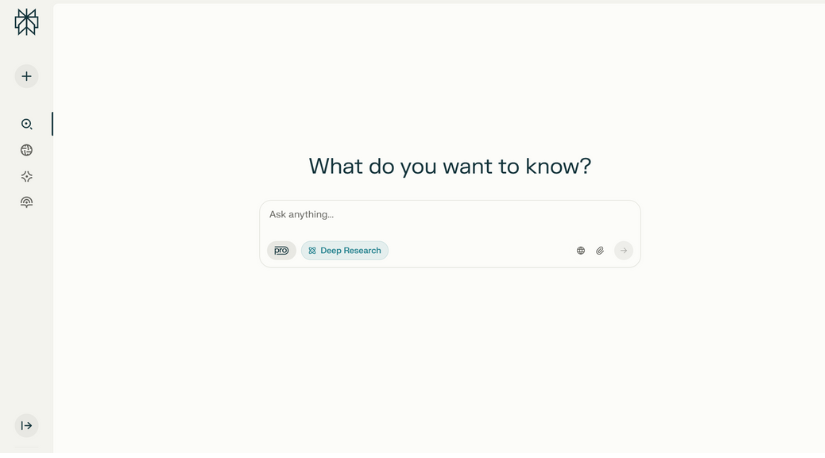
Perplexity: best for fast research with citations
Best for: research queries, source discovery, and quick topic summaries with references.
Perplexity is one of the most useful student tools when the real problem is not writing, but finding answers faster without losing the source trail. It is better than a generic chat tool when you want cited answers, follow-up questions, and a faster route into credible research material.
- Good for starting research and understanding a topic quickly.
- Surfaces sources, which makes it easier to verify claims.
- Useful for building a reading list before deeper study.
Pricing: Free plan available; paid Pro features are available for heavier use.
Grammarly: best for editing and final polish
Best for: essays, assignments, emails, scholarship applications, and clearer writing.
Grammarly is less about generating ideas and more about making your final writing cleaner. It is especially helpful when you already know what you want to say but want stronger grammar, structure, tone, and clarity before submission.
- Improves grammar, punctuation, and sentence clarity.
- Useful for editing essays, reports, and professional messages.
- Helpful for students who rush drafts and want a better final pass.
Pricing: Free plan available; Grammarly now positions its paid individual tier as Grammarly Pro.

Speechify: best for listening to notes, PDFs, and readings
Best for: text-to-speech, revision during commutes, and students who learn better by listening.
Speechify is a strong pick for students who want to turn notes, long articles, and PDFs into audio. That makes it useful for revision, for reducing reading fatigue, and for staying productive when you cannot sit down and read everything on-screen.
- Converts articles, notes, and documents into audio.
- Helpful for long reading loads and passive revision.
- Strong fit for auditory learners and accessibility use cases.
Pricing: Speechify offers free access and paid premium plans. You can read our deeper breakdown in the Speechify review.
Otter: best for lecture notes and discussions
Best for: lecture transcription, note capture, and turning spoken discussion into searchable text.
Otter is useful when your biggest pain point is not writing or research, but missing details in class. It can turn lectures, discussions, and spoken brainstorms into text so you can review what was said later instead of relying only on memory.
- Useful for lectures, seminars, group meetings, and interviews.
- Makes spoken material easier to revisit and summarize.
- Good for students who want cleaner note capture from live sessions.
Pricing: Otter Basic is free and currently lists 300 monthly transcription minutes, with paid upgrades for higher limits.
Mathway: best for step-by-step math help
Best for: algebra, calculus, and checking how to solve a problem instead of only seeing the answer.
Mathway is still one of the better student picks for math-heavy workloads because it can help you work through the logic of a problem, not just the result. It is especially useful for practice sessions when you want to compare your process against a worked solution.
- Good for algebra, trigonometry, calculus, and general problem solving.
- Useful when you want to check how a solution was reached.
- Helpful for revision and homework support, especially in STEM tracks.
Pricing: Free access is available, with premium explanations and full worked steps as paid features. We also have a dedicated Mathway review.
NotebookLM: best for studying from your own sources
Best for: course packets, uploaded PDFs, source-grounded study notes, and reviewing from your own material.
NotebookLM is one of the strongest options for students who want AI grounded in the material they upload, rather than in whatever the wider web says. If you are working from lecture notes, readings, source packs, or academic PDFs, this is a much better fit than generic prompting alone.
- Builds summaries and study guides from your own source set.
- Reduces the risk of drifting away from assigned material.
- Useful for revision packs, reading summaries, and source comparisons.
Pricing: Access and higher limits depend on your Google account and workspace plan.

SciSpace: best for understanding research papers
Best for: academic papers, technical reading, literature reviews, and research-heavy assignments.
SciSpace is a better fit than a general chatbot when the real task is reading difficult research papers. It helps students move through dense academic writing faster and can make STEM-heavy or methodology-heavy reading less intimidating.
- Good for navigating papers, abstracts, methods, and findings.
- Useful for thesis work, capstone projects, and paper-heavy courses.
- Pairs well with broader research tools like Perplexity and NotebookLM.
Pricing: Free access is available, with paid tiers for heavier research workflows.

Quizlet: best for flashcards and revision drills
Best for: memorization, vocabulary, exams, and short repetition-based study sessions.
Quizlet deserves a place here because not every student problem is about writing or research. Sometimes you just need to remember definitions, formulas, dates, terms, and topic clusters repeatedly until they stick. Quizlet is strong when that is the real job.
- Strong for flashcards, recall, and repeat revision.
- Useful for language learning, definitions, and exam prep.
- Pairs well with AI tools that help generate or organize source material.
Pricing: Free plan available; paid upgrades unlock more advanced study features.
If your study workflow depends more on combining notes, flashcards, and AI-generated revision material, compare Quizlet with our Knowt review as well.
How to choose the right AI tool as a student
The right tool depends more on the task than the hype. Before you sign up for another app, ask what problem you are actually trying to solve.
- For research: use Perplexity, NotebookLM, or SciSpace.
- For writing: use ChatGPT for drafting and Grammarly for editing.
- For lectures and notes: use Otter and NotebookLM.
- For reading support: use Speechify.
- For math: use Mathway.
It is also worth checking your school policy before using AI for submitted work. The safest use cases are usually brainstorming, note organization, revision, explanation support, and source-backed summarization. The riskiest use cases are generating work you submit unchanged.
Our take
If you only want a simple stack, start with ChatGPT, Perplexity, Grammarly, and one specialist tool based on your course load. For reading-heavy students that specialist tool is often Speechify. For STEM students it may be Mathway. For research-heavy students it is more likely NotebookLM or SciSpace.
The bigger point is this: the best AI tools for students in 2026 are not the ones with the most noise around them. They are the ones that save time, improve understanding, and help you study from better information.
FAQs
Teachers who want to run AI tools in class, with a student side, should see our guide to MagicSchool AI and MagicStudent.
What is the best AI tool for students in 2026?
ChatGPT is still the most flexible all-purpose option, but the best tool depends on the task. Perplexity is better for fast cited research, Grammarly is better for polishing writing, Mathway is stronger for math help, and Speechify is stronger for reading support.
Which AI tool is best for student research?
Perplexity, NotebookLM, and SciSpace are the strongest research-oriented picks in this list. Perplexity is good for fast answers with sources, NotebookLM is ideal when you want to work from your own PDFs or notes, and SciSpace is built for understanding research papers.
What is the best AI tool for reading notes aloud?
Speechify is one of the strongest text-to-speech tools for students who want to listen to notes, readings, and PDFs. It is especially useful for revision, long reading sessions, and students who learn better through audio.
Are AI tools allowed for school and college work?
That depends on your school, university, or instructor policy. AI is generally safer for brainstorming, note organization, summarization, and revision support than for writing submitted work without disclosure.
Also read
Add us as a preferred source on Google, and our reviews and picks show up in your Top Stories and AI Overviews.