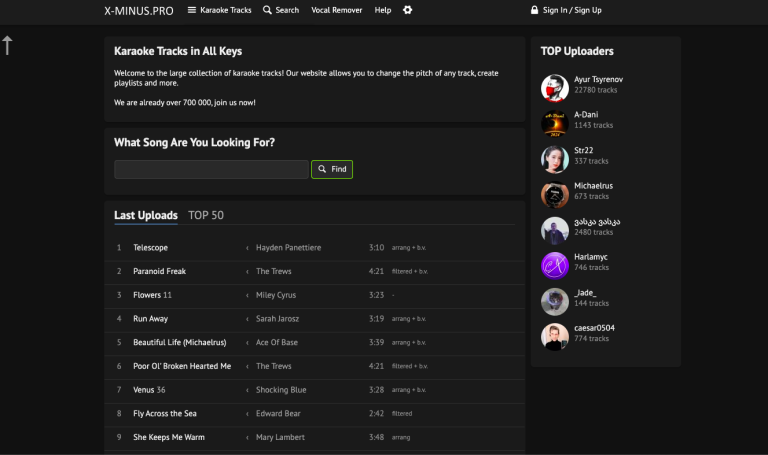
TL;DR: X-Minus is an AI vocal remover and song stem splitter designed for karaoke tracks, acapella exports, and quick pitch adjustments without a heavy audio editing workflow.
App Score: We give X-Minus 8/10 for speed, simplicity, and easy vocal extraction. Its biggest strengths are fast processing and beginner-friendly use, while the main tradeoffs are limited polish in the free tier and less control than a full desktop audio editor.
X-Minus is best for people who want a quick way to remove vocals from songs, create instrumental backing tracks, or pull out vocals for remixing and practice. It works well for karaoke users, singers, hobbyist producers, music students, and anyone who wants fast vocal separation without learning a complex DAW.
Who is X-Minus best for?
- Karaoke users: Create instrumental versions of songs quickly.
- Singers and performers: Export backing tracks or adjust pitch for rehearsal.
- Remixers and hobbyist producers: Pull vocals or instrumentals for mashups and edits.
- Music teachers and students: Isolate song parts for listening and practice.
Key features of X-Minus
- AI vocal removal: Strip vocals from songs to create karaoke-ready instrumentals.
- Acapella extraction: Pull vocals out separately for covers, remixes, and practice.
- Pitch adjustment: Shift tracks to better match your vocal range.
- Multiple audio formats: Supports common upload and export formats for casual music workflows.
- Beginner-friendly workflow: Simple upload-process-download flow with very little setup.
- Free and paid access: Free usage for basic needs with paid limits and extra options for heavier use.
How to use X-Minus
- Open X-Minus: Go to the X-Minus website and choose the vocal remover workflow.
- Upload your song: Add the audio file you want to split.
- Let the AI process it: X-Minus removes vocals and prepares separate outputs.
- Download the result: Save the instrumental, vocal track, or edited version you need.
Common use cases for X-Minus
- Karaoke track creation: Remove vocals from songs for sing-alongs and rehearsals.
- Acapella creation: Export isolated vocals for remixing or cover work.
- Pitch-matched practice tracks: Adjust songs to fit your vocal range.
- Quick remix prep: Pull stems fast without opening a heavier audio editing setup.
Pros
- Fast and easy for first-time users.
- Good fit for karaoke and casual vocal removal workflows.
- Useful pitch controls for rehearsal and covers.
- No complicated setup compared with full audio production tools.
Cons
- Free usage limits can be restrictive.
- Output quality can vary by song.
- Not a replacement for a full professional audio editor.
- Advanced users may want more stem and editing control.
FAQs
What is X-Minus?
X-Minus is an AI vocal remover that helps users create karaoke tracks, acapellas, and simple song stems online.
Is X-Minus free?
X-Minus offers free access with usage limits, along with paid options for longer tracks and extra features.
What is X-Minus best for?
It is best for karaoke tracks, acapella extraction, quick remix prep, and vocal practice.
Can X-Minus change pitch?
Yes, X-Minus includes pitch adjustment, which is helpful for rehearsal and cover singing.
Who should look for alternatives?
Users who need deeper stem editing, more production controls, or advanced audio cleanup may prefer a fuller audio editing tool.