
What is VideoSwapFace?
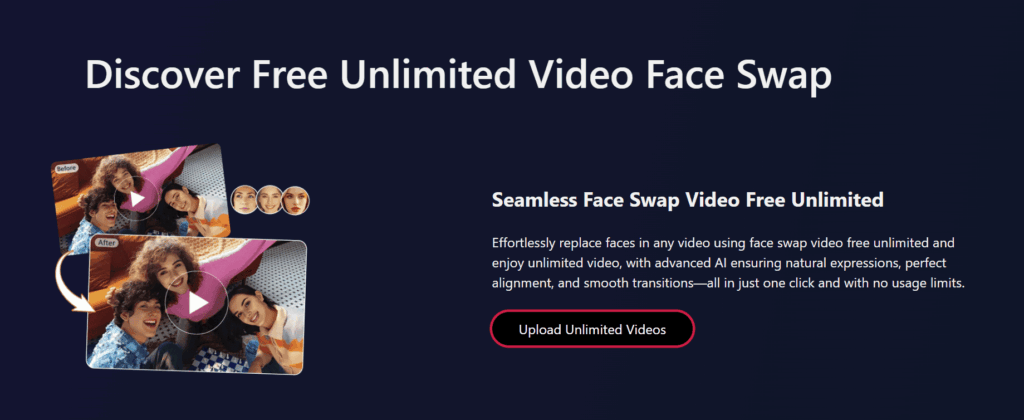
VideoSwapFace is an AI tool that simplifies face swapping in videos and solves the need for realistic, easy-to-use video editing for creators. It provides free unlimited video face swaps with no sign-up required.
This tool addresses the challenge of creating professional-grade face swaps in videos without advanced editing skills. It uses AI to map and blend faces accurately and produces natural-looking results.
Key Features of VideoSwapFace
- AI Face Mapping: Uses advanced algorithms to detect and map facial features accurately for seamless swaps in videos.
- Realistic Blending: Ensures natural-looking results by blending skin tones and lighting between swapped faces.
- Batch Processing: Allows multiple videos to be processed simultaneously, saving time for bulk editing tasks.
- Multiple Format Support: Supports various video formats like MP4, AVI, ensuring compatibility with most editing platforms.
- Customizable Settings: Offers options to adjust swap intensity, alignment, and blending for tailored results.
- Real-Time Preview: Displays face swap results instantly, enabling quick adjustments during the editing process.
- User-Friendly Interface: Simplifies navigation with intuitive controls, suitable for beginners and experienced editors.
How to Use VideoSwapFace
- Visit videoswapface.com and create an account or log in.
- Upload the source video and the face image or video.
- Select the face to swap using the AI face mapping tool.
- Adjust blending and alignment settings as needed.
- Preview the swap in real-time and make tweaks.
- Process the video or enable batch processing for multiple files.
- Download the final video in your preferred format.
Key Use Cases for VideoSwapFace
- Content Creation: Produces engaging videos for social media by swapping faces for creative or humorous effects.
- Marketing Campaigns: Creates personalized promotional videos by swapping brand ambassadors’ faces for targeted ads.
- Entertainment Media: Generates fun, viral clips for platforms like TikTok by swapping celebrity or user faces.
- Film Editing: Assists filmmakers in replacing actors’ faces in scenes without reshooting, saving time and costs.
Pros and Cons
Pros
- Simplifies face swapping with intuitive AI-driven interface for beginners.
- Produces realistic results with natural blending of skin tones.
- Supports multiple video formats for flexible editing workflows.
- Offers real-time previews for quick adjustments during editing.
- Batch processing saves time for bulk video projects.
Cons
- Occasional swapping errors with low-quality source videos.
FAQs
What video formats does VideoSwapFace support?
It supports MP4, AVI, and other common formats, and ensures compatibility with most editing platforms.
Can I process multiple videos at once?
Yes, batch processing allows simultaneous editing of multiple videos, ideal for bulk projects.
Is VideoSwapFace suitable for beginners?
Yes, its user-friendly interface and intuitive controls make it accessible for novice editors.
Who should use VideoSwapFace?
Video creators, influencers, marketers, and filmmakers seeking quick, high-quality face swaps for creative projects.