TL;DR: Higgsfield is an AI video platform built for creators, marketers, and filmmakers who want more cinematic control than basic prompt-to-video tools usually offer. It is best suited for teams that need stylized video generation, camera-motion control, reference-based workflows, and access to multiple leading video models in one workspace.
App Score: We give Higgsfield AI 9/10 for its strong cinematic controls, modern multi-model workspace, and creator-friendly approach to generating high-impact video without a full production setup.
Higgsfield is no longer just a simple cinematic-video generator. It now positions itself as a broader AI video studio where users can create, direct, and refine clips using multiple top-tier models, guided motion, first-and-last-frame controls, and Cinema Studio workflows. That makes it especially relevant for filmmakers, agencies, content creators, and e-commerce brands that need more control over AI-generated video output.
What is Higgsfield AI?
Higgsfield AI is an AI video generation platform that combines model access, cinematic controls, and creator workflows in a single workspace. Instead of relying on one basic video engine, Higgsfield gives users a studio-style environment for generating stylized clips, experimenting with motion, and guiding the final result with prompts, references, and camera settings.
Key Features of Higgsfield AI
- Multi-model AI video workspace: Access multiple leading AI video models, including Kling, Veo, Sora, Wan, and others, inside one platform.
- Cinema Studio: Use Higgsfield’s flagship studio workflow with optical-style controls, camera setups, lens simulation, and focal-length choices.
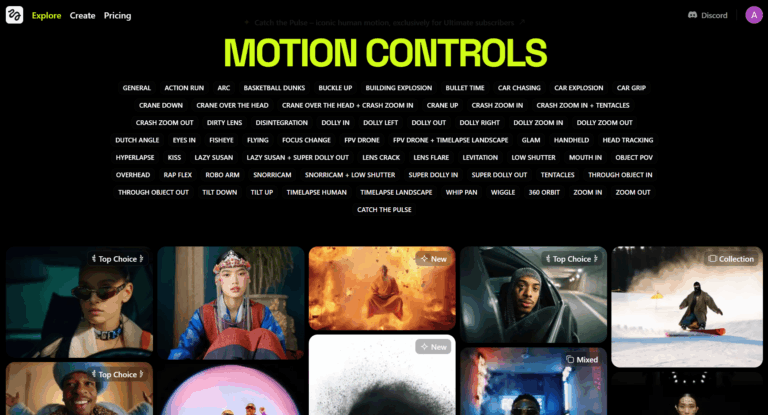
- Advanced camera motion: Apply guided motion, stacked camera movement, and cinematic framing instead of relying on generic prompt-only video generation.
- First and last frame references: Lock the start and end of a clip to improve consistency and creative control.
- Edit existing footage: Upload video or reference assets and refine, restyle, or rework them inside the platform.
- Reference-driven generation: Use still images and existing visuals to guide subject, look, and scene composition.
- Creator and brand workflows: Built for social content, marketing visuals, short-form storytelling, and campaign production.
Who is Higgsfield AI For?
- Filmmakers and directors: Useful for pre-visualization, stylized concept work, and cinematic short-form generation.
- Marketing agencies: Helpful for campaign ideation, ad creatives, and fast concept production.
- Content creators: Useful for social videos, creator-led storytelling, and regular short-form output.
- E-commerce and brand teams: Relevant for product storytelling, visual campaigns, and creative experiments without full shoots.
How to Use Higgsfield AI
- Create an account: Start on the Higgsfield platform and choose the workflow that fits your project.
- Select a model or studio mode: Pick from the available video models or use Cinema Studio for more directed control.
- Write a prompt: Describe the scene, subject, style, and motion you want to generate.
- Add references if needed: Upload images or video to guide visual style, subject consistency, or motion.
- Refine camera and motion settings: Adjust movement, framing, and start/end references for stronger output control.
- Generate and iterate: Review the result, test variations, and improve the prompt or references until the clip matches your intent.
Pros and Cons
Pros:
- Stronger cinematic control than many basic AI video generators
- Access to multiple leading video models in one workspace
- Reference-driven workflows improve creative control
- Good fit for creators, agencies, and brand teams
Cons:
- More advanced controls can create a learning curve for new users
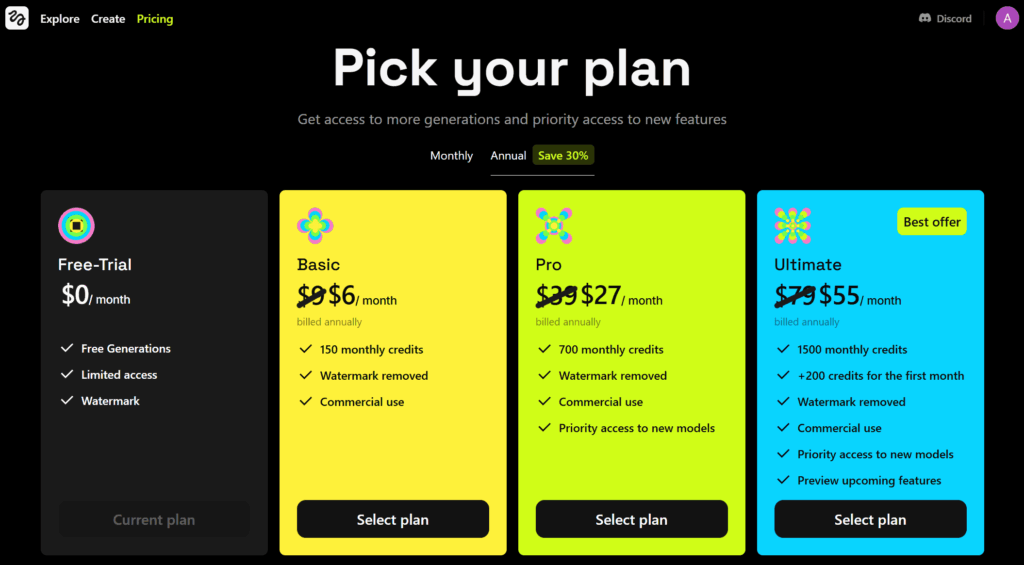
- Best experience will likely depend on paid usage for heavier projects
- AI video outputs still need iteration and human creative judgment
- Pricing and model availability can shift as the platform evolves
FAQs
What is Higgsfield AI?
Higgsfield AI is an AI video generation platform that combines cinematic controls, reference workflows, and access to multiple video models in one creative workspace.
What AI video models are available on Higgsfield?
Higgsfield currently promotes access to multiple major AI video models, including Kling, Veo, Sora, Wan, and others, depending on the workflow and platform updates.
What is Cinema Studio?
Cinema Studio is Higgsfield’s flagship directed workflow for cinematic generation, designed to give users more control over camera behavior, lens style, motion, and overall visual direction.
Can I use my own images or videos in Higgsfield?
Yes. Higgsfield supports reference-based workflows, including uploaded images and video, so users can guide style, structure, or motion more directly.
Is Higgsfield AI free to use?
Higgsfield says users can get started for free, while broader usage and higher-generation workflows are tied to paid plans.
Who is Higgsfield AI best for?
Higgsfield is best for creators, agencies, filmmakers, and brand teams that want more control and stronger visual direction than simple prompt-only AI video tools usually provide.