




TL;DR: Watermelon AI leverages GPT-4 to automate up to 96% of customer support queries, boosting efficiency and customer satisfaction.
Watermelon AI gets 9/10 because of its powerful automation and user-friendly interface although the pricing could have been more aggressive to suit small businesses as well.
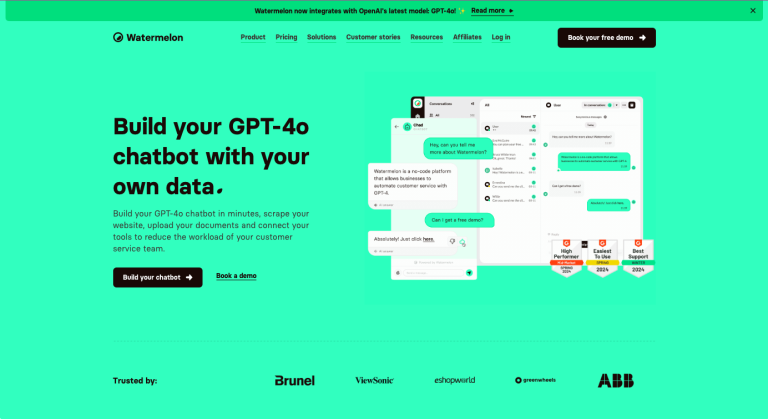
Watermelon AI is designed to streamline customer support by using GPT-4 chatbots. This tool is perfect for businesses looking to automate customer interactions, improve efficiency, and enhance customer experience.
Key Features of Watermelon AI
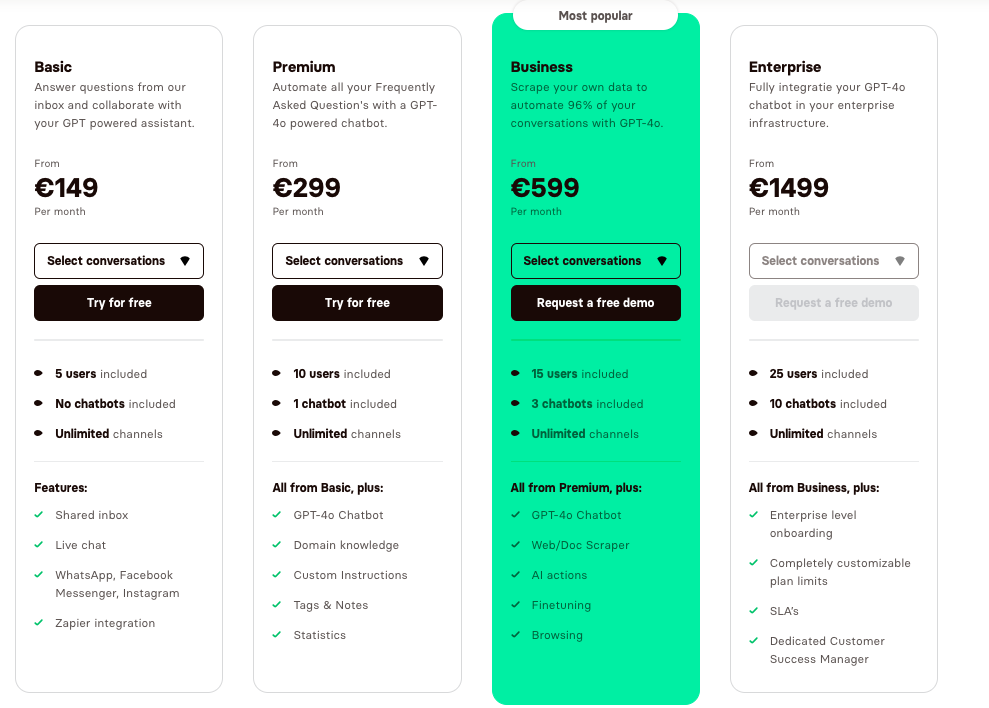
- GPT-4 Powered Chatbots: Automates up to 96% of customer queries with advanced AI, ensuring accurate and efficient responses.
- Live Chat: Provides instant customer service through real-time chat, enhancing customer experiences and reducing response times.
- All-in-One Inbox: Centralizes communication from various channels into a single inbox, simplifying management and improving team collaboration.
- Data Platform: Offers valuable insights, customer profiles, and custom fields to optimize support workflows. This platform helps in tracking performance and identifying areas for improvement.
- Seamless Integrations: Connects with various tools used in customer service, sales, marketing, and HR. This ensures that businesses can maintain a streamlined workflow without switching between different systems.
- User-Friendly Interface: Designed to be accessible and easy to use, making it suitable for businesses of all sizes and industries. The intuitive design allows quick setup and management.
- Resource Hub: Provides access to guides, blog articles, webinars, and video tutorials to help users stay informed and make the most of the tool.
How to Use Watermelon AI
- Sign Up: Visit the Watermelon AI website and create an account. This initial step involves providing basic information about your business and setting up your profile.
- Build Your Chatbot: Use the chatbot builder to design and customize your chatbot. You can create conversation flows, set up automated responses, and define the chatbot’s personality to align with your brand.
- Integrate Channels: Connect the chatbot to your preferred communication channels. Watermelon AI supports integration with websites, social media platforms like Facebook, Instagram, WhatsApp, and more. This ensures your chatbot can interact with customers across multiple platforms.
- Train the Chatbot: Input common customer queries and responses to train your chatbot. Utilize the GPT-4 capabilities to handle a wide range of questions and scenarios. Continuously update and refine the chatbot’s knowledge base to improve accuracy.
- Launch and Monitor: Deploy the chatbot on your chosen channels. Use the Watermelon AI dashboard to monitor interactions, track performance, and gather insights. Make adjustments as needed to improve the chatbot’s efficiency and effectiveness.
- Collaborate with Team: Use the all-in-one inbox feature to manage customer interactions. Collaborate with team members to handle complex queries that the chatbot cannot resolve. This feature helps in maintaining a smooth workflow and ensures high-quality customer service.
Key Use Cases for Watermelon AI
- Customer Support: Automate FAQs and provide 24/7 support, reducing the workload on human agents.
- Sales: Suggest products and handle inquiries, boosting conversions through AI-driven interactions.
- Marketing: Generate leads and improve conversion rates with chatbots.
- Human Resources: Streamline candidate recruitment and internal communications.