If you keep seeing Codex show up in ChatGPT release notes, the sidebar, or OpenAI product updates, the short answer is this: ChatGPT Codex is OpenAI’s coding agent inside the broader ChatGPT ecosystem. It is built for writing code, reviewing code, fixing bugs, running tests, and handling multi-step coding tasks with more structure than a normal chat reply.
If you are still deciding at the broader assistant level before you commit to the OpenAI workflow, see our Claude vs ChatGPT comparison.
Codex first arrived in May 2025 as OpenAI's cloud software engineering agent, and it has expanded quickly since then across the web, CLI, IDE, and desktop app. If you want the bigger product timeline too, see our latest ChatGPT updates timeline. If you are mapping where Codex fits inside the broader product, pair this with our ChatGPT Projects guide, ChatGPT Search guide, and our ChatGPT pricing guide if you are deciding which plan actually unlocks enough Codex headroom.
What is ChatGPT Codex?
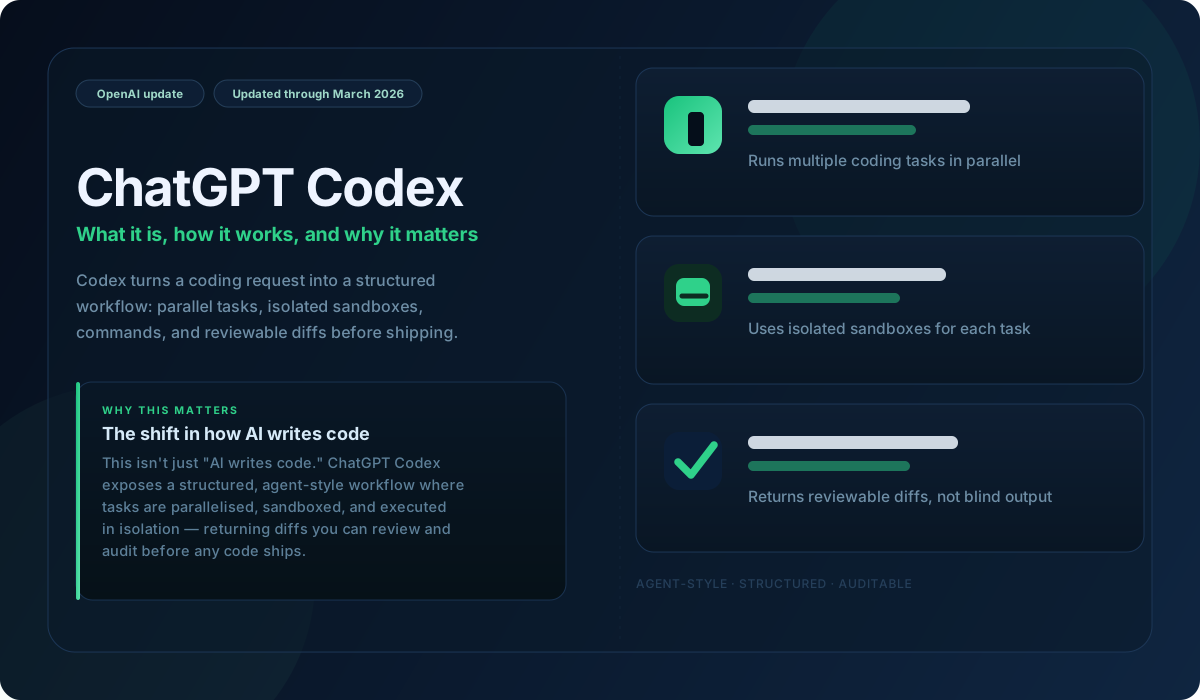
ChatGPT Codex is an AI coding agent that helps you move beyond code snippets and into actual execution. In practice, Codex can work with your repository, edit files, run commands, execute tests, and return reviewable changes instead of only answering coding questions conversationally.
That makes it different from the way many people still think about ChatGPT. A normal ChatGPT coding conversation is useful for explanations, debugging ideas, or fast examples. Codex is meant for real coding workflow execution, including background tasks and repo-aware work.
- It can help write features, fix bugs, and answer codebase questions.
- It can run commands, linters, and tests inside isolated environments.
- It can work on multiple tasks in parallel.
- It can return diffs, logs, and evidence you can review before merging changes.
Quick answer: what makes Codex different from normal ChatGPT?
The easiest way to think about it is this:
- Normal ChatGPT is better for brainstorming, quick coding help, small examples, and conversational problem solving.
- ChatGPT Codex is better when you want an agent that can actually work through a coding task, interact with your repository, run checks, and hand back something reviewable.
That shift matters because it changes ChatGPT from “help me think through this code problem” to “go work on this task and bring back the results.”
How Codex in ChatGPT works
Today, Codex shows up across several surfaces inside the broader ChatGPT/Codex stack:
- Codex web for cloud-based task delegation
- Codex CLI in your terminal
- Codex IDE extension for editor-based workflows
- Codex app for managing multiple coding agents in parallel
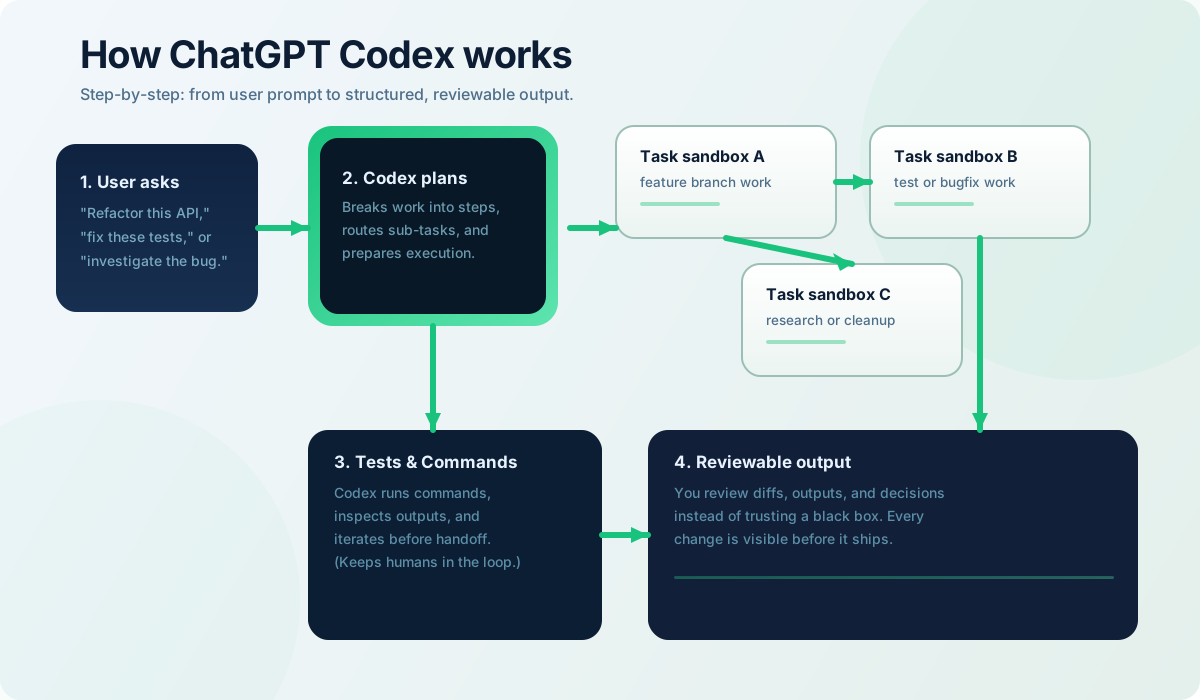
In practical terms, the workflow looks like this:
- You start with a prompt, task, or spec.
- Codex connects to the relevant repo or coding environment.
- It reads files, edits code, runs commands, and performs checks.
- It returns code changes, logs, and test evidence for review.
- You decide whether to revise, merge, or turn the result into a pull request.
One of the most important product details is that OpenAI describes each delegated task as running in its own isolated cloud sandbox. That matters because it makes Codex feel less like a chat response and more like asynchronous software work happening in a contained environment.
Where you can use Codex today
OpenAI’s current help article frames Codex as more than one interface. Depending on your plan and setup, Codex can show up through:
- the ChatGPT-connected web experience
- the Codex CLI
- the IDE extension
- the Codex app on macOS and Windows
- GitHub-based review workflows
That broader surface area is one reason this topic matters. Codex is no longer just a one-page announcement or a niche developer demo. It is becoming a real product layer inside the overall ChatGPT ecosystem.
Who gets access to ChatGPT Codex?
Codex is no longer boxed into one premium tier, which is why the plan question matters more than it did at launch. Use our ChatGPT pricing guide if access and limits are your real decision. It now sits across several ChatGPT plans, with broader access on paid tiers and more limited headroom on lower-cost plans.
That is an important change from the original May 16, 2025 launch, when Codex rolled out first to Pro, Business, and Enterprise users, with Plus and Edu support coming later. In other words, the access story has already changed significantly, which is why older summaries of Codex can become outdated fast.
If you are reading about Codex months after the launch push, treat the first access rules as stale. Codex is moving fast enough that rollout summaries can lag the product.
ChatGPT Codex for students
This is one of the most overlooked parts of the recent Codex rollout. On March 20, 2026, OpenAI added Codex for Students for verified university students in the United States and Canada.
The eligible students can claim $100 in ChatGPT credits, or 2,500 credits, to extend Codex usage beyond the limits included in ChatGPT Free, Go, Plus, and Pro. Those credits are tied to the student’s personal ChatGPT workspace, expire 12 months after the grant date, and are not API credits.
That matters because it makes ChatGPT Codex more than a developer-only premium feature. It also becomes a serious workflow tool for students in coding-heavy programs who want repo-aware help, background task execution, and more coding headroom inside the ChatGPT account they already use.
If student productivity and coding workflows are part of your use case, this is one of the most meaningful recent Codex developments.
Why ChatGPT Codex matters
The biggest strategic shift is not just that Codex can write code. Plenty of tools claim that. The bigger change is that OpenAI is making agent-style software work more native to the ChatGPT experience.
That means:
- less context-switching between brainstorming and execution
- more background work that can run while you keep moving
- cleaner handoff from prompt to code change to review
- a stronger bridge between ChatGPT as a thinking tool and ChatGPT as a production workflow surface
Codex looks less like a side experiment and more like one of the clearest examples of where ChatGPT is going: toward multi-surface work systems, not just chat interactions. That is also why it makes sense to read Codex alongside ChatGPT Projects, ChatGPT Search, and ChatGPT Study Mode.
Key ChatGPT Codex milestones so far
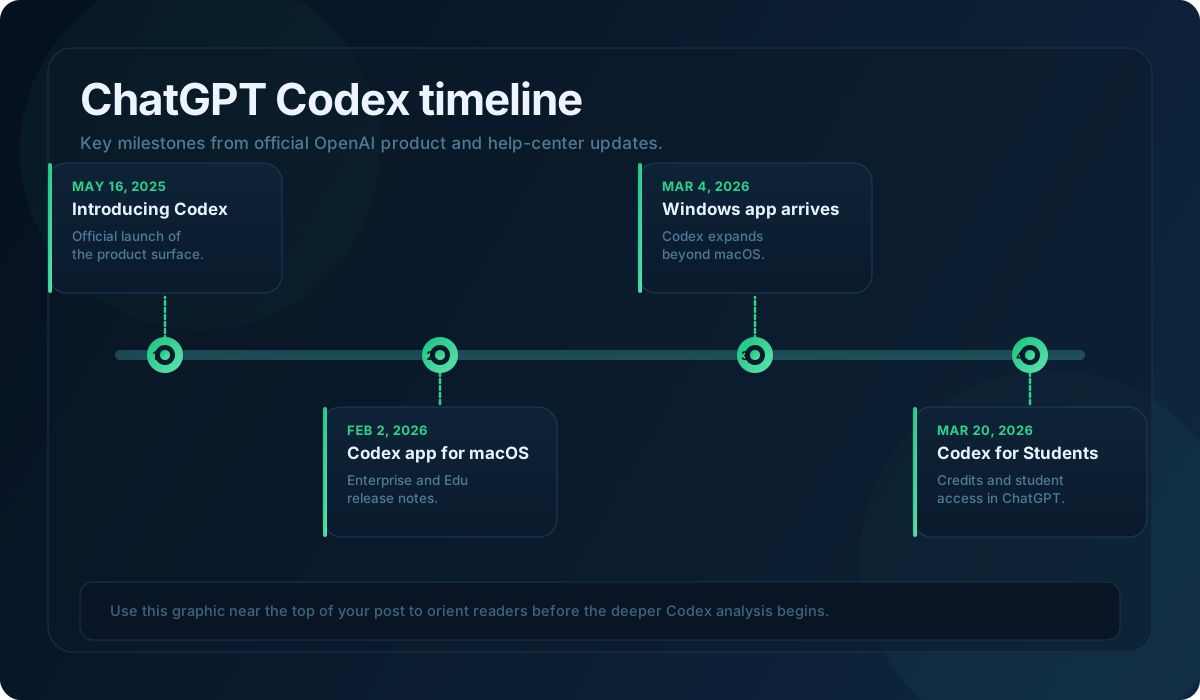
- May 16, 2025: OpenAI introduces Codex as a cloud-based software engineering agent that can work on many tasks in parallel.
- June 3, 2025: OpenAI updates the launch post to say Codex is available to ChatGPT Plus users and can be given internet access during task execution.
- February 2, 2026: OpenAI introduces the Codex app on macOS.
- March 4, 2026: the Codex app becomes available on Windows for plans that include Codex.
- March 20, 2026: Codex for Students launches for verified university students in the United States and Canada.
- April 2026: OpenAI’s current help documentation shows Codex included across Plus, Pro, Business, and Enterprise/Edu plans, with limited-time access also available for Free and Go.
This is also why it makes sense to connect this post back to our ChatGPT updates timeline. Codex is one of the clearest examples of how fast the broader ChatGPT product keeps evolving.
Current limitations and what to watch
Codex is more mature than it was at launch, but it is still not magic.
- OpenAI still emphasizes manual review of generated code.
- Access rules and rate limits can change by plan.
- Different Codex surfaces do not behave exactly the same way.
- Cloud delegation is powerful, but it can be slower than direct local editing for small tasks.
- Older articles about Codex can become stale quickly because the product is moving fast.
So if you are evaluating ChatGPT Codex, the smartest question is not “can it code?” It is “where does it fit in my workflow, and does repo-aware delegated work actually save me time?”
Final take
ChatGPT Codex matters because it shows how OpenAI is turning ChatGPT into a broader execution layer, not just a conversational assistant. If normal ChatGPT helps you think through code, Codex helps you move actual coding work forward across the web, CLI, IDE, app, and cloud workflows.
If you are tracking recent ChatGPT product changes, Codex is one of the most important ones to understand well. And if you want the wider product context around it, keep this post paired with our latest ChatGPT updates timeline.
Frequently Asked Questions
What is ChatGPT Codex?
ChatGPT Codex is OpenAI’s coding agent across the broader ChatGPT and Codex product ecosystem. It is designed to help with repo-aware coding work such as editing files, running commands, executing tests, and returning reviewable changes instead of only answering coding questions in chat.
Is ChatGPT Codex free?
Not permanently for everyone. OpenAI’s Codex is included with Plus, Pro, Business, and Enterprise/Edu, and that Free and Go access is available for a limited time, with higher rate limits on paid plans.
Do you need GitHub to use Codex in ChatGPT?
For the web version, OpenAI says you need to connect your ChatGPT account to GitHub. Other Codex surfaces such as the CLI, IDE extension, and app follow their own setup paths inside the broader Codex workflow.
Can students use ChatGPT Codex?
Yes, in some cases. As of March 20, 2026, university students in the United States and Canada can claim Codex credits through Codex for Students, subject to eligibility and verification rules.
Add us as a preferred source on Google, and our reviews and picks show up in your Top Stories and AI Overviews.