

I have always found spreadsheets to be tricky, especially when its comes to remembering formulas and skimming through multiple tool options and exploring whats that one option that can do the job for me. Thankfully, there are many AI tools for excel available now to help us manage these trivial and even complicated tasks better by simply using the natural language understanding capabilities.
These excel AI tools offer features such as excel formula generator, intelligent error detections and corrections , predictive analytics, and natural language processing to enhance productivity in both Microsoft Excel and Google Spreadsheets.
Whether it’s generating formulas, crunching raw information or just arranging and analyzing the information, these free ai tools for excel can greatly improve how we handle our data analysis tasks on both platforms like Microsoft Excel and Google Sheets alike.
Top AI Tools for Excel and Google Sheets
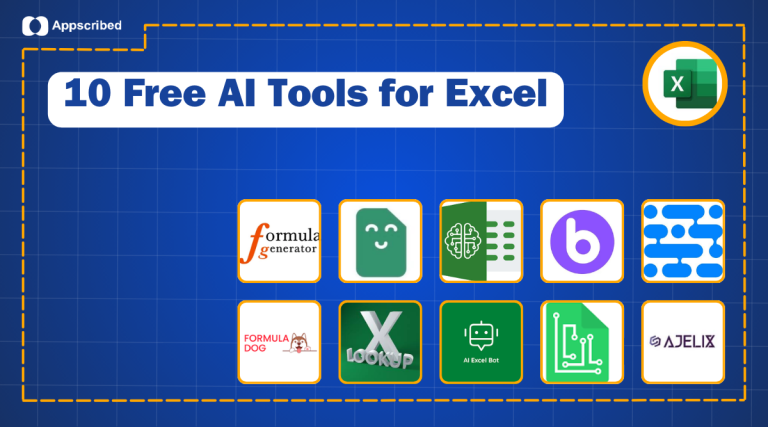
Let’s jump right into 10 free AI tools for excel that help us streamline our daily work. We will explore features, pricing, pros and cons of these tools individually and explore what they are best at.
1- Formula Generator
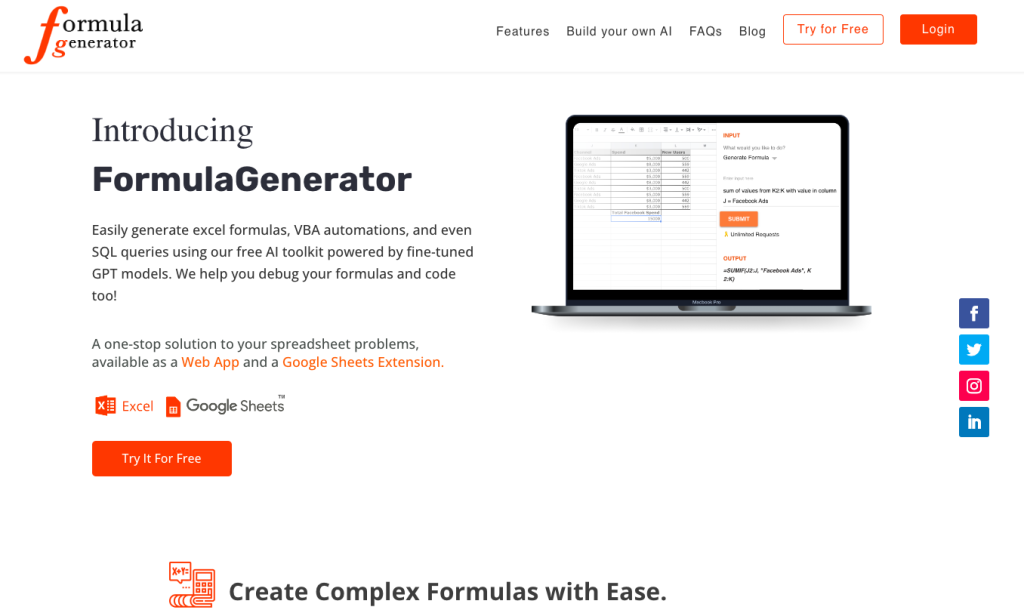
Formula Generator is a free excel formula generator which creates and debugs Excel formulas, VBA, and SQL queries. Formula Generator is designed for those needing efficient solutions for Excel formulas, VBA, and SQL queries. It’s useful for professionals like data analysts, accountants, and anyone who regularly works with Excel or Google Sheets, offering features like error spotting and formula explanations.
Key Features for Formula Generator
- AI-powered formula generation,
- Excel and Google Sheets compatibility,
- VBA and SQL query automation,
- error spotting,
- formula explanations,
- Answer Bot using ChatGPT,
- Google Sheets extension,
- custom AI application creation service.
Pricing for Formula Generator
Is it Free to Use? Yes
Paid Plans? Available
Pros and Cons:
Pros:
- AI-driven formula and code generation
- Error detection and formula explanation
- Supports VBA and SQL queries
- Answer Bot for instant assistance
- Google Sheets extension available
Cons:
- Custom AI application process is tedious
Support Contact:
Language Support:
English
2- Excel Formula Bot

Excel Formula Bot is an AI-powered tool for converting text into spreadsheet formulas, facilitating data analysis and visualization. Formula Bot effectively resolves the complexity of data analysis and formula creation in spreadsheets. It’s ideal for users who require simplified data handling, from generating Excel formulas to analyzing large datasets. Both novices and experts in data management can benefit from its AI-driven features.
Key Features of Excel Formula Bot
- AI-driven formula generation
- Excel and Google Sheets compatibility,
- Data visualization,
- SQL query generation,
- Text to spreadsheet conversion,
- VBA and Google Apps Scripts support,
- Regex generation,
- Sentiment analysis,
- Data source integration (e.g., Google Analytics, MySQL, Facebook Ads).
Pricing of Excel Formula Bot
Is it Free to Use? Yes
Paid Plans? Available
Pros and Cons:
Pros:
- User-friendly interface for non-experts
- Broad range of data analysis tools
- Integrates with multiple data sources
- Simplifies complex data tasks
- AI-powered insights and automation
Cons:
- Limited advanced customizations
- No information about API availability
- Restricted to specific spreadsheet platforms
- Might not cater to very advanced data science needs
Language Support: English
3- GPTExcel

GPTExcel transforms the way you work with spreadsheets using AI to generate and explain formulas. GPT Excel is a game-changer for those frequently working with spreadsheets. It generates and explains Excel formulas, SQL queries, and scripts for Excel, Google Sheets, and Airtable. This tool is a boon for those looking to enhance productivity in spreadsheet management, regardless of their expertise level.
Key Features of GPTExcel
- AI-powered formula and script generation,
- compatibility with Excel, Google Sheets, and Airtable,
- SQL and regex generator,
- template creation,
- formula explainer,
- multi-language support.
Pricing of GPTExcel
Is it Free to Use? Yes
Paid Plans? Available
Pros and Cons:
Pros:
- AI-enhanced formula generation and explanation
- Supports multiple platforms including Excel, Google Sheets, Airtable
- Multi-language capability (50+ languages)
- User-friendly interface
- Regular updates and new features
Cons:
- Limited daily requests in the free version
- May require learning curve for complex features
- Limited custom script options
Language Support:
English, Spanish, Chinese, French, Russian, Hindi
3- SheetGod
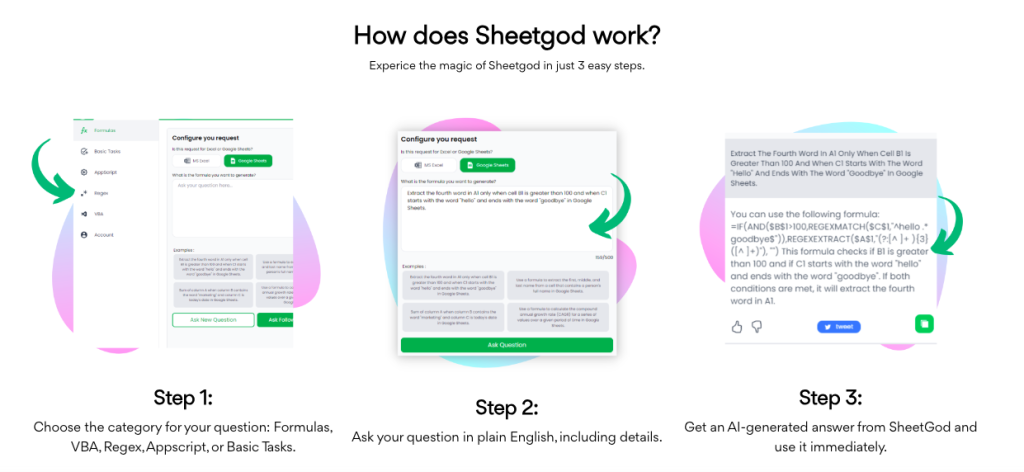
SheetGod is an AI tool that turns English descriptions into complex Excel formulas, streamlining spreadsheet tasks.
App Score: 7/10 for SheetGod because it greatly simplifies formula creation but requires basic Excel knowledge to maximize its use.
SheetGod is an essential tool for automating and enhancing Excel and Google Sheets tasks. It allows users to create complex formulas from plain English, automate repetitive tasks, and generate Google Appscript code snippets. Ideal for marketing professionals, financial analysts, or anyone who frequently uses spreadsheets, it offers tutorials for quick learning and efficient use.
Key Features of SheetGod
- AI-powered formula generation,
- Macro and regex creation,
- Google Appscript code snippets,
- Task automation in Excel and Google Sheets,
- Bulk PDF generation,
- Marketing email functionalities.
Pricing of SheetGod
Is it Free to Use? Yes
Paid Plans? Available
Pros and Cons:
Pros:
- Simplifies complex Excel formula creation
- Enables automation of repetitive tasks
- Supports macro and regex generation
- Generates Google Appscript code snippets
- Versatile for various spreadsheet-related tasks
Cons:
- Basic Excel knowledge required for effective use
- May not suit highly specialized or complex tasks
- Limited customization for specific scripting needs
- Depends on plain English effectiveness for formula creation
Language Support:
English
4- FormulasHQ

FormulasHQ is an AI tool that simplifies complex spreadsheet tasks in Excel and Google Sheets. FormulasHQ targets users who frequently work with complex spreadsheets in Excel or Google Sheets. It provides solutions for intricate formula generation, script writing, and data analysis. Ideal for accountants, data analysts, and business professionals seeking to streamline their workflow and improve data handling.
Key Features of FormulasHQ
- Excel and Google Sheets support,
- AI-powered formula generator,
- Python integration,
- Regular Expression tool,
- VBA & Apps Script automation,
- Chat-GPT messaging,
- multi-language support,
- user-friendly interface,
- financial modeling,
- data cleansing,
- statistical analysis,
- inventory management,
- supply chain management,
- forecasting capabilities.
Pricing for FormulasHQ
Is it Free to Use? Yes
Paid Plans? Available
Pros and Cons:
Pros:
- Simplifies complex spreadsheet tasks
- Offers AI-powered formula and script generation
- Supports multiple languages
- Provides Python integration for advanced data analysis
- User-friendly interface suitable for various skill levels
Cons:
- Limited features in the free plan
- Python integration might be complex for beginners
Language Support:
English, Spanish, French, Turkish, Hindi
Also Read: Best Softwares for Consultants and Coaches in 2024
6- Goodlookup

Goodlookup is a pre-trained GPT-3 model for spreadsheets, enhancing topic clustering and data linking. Goodlookup caters to users needing improved spreadsheet data analysis, particularly in text-to-text record linking and topic clustering. It’s great for those dealing with unstructured data in Google Sheets, needing semantic understanding and fuzzy matching capabilities.
Key Features of Goodlookup
- Pre-trained GPT-3 model,
- fuzzy matching capabilities,
- semantic understanding,
- text-to-text record linking,
- Google Sheets integration,
- advanced topic clustering support,
- vector space scoring for matching intensity,
- user-friendly for modern spreadsheet users.
Pricing of Goodlookup
Is it Free to Use? Free for 1 Day with Credit Card
Paid Plans? Available
Pros and Cons:
Pros:
- Advanced NLP integration with GPT-3.
- Effective for complex text matching and clustering.
- Integrates seamlessly with Google Sheets.
- Simplifies data linking in spreadsheets.
- Offers unique fuzzy matching capabilities.
Cons:
- Only available as a yearly subscription.
- Limited to Google Sheets.
- No free version or trial available.
- Lack of clear API availability.
- Limited information on discounts or special offers.
Language Support:
English
7- Formula.Dog

Formula.Dog is an AI tool that converts spreadsheet problems into formulas quickly. Formula Dog is ideal for users who need quick and accurate Excel formula generation. It’s particularly useful for data analysts, accountants, and anyone working extensively with Excel, offering a quick transformation of spreadsheet problems into formulas.
Key Features of Formula.Dog
- AI formula generation,
- user-friendly interface,
- rapid problem-to-formula conversion,
- Excel-focused functionality,
- designed for data analysis and accounting tasks.
Pricing of Formula.Dog
Is it Free to Use? Yes
Paid Plans? Available
Pros and Cons:
Pros:
- Quick AI-driven formula generation.
- Simplifies complex Excel tasks.
- User-friendly for various expertise levels.
- Efficiently solves spreadsheet problems.
- Tailored for Excel usage.
Cons:
- Restricted to Excel
Support Contact:
Language Support:
English
8- AI Excel Bot

AI Excel Bot simplifies complex Excel formula creation using AI. AI Excel Bot is designed for Excel users at all skill levels, offering a simple interface to transform natural language into complex Excel formulas. It’s especially useful for those who often struggle with Excel syntax or need quick formula solutions.
Key Features of AI Excel Bot
- Natural language processing,
- Excel and Google Sheets compatibility,
- VBA support,
- user-friendly interface,
- Chrome extension.
Pricing of AI Excel Bot
Is it Free to Use? Yes
Paid Plans? Available
Pros and Cons:
Pros:
- Simplifies formula creation
- Suitable for all user levels
- Compatible with popular spreadsheet applications
- Free version available
- Intuitive natural language processing
Cons:
- Free version has limited capabilities
- Not a complete substitute for advanced Excel knowledge
- Limited customer support
Language Support:
English
9- MySheetAI

MysheetAI enhances Excel and Google Sheets productivity using AI to generate formulas and automate tasks. MysheetAI addresses the need for faster and more accurate data manipulation in Excel and Google Sheets by providing AI-generated formulas, automation scripts, and step-by-step instructions. Ideal for users seeking to improve efficiency and accuracy in spreadsheet tasks.
Key Features of MySheetAI
- Formula generation,
- AI-generated explanations,
- Step-by-step instructions,
- VBA and App Scripts automation,
- Error reduction,
- User-friendly interface,
- Adaptive learning
Pricing of MySheetAI
Is it Free to Use? Yes
Paid Plans? Available
Pros and Cons:
Pros:
- AI-enhanced formula generation
- Comprehensive instructions for tasks
- Automation capabilities for repetitive tasks
- Interface is easy to use and intuitive
- No credit card required for the free version
Cons:
- Limited customization options
- No API for advanced integration
Language Support:
English
10- Ajelix
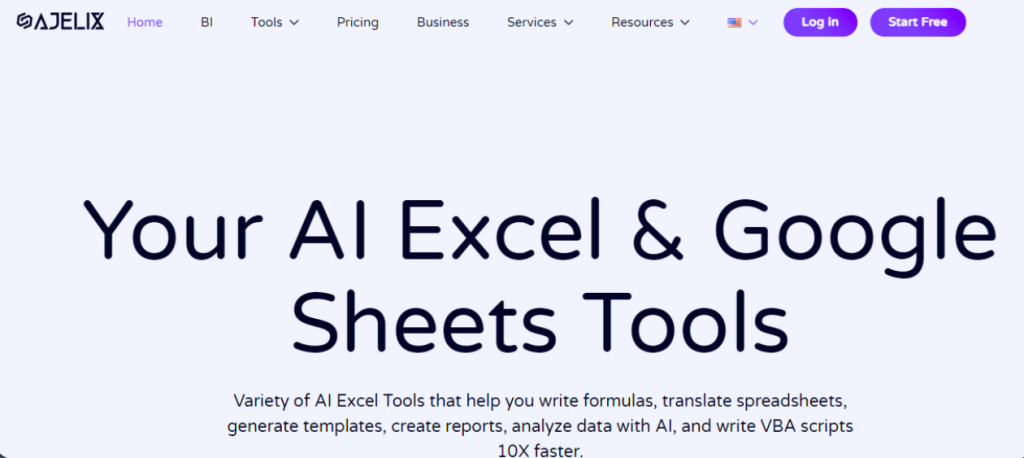
Ajelix provides AI-driven tools to enhance Excel usage, simplifying complex data tasks. Ajelix offers a suite of tools designed to streamline Excel tasks through automation and AI. It is ideal for users ranging from small business owners to enterprise-level analysts who seek to enhance data processing and reporting capabilities.
Key Features of Ajelix
- Excel Formula Generator,
- Excel Formula Explainer,
- Google Apps Script Generator,
- Excel VBA Script Explainer,
- Excel VBA Script Generator,
- Excel VBA Code Optimizer,
- Excel VBA Code Debugger,
- Google Sheets Formula Generator,
- Google Sheets Formula Explainer,
- Google Apps Script Explainer,
- Google Apps Script Optimizer,
- Google Apps Script Debugger,
- Excel File Translator,
- Formula And Script Library,
- Excel Template Generator,
- Excel Add-in,
- Virtual AI Assistant for Excel.
Pricing of Ajelix
Is it Free to Use? Yes
Paid Plans? Available
Pros and Cons:
Pros:
- Multiple AI tools for Excel
- Simplifies complex Excel functions
- No coding required for operation
- AI assistance for non-technical users
- Supports various script and formula generations
Cons:
- No API for developer integration
- Limited customization options
Support Contact:
Email: [email protected]
Language Support:
English
Also Read: All About Copilot Pro
Conclusion
Excel AI tools are really helpful for making spreadsheets easier to use. These tools use smart technology to assist us with things like formulas, analyzing data, and organizing information. Whether you use Microsoft Excel or Google Sheets, these free AI tools for Excel and Google Spreadsheets can improve your productivity and make working with data simpler.
The top excel AI tools we looked at all have unique features and benefits. Some provide real-time help, while others focus on creating formulas or doing advanced analysis. The key is finding the tools that work best for your particular needs and preferences.
As spreadsheets continue to evolve, these AI tools for excel will become even more important. By using these helpful tools, we can save time, reduce mistakes, and gain deeper insights from our data. For anyone who works with spreadsheets, these free AI tools for excel are worth exploring.
The most important thing is to try out a few options and see which of these ai tools fit your workflow the best. With the right tools, you can conquer the challenges of spreadsheets and achieve more in your work like i did!


