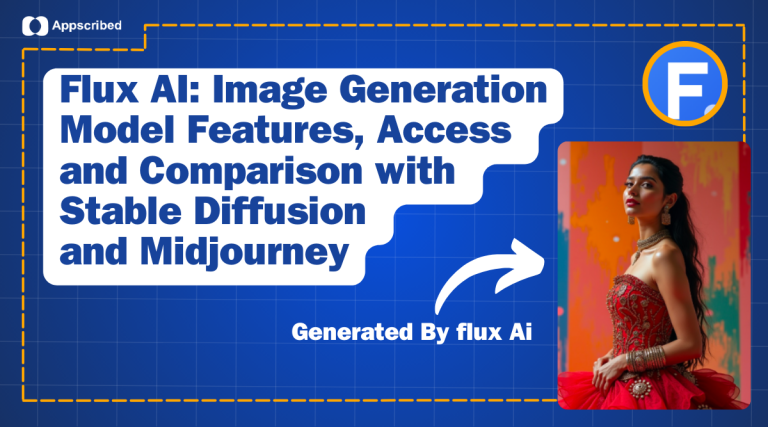
Flux Image AI, developed by Black Forest Labs, marks a significant advancement in AI-powered image generation. As an open-source model, Flux AI offers unparalleled image quality, detail, and diversity, standing as a formidable alternative to other models like Stable Diffusion.
In this article, we will explore the Flux image model, its core components, such as Flux Core and Flux Lora, features, access, comparison with stable diffusion and midjourney and its integration with tools like ComfyUI.
What is Flux AI
What is Flux? It is the latest innovation in AI image generation, offering tools that were previously unavailable in other open-source models. Flux Image AI is particularly known for its Flux Lora feature, which enhances the model’s ability to render photorealistic images by focusing on details like textures, lighting, and anatomical accuracy.
The Flux model, specifically the Flux.1 variant, is a groundbreaking AI image generation tool designed by Black Forest Labs, a team formed by the original creators of Stable Diffusion. This model leverages a novel transformer architecture and is trained on 12 billion parameters, making it one of the most powerful open-source models available today. The model is available in three variants: Flux.1-Dev, Flux.1-Pro, and Flux.1-Schnell, each catering to different needs in terms of speed and image quality.
Key Features of Flux AI
- Advanced Transformer Architecture: Utilizes a 12 billion parameter model, offering high-quality image generation and performance.
- Multiple Variants: Available in versions like Dev, Pro, and Schnell, each designed for different needs, from speed to image fidelity.
- Photorealistic Capabilities: Enhanced photorealism through detailed textures, lighting, and accurate anatomical rendering.
- Text Rendering: Excels at incorporating readable and clear text within images, ideal for design projects.
- ComfyUI Integration: Seamlessly integrates with ComfyUI for easy setup and customization without needing deep technical knowledge.
- VRAM Efficiency: Capable of running on systems with lower VRAM by efficiently managing resources.
- Open-Source and Accessible: Easily accessible for developers and creatives, offering flexibility and customization for various projects.
- Customizable Workflows: Supports advanced workflows for tailored image generation, allowing users to fine-tune results to their specific needs.
These features make Flux Image AI a strong contender for your next image generation project, offering both flexibility and high performance.
Integration with ComfyUI
Flux Image AI is fully integrated with ComfyUI, a popular user interface that simplifies the image generation process. The ComfyUI Flux integration allows users to utilize the powerful capabilities of the Flux model without needing extensive technical knowledge. With support for workflows like Flux-RealismLoRA, which enhances the model’s photorealism, ComfyUI makes it easy to create detailed and lifelike images from simple text prompts.
How Flux AI Compares with Stable Diffusion and Midjourney

Here’s a detailed comparison between Flux, Stable Diffusion, and MidJourney, presented in a tabular format. This comparison covers essential aspects such as model architecture, performance, user accessibility, and unique features to help you make an informed decision.
| Feature/Aspect | Flux Image AI | Stable Diffusion | MidJourney |
|---|---|---|---|
| Developer | Black Forest Labs | Stability AI | Independent Team (MidJourney Inc.) |
| Model Architecture | Transformer-based architecture with 12B parameters | U-Net based Diffusion Model | Proprietary blend of AI models (details not public) |
| Variants/Models Available | Flux.1 (Dev, Pro, Schnell) | Stable Diffusion v1, v2, v3 | One main model with continuous updates |
| Primary Use Cases | High-quality image generation, photorealism, complex scenes | Versatile image generation across various styles | Artistic and abstract image generation |
| Training Data | Extensive dataset with emphasis on photorealism and detail | LAION-5B dataset, OpenCLIP | Proprietary dataset, emphasis on aesthetics |
| Parameter Count | 12 Billion Parameters | Up to 1 Billion Parameters | Not publicly disclosed |
| Output Quality | High fidelity, excellent for detailed and realistic images | High quality, but variable depending on prompt and settings | High-quality artistic outputs, excels in creativity |
| Speed of Generation | Flux.1-Schnell offers faster generation with slightly lower quality | Generally slower due to complex diffusion process | Fast with high-quality outputs |
| Integration and Compatibility | Fully integrated with ComfyUI, supports FP8 and FP16 formats | Supports various UIs like AUTOMATIC1111, ComfyUI | Available through Discord, no open-source support |
| VRAM Requirements | Requires 16-24GB VRAM for optimal performance | Can run on 8GB+ VRAM, optimized for consumer hardware | Not applicable (cloud-based service) |
| Accessibility | Open-source, available on platforms like Hugging Face | Open-source, widely accessible | Paid subscription model with various tiers |
| Customization and Control | High level of control via ComfyUI, supports multiple workflows | Extensive customization through various UIs | Limited direct control, but easy to use for non-technical users |
| Text Rendering Capabilities | Strong, with clear and precise text rendering | Improved in SD3, but historically a weak point | Average, but improving with updates |
| Community and Ecosystem | Growing community, strong support via ComfyUI | Large, active community with extensive resources | Active community, but more centralized |
| Cost | Free (open-source), some hosting costs if using cloud services | Free (open-source), hosting costs for cloud services | Paid service with subscription tiers |
Key Takeaways:
- Flux Image AI stands out for its advanced architecture and photorealistic capabilities, making it ideal for detailed, high-quality image generation. It’s an excellent choice for users with high-end hardware looking for maximum control and customization.
- Stable Diffusion is highly versatile and accessible, with a vast community and numerous customization options. It’s suitable for a wide range of use cases and has lower hardware requirements, making it more accessible to hobbyists.
- MidJourney excels in producing creative and aesthetically pleasing images with minimal user effort. It’s user-friendly but less customizable, making it a good choice for those looking for quick, high-quality results without deep technical knowledge.
How to Access Flux Image AI
Accessing and using the Flux Image AI model involves a few steps to ensure you have the correct setup and can make the most of its capabilities. Here’s a detailed guide to help you get started:
- Hardware Setup: Ensure you have 16-24 GB VRAM for optimal performance.
- Download Files: Get the necessary Flux model files from Hugging Face (Flux.1-Schnell or Flux.1-Dev), and download the required CLIP models and VAE models.
- Install ComfyUI: Download and update ComfyUI to support Flux models natively.
- Load Models: Place downloaded models in the correct ComfyUI directories:
unet,clip,vae. - Load Workflow: Use pre-built workflows or customize settings in ComfyUI for image generation. You can find workflows here.
- Generate Images: Enter your prompt, adjust settings, and generate images through ComfyUI.
- Review and Save: Refine the generated images as needed, then save and export them.
This setup should ensure you can effectively use Flux Image AI.
Similar Reads:
Stable Diffusion 3: Whats New and How Is It Different From Previous Versions
How Does AI Image Generation Work?
Conclusion
The Flux AI model equipped with features like Flux Core and Flux Lora, represents a significant leap forward in AI-driven image generation. Whether you are exploring what Flux image generation model can offer or integrating ComfyUI Flux into your workflow, this model is set to redefine the standards of digital image creation.
Frequently Asked Questions
What is Flux AI?
Flux is an AI-driven image generation model that offers superior image quality and precision.
What are the core features of Flux Image AI?
The core features include Flux Core, Flux Lora, and integration with ComfyUI Flux.
How does Flux Image AI compare to other models?
Flux Image AI offers superior image generation capabilities, with advanced features that set it apart from other models in the market.