
As Black Friday approaches, businesses are gearing up for the big rush. With online and in-store shoppers hunting for deals, the one thing that skyrockets just as fast as sales is customer support requests. Questions about deals, shipping times, returns…you name it. And when thousands of customers reach out at once, it’s tough to keep up.
That’s where AI tools for customer support can make a huge difference. Let’s talk about how it works and why it’s something you might want to set up for Black Friday and the busy holiday season.
Why AI-Powered Support is a Lifesaver for Black Friday
During peak shopping seasons, there’s only so much a human team can do, even if it’s all hands on deck. AI tools can handle a massive number of requests without getting tired, giving quick responses around the clock. For example, a chatbot can handle hundreds of “Where’s my order?” questions at once, while your human team can focus on more complex issues.
And it’s not just about volume. With so many companies competing for customers, people expect fast replies. If they don’t get an answer in time, they might go somewhere else. AI-driven tools keep response times short, so customers get the help they need without the wait.
Key AI Tools for Black Friday Customer Support

Chatbots for Instant Answers
Chatbots are like your first line of defense. They handle common questions that don’t need a human touch, like checking order status or explaining return policies. They can answer these questions instantly, even if it’s 3 a.m. on Black Friday.
AI Voice Assistants for Phone Support
Not everyone prefers typing, so AI voice assistants can be a great backup for phone support. They can help customers find store locations, track orders, or even suggest products based on what customers are looking for. Imagine being able to answer 50 calls at once without hiring more staff.
Automated Ticket Sorting
Let’s say you have a mountain of incoming emails. AI can help sort and prioritize them. For example, it might put refund requests at the top of the list and place non-urgent questions about store hours further down. This way, your team handles the most important requests first, making sure nothing critical falls through the cracks.
Sentiment Analysis to Spot Frustrated Customers
Some AI tools can analyze the mood of a message. If a customer seems frustrated, AI can flag that message for quicker response, helping your team calm the situation before it escalates. It’s like a radar for unhappy customers, so you can step in fast when needed.
The Benefits of AI-Driven Support for Black Friday
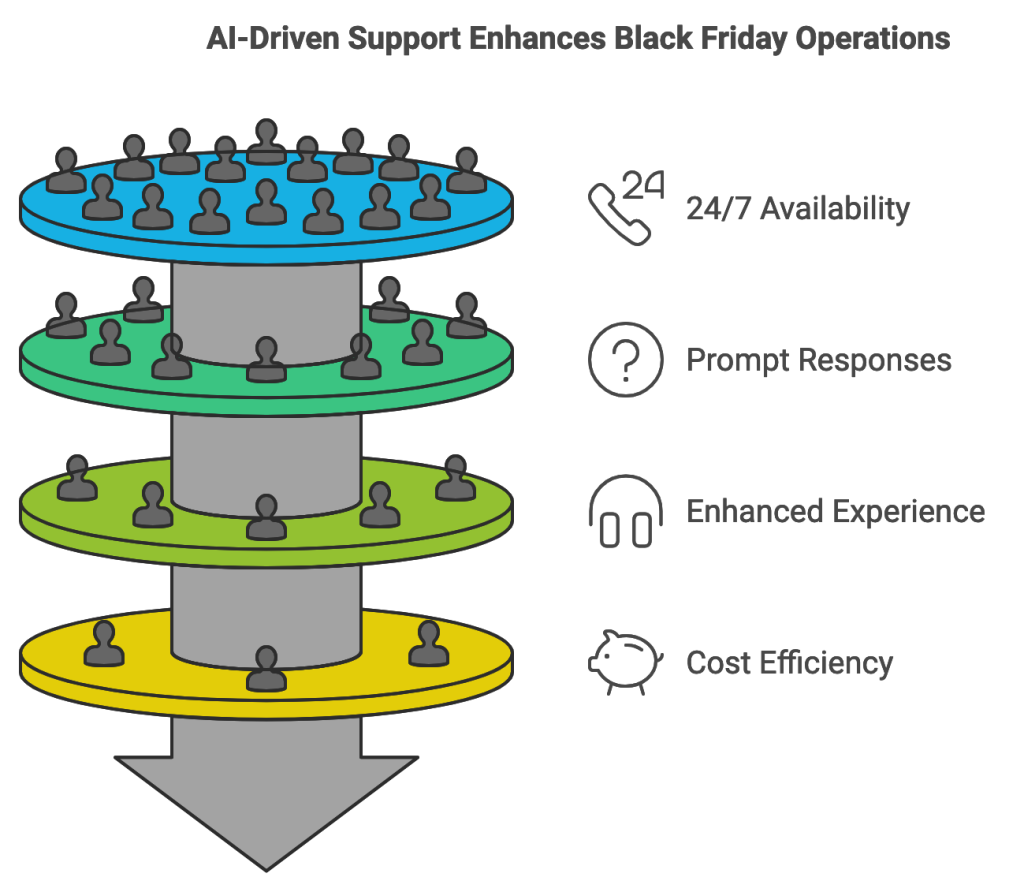
Handling customer support during Black Friday isn’t just about answering questions; it’s about doing it fast, getting things right, and keeping customers happy. Here’s how AI can step in and tackle the biggest issues you face:
24/7 Service
On Black Friday, customers don’t wait for business hours. They’re shopping at all times, which means questions can come in at any moment. It’s hard to keep up with that kind of demand, especially after hours.
Whether a customer asks about a product at midnight or early in the morning, AI is ready to answer. This non-stop availability means your team doesn’t have to burn out, and customers always get a response when they need it.
Prompt Help
Black Friday can feel like a tidal wave of customer questions. Even with a full team, it’s easy to get overwhelmed, and when response times get too long, customers might abandon their carts or get frustrated.
Chatbots and voice assistants can answer the most common questions instantly, like “Is this item in stock?” or “What’s the return policy?” This quick response time keeps customers engaged and frees up your human team to handle trickier issues, so no one is left waiting.
Good Customer Experience
High shopping stress means that customer patience runs thin. A slight delay in response can turn a minor issue into a frustrated customer or even a lost sale.
AI can detect emotions through language. If a customer’s message sounds frustrated, AI can prioritize it, letting your team address those high-priority cases faster. AI also provides clear, accurate answers, which helps reduce miscommunication and makes it more likely customers leave satisfied.
Cost Control
Black Friday only lasts a short time, and hiring extra hands just for a few days is costly and takes time.
With AI handling routine questions, you can scale up your support without adding new staff. AI acts as your extended team, managing the overflow so you don’t have to stretch your budget or scramble for extra help.
How to Set Up AI-Driven Support for the Holidays
Setting up AI for customer support doesn’t have to be complicated, even if it’s new to you. Here’s a step-by-step guide to make the process as smooth as possible:
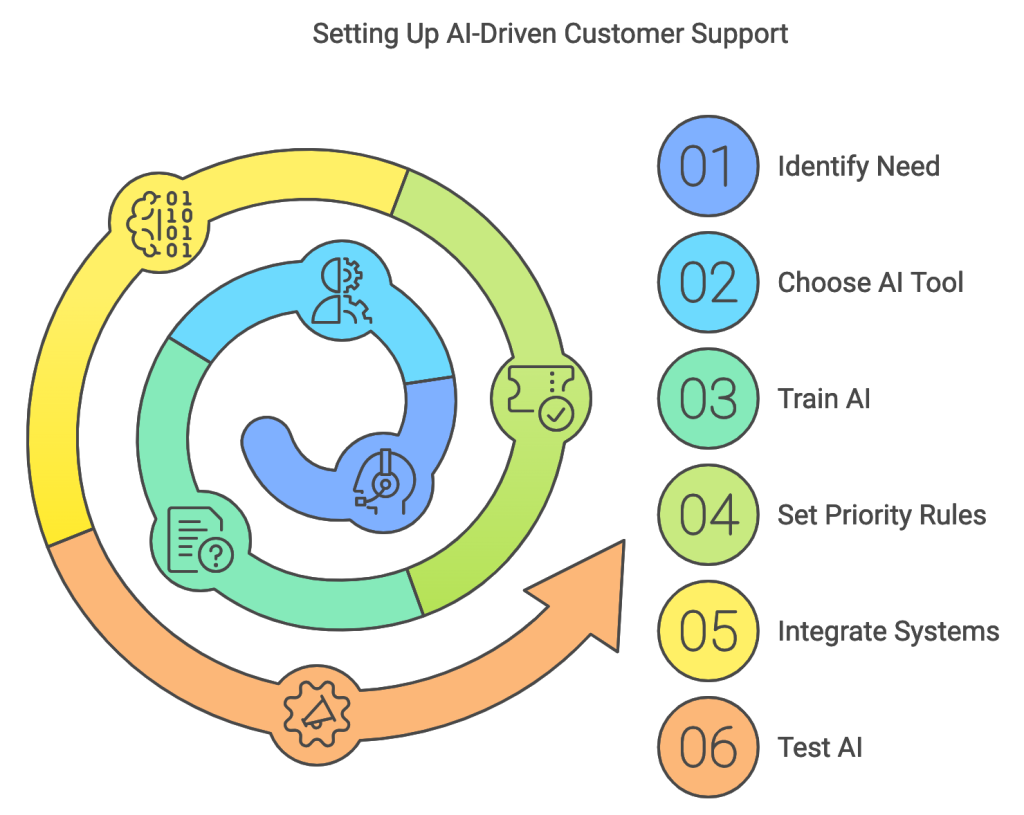
Start Small: Pick Your First AI Tool
Think about where you need the most help. If most of your customers reach out with basic questions, start with a chatbot. If your support line gets overloaded with phone calls, an AI voice assistant could be a better place to begin. Choose one tool to start with and get comfortable with it.
Train the AI with Your Business’s Common Questions
AI works best when it has the right information to work from. Take a list of the most frequently asked questions (like shipping details, return policies, and current deals) and load these into your AI tool. Most platforms make it easy to set up these answers in advance, so the AI can start helping customers right away.
Set Up Priority Rules for Ticketing and Sentiment Analysis
If you’re using AI for ticket sorting, set up a few basic rules. For example, tell the system to mark refund requests as high-priority, or use sentiment analysis to flag messages that sound frustrated. This way, your team knows what to tackle first, and nothing important slips through the cracks.
Integrate with Your Existing Systems
To be most effective, your AI tool should connect to other systems you use, like your order management or CRM (Customer Relationship Management). Many AI tools are designed to work with these platforms, so they can pull up real-time data, like stock availability or order tracking, without manual input.
Run a Quick Test Before the Big Day
Test the AI before Black Friday to make sure it’s working as expected. Ask some team members to simulate common customer questions and see how well the AI responds. Fine-tune any responses or rules that don’t seem quite right. It’s better to iron out any issues now than when you’re in the middle of the holiday rush.
Monitor and Adjust as You Go
Even during Black Friday, keep an eye on how the AI is performing. Most platforms will give you data on things like response times and unresolved questions. Use this info to make quick adjustments if needed, like updating a response or flagging a new issue for priority handling.
After Black Friday: Using AI Insights
Once Black Friday is over, AI can still help you. It can analyze all the data from customer interactions to spot trends and common issues. Maybe a lot of people asked the same question about a specific product, or there was confusion about a certain policy. These insights can help you improve support for future peak days.
You can also use AI to follow up with customers, helping to build loyalty and keep them coming back. And with each holiday season, you can refine your AI tools to make them even more helpful.
Explore Our Curated List of Customer Support AI Tool: 15+ AI Customer Support Tools
Closing Thoughts
AI-driven support isn’t just a tech trend; it’s a practical way to make sure your customers get fast, reliable help during the busiest time of the year. By setting up AI tools to support your customer this holiday season, you’ll be able to handle the holiday rush more smoothly, keep customers happy, and make your team’s job easier.
Give it a try this Black Friday, and see how AI can help you deliver better support without the stress. And remember, the best part is that these tools will continue to help you well beyond the holiday season.