




Botsonic, an AI-powered chatbot, redefines customer interaction with its impressive specifications.
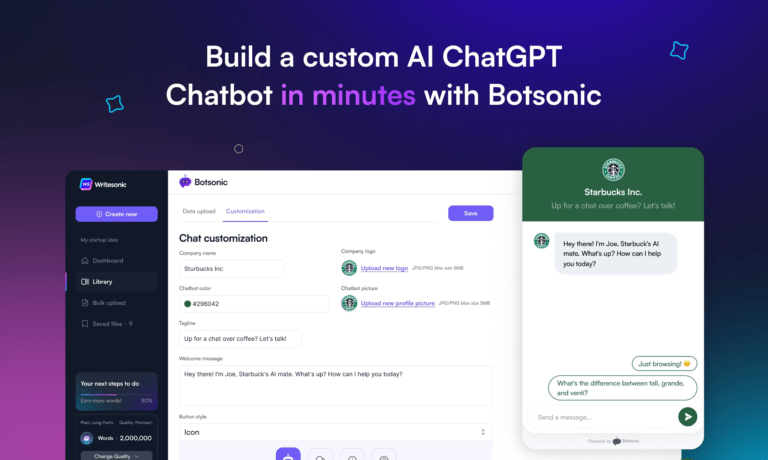
Boasting advanced Natural Language Processing (NLP), it exhibits human-like comprehension across multiple channels, including websites and social media. The customization feature allows businesses to tailor Botsonic to their brand voice, ensuring a personalized experience.
The analytics dashboard provides invaluable insights for data-driven decision-making.
Botsonic excels in efficient customer service, offering 24/7 availability, cost-effectiveness, and quick response times. Its scalability is a standout feature, adapting seamlessly to business growth.
However, users may encounter challenges with the complex implementation process, and the bot might struggle with more intricate queries.
Despite these considerations, Botsonic stands as a robust solution for businesses aiming to elevate their customer service experience through AI innovation.
How to use Botsonic?
To integrate Botsonic on your site:
– Sign up for a Writesonic (Parent company) account to access Botsonic.
– Upload your knowledge base by providing a link to a website, adding a sitemap, or uploading FAQs in CSV format.
– Customize your chatbot’s appearance, colors, copy, images, and tags to match your brand.
– Set up questions with pre-written responses to streamline interactions.
– Enable user data collection for insights into user behavior (Optional).
– Copy the provided embeddable code along with the API key.
– Paste the code in the source code of your site to integrate Botsonic.