


We all love taking photos with our phones and sharing them online. Sometimes, a picture looks great when we take it, but later we realize it’s blurry. This can happen if our hands shake, the lighting is bad, or the background is too out of focus.
But don’t worry! There are plenty of apps that can fix blurry photos. These apps use AI to analyze the image, detect the blurry areas, and sharpen them.
The best part? Many of these apps are free! You can improve your photos without spending any money. In this blog, we’ll introduce 10 free apps that can help turn your blurry photos into clear, shareable memories.
Picsart
Picsart is an AI-powered tool that makes blurry pictures clear. The best part, you don’t need to download anything – just use it on your web browser.
Pricing: Free to use
Available on: Android, iOS, Web, Desktop
Best for: Unblurring Images, Editing Images, Scaling Images, Removing Background
The tool detects blurry areas and refines them, resulting in crisper, clearer images with improved detail. Whether you’re fixing a blurry selfie or restoring old photos, Picsart’s unblur tool delivers fast and professional results.
In addition to the web-based tool, Picsart also offers apps for both Android and iOS that enable users to unblur images conveniently on mobile devices. This flexibility ensures that no matter where you are, you can quickly restore your photos on the go.
Picwish (Recommended)
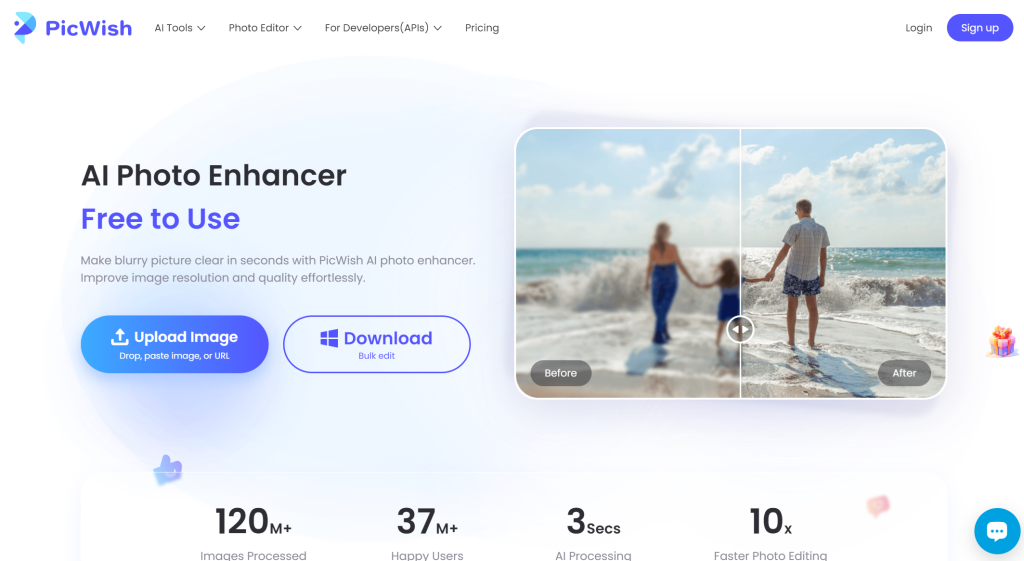
PicWish is a free-to-use app to unblur photos that leverages AI to sharpen and enhance blurry images instantly. Whether you’re dealing with old photos, out-of-focus shots, or low-resolution images, PicWish helps restore clarity and detail with just a few clicks.
Pricing: Free to use
Available on: Android, iOS, Desktop, Web
Best for: Unblurring Images, Faceswap, Generating portrait, Removing Background
The service is accessible directly through their website which makes it easy for anyone to improve their photos without needing specialized software.
In addition to the online tool, PicWish offers apps for Android, iOS, and Windows and allows users to unblur and enhance their images on mobile and desktop devices. This provides flexibility for users to fix their photos on the go and makes it a convenient solution for quick edits or more detailed photo restoration.
The mobile app includes additional features to further enhance photo quality, catering to both casual users and those with more advanced needs.
Cutout Pro

Cutout Pro’s Image Enhancer offers a free, AI-powered tool to unblur photos and improve image quality. If you’re working with blurry images, low-resolution photos, or older memories in need of restoration, the platform enhances details, sharpens edges, and improves clarity quickly.
Pricing: Free to use with normal quality (2 Credits per HD image download)
Available on: Android, iOS, Web
Best for: Unblurring Images, Face cutout, Removing Background, Coloring photos
The tool is accessible online and require no special software installation. This tool makes it easy for users to enhance photos directly on the website.
Cutout Pro is also available as an Android and iOS app, that allow users to unblur and upscale images on their mobile devices. The app’s AI technology ensures high-quality results, and help users transform their blurry photos into clearer, more vibrant images.
Restorephotos.io
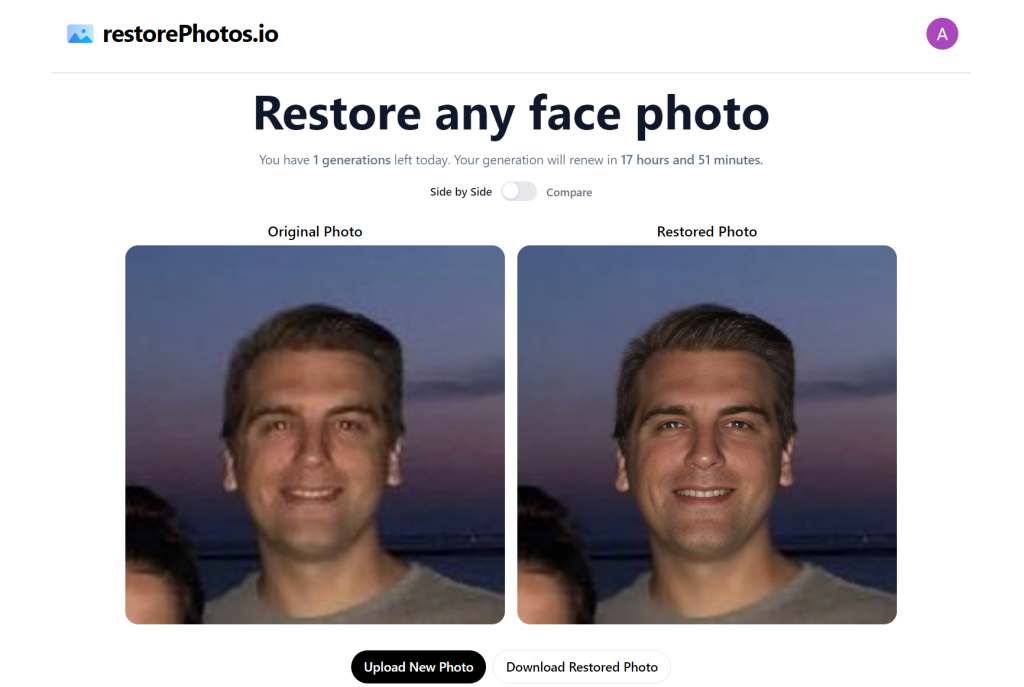
RestorePhotos.io offers a free AI-powered service that enhances and restores old, blurry face photos. The platform is designed to make it easy for anyone to improve the quality of cherished memories without the need for technical expertise.
Pricing: Daily 2 images free to unblur
Available on: Web
Best for: Unblurring and restoring Images
You can unblur 2 images daily, free of cost and your credit will restore in 1 day.
Simply upload a photo, and the AI quickly sharpens and clears up the image, restoring fine details that were previously lost.
RestorePhotos.io is entirely web-based, accessible from any device, and requires no downloads or complicated processes that makes it an ideal solution for anyone looking to restore important photos.
It’s particularly helpful for those seeking to improve older family pictures or bring clarity to low-quality digital images.
Youcam Enhance

YouCam’s Enhance is a powerful AI-driven tool designed to instantly improve the clarity of blurry photos. This tool sharpens details, brightens colors, and restores image quality, making it ideal for both personal and professional use.
Pricing: 2 Credits per image (Free 5 Credit when you signup)
Available on: Android, iOS, Web
Best for: Unblurring Images, Removing objects, Coloring photos, Removing Background
You can easily unblur photos with just one tap and improve resolution and sharpness in seconds. It gives free 5 credits to use to unblur images either on their website or mobile app.
The tool is accessible on YouCam’s web platform and available as a mobile app for both Android and iOS. Whether you’re fixing blurry portraits or enhancing low-quality images, YouCam makes the process quick and effortless.
The mobile app also includes additional editing features that can further improve your photos, giving you control over brightness, contrast, and other key elements to ensure a perfect finish.
Snapedit

SnapEdit is a free to use unblur photos tool that utilizes advanced AI technology to enhance blurry images by sharpening details and improving image quality.
Pricing: 3 Enhanced image per day
Available on: Android, iOS, Web
Best for: Unblurring Images, Removing objects, Removing Background, Restoring old photos
SnapEdit is free to use online and is also available as a mobile app for both Android and iOS devices.
Pica AI

Pica AI is an advanced photo enhancer that uses artificial intelligence to restore clarity to blurry images. It is designed for users looking to unblur photos that are out of focus, pixelated, or low-resolution.
Pricing: Free to use with small watermark
Available on: iOS, Web
Best for: Unblurring images, Face swapping, Generating headshot
The tool is available for free, though it adds a watermark to enhanced images. Pica AI offers a quick and user-friendly interface which makes it easy for anyone to unblur images with just a few clicks.
You can access Pica AI’s unblur tool directly through their website, which makes it convenient for desktop users. Additionally, it is available as an app for iOS devices.
Let’s Enhance
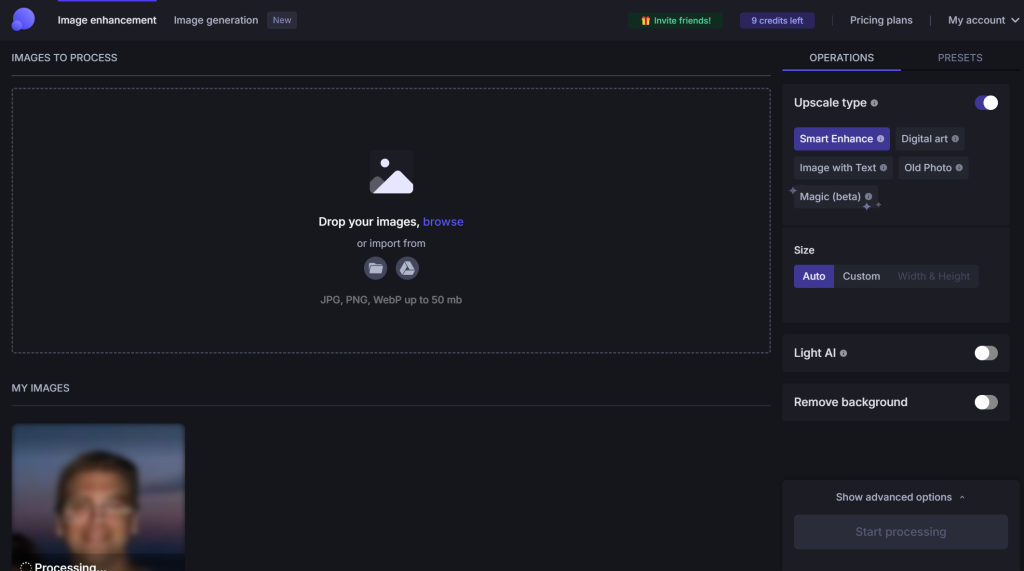
Let’s Enhance offers a highly efficient unblur app powered by AI, designed to improve the sharpness and clarity of blurry or low-quality photos. This tool automatically enhances the resolution and restores details, which makes it ideal for those who want to revitalize old or out-of-focus images.
Pricing: 1 Credit per image (Free 10 Credit when signup)
Available on: Web
Best for: Unblurring Images, Removing Background, Upscaling images
You can access the unblur feature directly through their website without the need for software installation.
Available on both desktop and mobile devices, Let’s Enhance provides 10 free credits to new users, which allows them to test the platform’s features at no cost.
Vmake

Vmake’s image enhancer is a free, AI-powered tool designed to unblur and enhance the quality of photos in seconds. It sharpens blurry images, improves resolution, and brings out vibrant colors that makes your photos look professional.
Pricing: Unlimited Free download with standard quality (1 Credit for HD download and 5 credit Free when signup)
Available on: Android, iOS, Web
Best for: Unblurring Images, Removing Background
The platform is accessible directly from the website, and you can upload up to 10 files at a time for processing.
Remini

Remini is a powerful tool that enhances blurry or low-quality photos using AI technology. It instantly sharpens edges and improves clarity, transforming photos into high-definition quality with just a single tap.
Pricing: Free for 7 days
Available on: Android, iOS, Web
Best for: Unblurring Images, Restoring old photos, Enhanacing face, Enlarging images
The unblur tool is available for free and can be easily accessed via the Remini app, which is available for both iOS and Android devices.
Conclusion
Photo editing has come a long way, offering us easy ways to fix blurry images without spending a penny. From one-click fixes to advanced AI tools, these apps have something for everyone, no matter your skill level.
While these apps are great for saving those blurry shots, it’s always best to try and take clear photos in the first place. But when things don’t go as planned, you now have a bunch of tools to help you out. So, breathe new life into your old, blurry photos and share your clear, beautiful memories with confidence!




