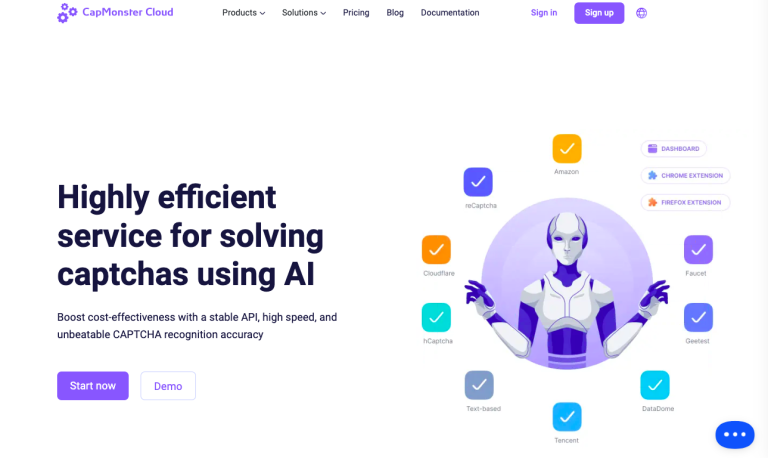
TL;DR: CapMonster Cloud is an automated CAPTCHA-solving service powered by AI. It helps developers and businesses bypass CAPTCHA challenges efficiently, supporting tasks like web scraping, automation, and online marketing. It’s an ideal tool for those seeking fast and accurate CAPTCHA solutions.
Let’s look at CapMonster Cloud’s features, pricing, potential use cases and find out what makes this platform unique.
CapMonster Cloud simplifies CAPTCHA solving by leveraging advanced AI algorithms. It supports various CAPTCHA types, including reCAPTCHA, hCaptcha, and image-based CAPTCHAs, providing businesses and developers with a reliable and cost-effective solution. With its user-friendly API and browser extensions, integration is seamless. The service is designed to deliver high accuracy and quick solving speeds, making it suitable for automation workflows, bulk account creation, and web testing.
Key Features
- AI-Powered CAPTCHA Solving: Automatically solves CAPTCHAs with high precision using AI, optimizing workflows for developers and businesses.
- Wide CAPTCHA Support: Compatible with popular CAPTCHA types, including reCAPTCHA v2/v3, hCaptcha, image-based CAPTCHAs, and more.
- Fast Processing: Handles over 1,000 CAPTCHAs per minute, with average solving times under one second.
- Easy Integration: Provides APIs and browser extensions for Chrome and Firefox to simplify adoption in various environments.
- Cost-Effective Pricing: Pay only for solved CAPTCHAs, with competitive rates and discounts for high-volume usage.
How to Use
- Sign Up: Create an account on the CapMonster Cloud website.
- Obtain API Key: Retrieve your API key from the dashboard.
- Add Funds: Top up your account balance to pay for CAPTCHA solving.
- Choose Integration Method: Use either the API for direct integration or the browser extension for quick access.
- Install Required Tools: Add the appropriate libraries or extensions based on your chosen method.
- Configure API: Enter your API key into the integration settings.
- Submit CAPTCHA: Send CAPTCHA details for processing through the API or browser.
- Retrieve Results: Get the solved CAPTCHA tokens or text for further use.
- Monitor Usage: Track performance and billing through the dashboard.
Who Is It For
- Web Scraping Professionals: Enables automated data extraction from CAPTCHA-protected sites.
- SEO and Marketing Specialists: Facilitates smooth execution of SEO tools and marketing campaigns that interact with CAPTCHAs.
- Developers: Integrates seamlessly into automated systems requiring CAPTCHA bypass.
- QA Testers: Assists in testing CAPTCHA-based web applications during development.
- Accessibility Advocates: Provides support for individuals with accessibility needs, reducing barriers posed by CAPTCHAs.
FAQ
Is CapMonster Cloud free to use?
No, it charges per solved CAPTCHA but offers cost-effective rates.
What types of CAPTCHAs does it support?
It supports reCAPTCHA v2/v3, hCaptcha, image-based CAPTCHAs, GeeTest, and more.
Does it have a free trial?
No free trial offered but if you don’t like the service, refund is available.
Can I use CapMonster Cloud with my software?
Yes, it offers APIs and extensions for seamless integration.