

When choosing between Bolt.new and Cursor for AI-assisted coding, it’s essential to understand their features, strengths, and ideal use cases.
This comparison will help you decide which tool aligns best with your development needs.
Overview
Bolt.new
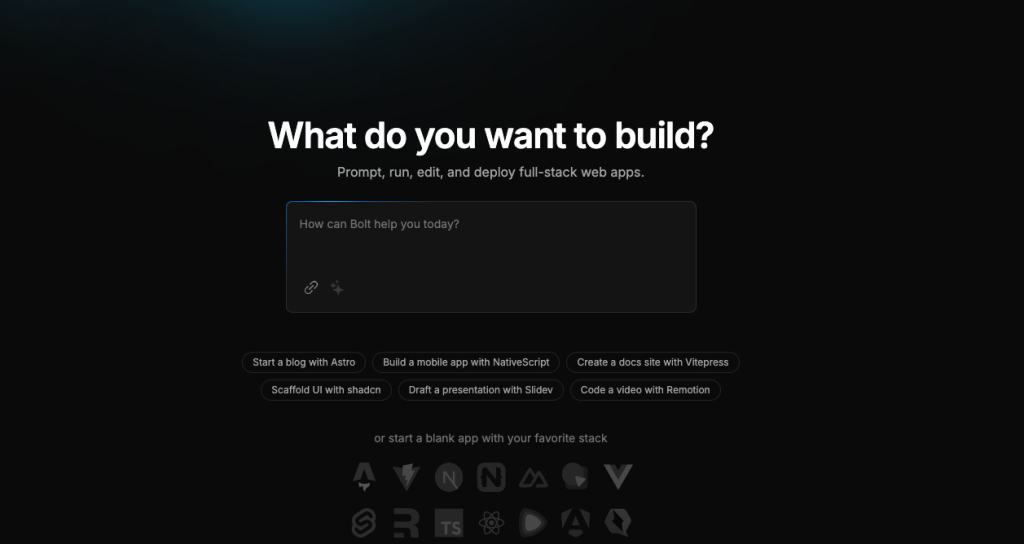
Bolt.new is a web-based, AI-powered development environment by StackBlitz, designed for rapid prototyping and deployment of web applications.
Cursor AI

Cursor is an AI-enhanced code editor that integrates with existing development workflows, offering advanced code assistance and customization.
Bolt.new Vs Cursor: Key Features Comparison
| Feature | Bolt.new | Cursor AI |
|---|---|---|
| Platform | Web-based environment with integrated terminal and editor. | Desktop application integrating with local development setups. |
| AI Assistance | Generates code based on prompts; ideal for quick scaffolding. | Provides in-depth code suggestions, refactoring, and multi-file edits. |
| Customization | Limited direct code editing; primarily prompt-driven. | Full access to codebase with extensive customization options. |
| Deployment | One-click deployment via Netlify integration. | Requires external tools for deployment (e.g., Vercel, Replit). |
| Supported Projects | Primarily web applications. | Supports a wide range of applications, including mobile and desktop. |
| User Interface | Beginner-friendly with a straightforward UI. | Feature-rich interface suitable for experienced developers. |
| Pricing | Free to use. | Offers free and paid tiers with additional features. |
Which One Is Easier to Use?
Bolt.new: If you’re new to coding or prefer a straightforward interface, Bolt.new is quite user-friendly. You can start building web applications directly in your browser without any installations. Its prompt-driven approach means you describe what you want, and it generates the code for you. However, this also means you have less direct control over the code.
Cursor: For those with more coding experience, Cursor offers a robust environment with deep customization. It integrates with your local development setup, allowing you to work on complex, multi-file projects. The learning curve is steeper, but it provides greater control and flexibility.
What About Deployment?
Bolt.new: One of Bolt.new’s strengths is its seamless deployment. With integration to Netlify, you can deploy your web application with a single click, making it live on the internet almost instantly.
Cursor: While Cursor excels in code editing and customization, it doesn’t handle deployment directly. You’ll need to use external tools like Vercel or Replit to deploy your applications. This adds an extra step but also offers more flexibility in choosing your deployment platform.
What Types of Projects Are They Best For?
Bolt.new: If you’re focusing on web applications and need to prototype quickly, Bolt.new is a solid choice. It’s particularly useful for creating simple web apps and deploying them without much hassle. However, for more complex projects, it might run into limitations.
Cursor: Cursor is versatile and supports various project types, including web, mobile, and desktop applications. Its advanced code assistance and customization options make it suitable for complex, multi-file projects where you need detailed control over the codebase.
How Do They Compare in Pricing?
Bolt.new Pricing and Usage Limits
Bolt.new offers both free and paid plans, each with specific token limits that dictate the extent of AI interactions:
- Free Plan: Users receive a daily allocation of 100,000 tokens. Once this limit is reached, AI interactions are paused until the next day.
- Pro Plan: Priced at $18 per month, this plan provides users with 10 million tokens per month. It’s important to note that some users have reported that after exhausting the Pro Plan’s tokens, the daily 100,000 tokens from the free plan are not available.
Refer Bolt.new pricing
These token limits are designed to manage server load and ensure fair usage among all users.
Cursor Pricing
Cursor offers a tiered pricing model to accommodate various user needs:
- Hobby Plan: Free of charge, this plan includes a two-week trial of Pro features, 2,000 code completions, and 50 slow premium requests.
- Pro Plan: At $20 per month, it provides unlimited code completions, 500 fast premium requests per month, and unlimited slow premium requests.
- Business Plan: For $40 per user per month, this plan includes all Pro features plus organization-wide privacy mode enforcement, centralized team billing, and an admin dashboard with usage statistics.
Refer Cursor AI Pricing
Which One Should You Choose?
Choose Bolt.new if
- You’re a beginner or prefer a simple, prompt-driven interface.
- You need to quickly prototype and deploy web applications.
- You want a tool that’s free and doesn’t require installation.
Choose Cursor if
- You have coding experience and need deep customization.
- You’re working on complex projects that go beyond simple web applications.
- You prefer a tool that integrates with your existing development workflow.
Also Explore:
OpenAI’s GPT-4o vs o1: An In-Depth Comparison
Stable Diffusion 3 vs Flux 1: An In-Depth Comparison
Final Thoughts
Both Bolt.new and Cursor have their unique strengths. Bolt.new is excellent for rapid prototyping and deployment of web applications, especially for those who prefer a straightforward, prompt-driven approach. On the other hand, Cursor offers a powerful, customizable environment suitable for complex projects and experienced developers. Your choice depends on your specific needs, experience level, and the nature of the projects you’re working on.